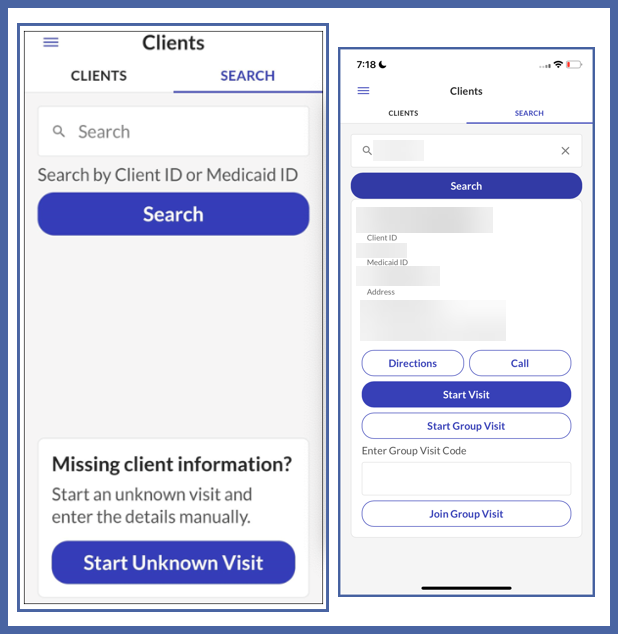
Sandata Mobile Connect Clients Screen
On this screen you are able to see and search for clients.

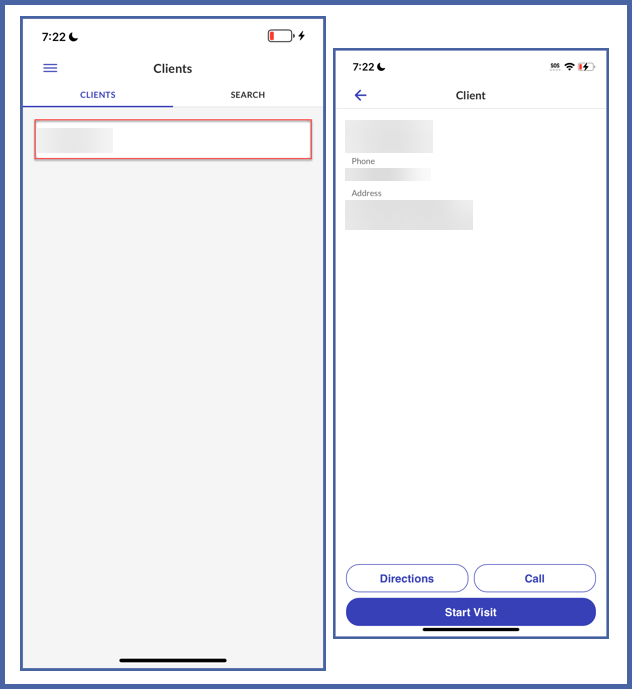
Tap the Clients tab to view a list of your clients. The list is sorted alphabetically by the clients' last names. To view more information about a specific client, tap their name in the list. This screen shows the client's address and phone number. You can get directions to the client's location, call the client, and start the visit from this screen.
Tap the Search tab to search for a specific client using client identifiers such as Medicaid ID and Client ID. Accepted identifiers can be found on the Settings screen. Accepted client identifiers can change based on agency/payer setup. You can also start an unknown client visit from this tab.