End-Date a Recipient Program
You can end-date a Recipient’s program by going to Recipient>Recipient Management and selecting the Recipient program you need to end. Once on the Recipient’s profile you will need to end-date the services and authorization records. Next you can discharge the Recipient’s program.
Refer to each dropdown below to view the specific sections needed:
-
End-dating a Service
-
End-dating an Authorization
-
Discharging a Recipient Program
All steps start with the following two actions:
-
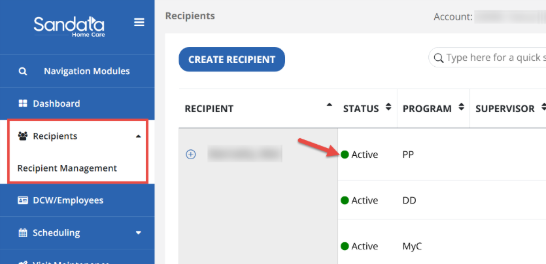
Access the Recipient record by navigating to Recipient > Recipient Management and selecting the Recipient record you need to end-date.
-
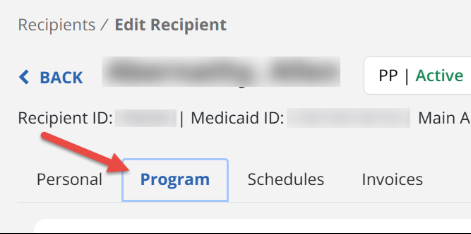
Navigate to the Program tab of the Recipient’s profile.

To end-date a service:
-
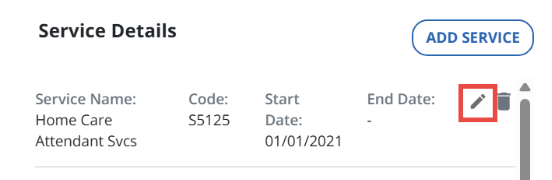
Scroll down to the Service Details section of the Recipient's profile and select the edit icon to open the service record.
-
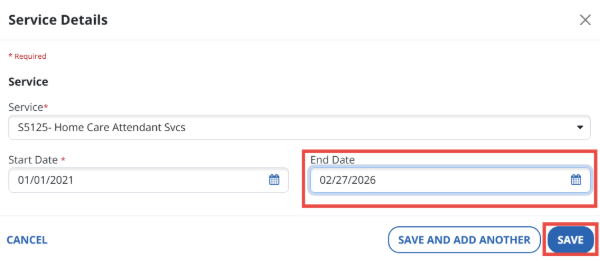
Next, in the End Date field, enter the date services should no longer be rendered and select the Save button.
To end-date an authorization:
-
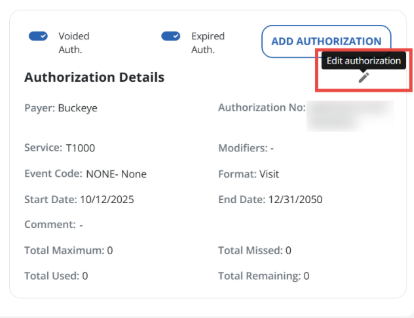
Scroll down the Authorization Details section and select the pencil edit icon on the authorization.
-
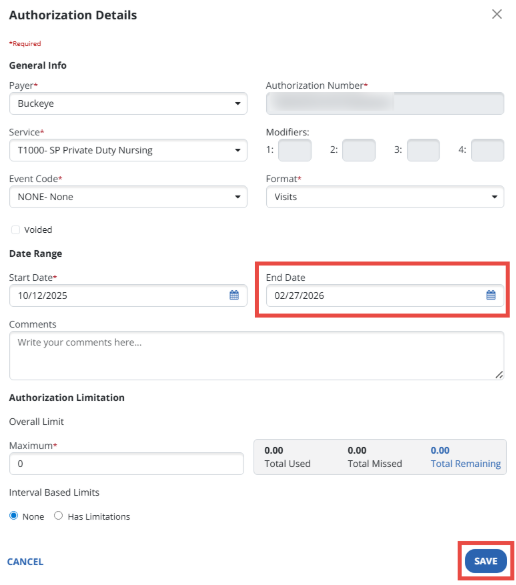
In the End Date field, enter the date services should no longer be rendered/authorized for this Recipient and select the Save button.
To discharge a recipient program:
-
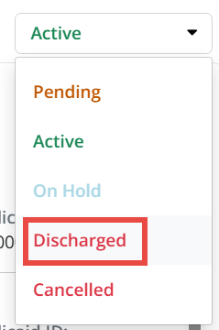
Select the status dropdown and select Discharged from the list.
-
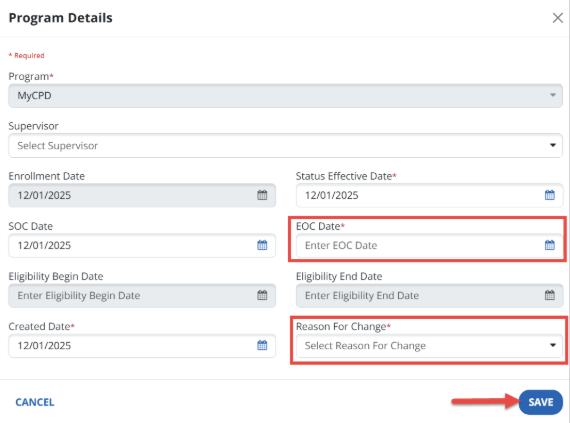
In the EOC Date field, enter the date this Recipient should no longer receive services for this program and select a reason for your change then select the Save button.
To Add a New Recipient Program in EVV, please review the Add a New Recipient Program to EVV topic.