Sandata Mobile Connect First Time (Initial) Log-In

When using your email address from your employee profile for the initial login to the Sandata Mobile Connect app:
-
A temporary password is sent to your email address
-
The email also includes links to download Sandata Mobile Connect from the Google Play store or the Apple App store
Use the table below to find your username and password combination for log in.
| User Name | Password |
|---|---|
| The employee’s Santrax ID | The employee’s employee ID. |
| The employee’s Username | The temporary password provided by your agency's admin. |
| The email address from the employee’s profile | The temporary password sent to the email address on the employee’s profile. |
If an email address is not used for the initial log in, a Username or Santrax ID with a temporary password is provided by your agency admin.
Check the spam folder if the password email doesn’t appear in the email account’s in box.
If you attempt to log in unsuccessfully too many times, your account gets locked. When the in-app unlock feature is enabled, it automatically directs you to the reset password screen after your account is locked. If this feature is disabled and you are not automatically taken to the reset password screen, you must contact your agency's administrator to unlock your account.
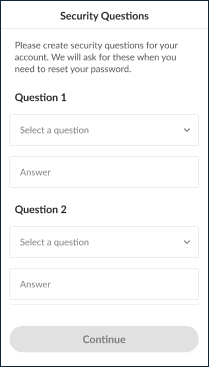
For the initial log-in, if you use a username that is not an email address, you must set up a series of security questions. Users should keep the answers to these questions, as they are necessary for completing the password reset process.
The number of security questions is based on the agency/payer configuration. Each security question must have a unique answer.
-
Select and answer the security questions.
-
Tap Continue.
-
Enter the Temporary Password.
-
Enter and re-enter a New Password.
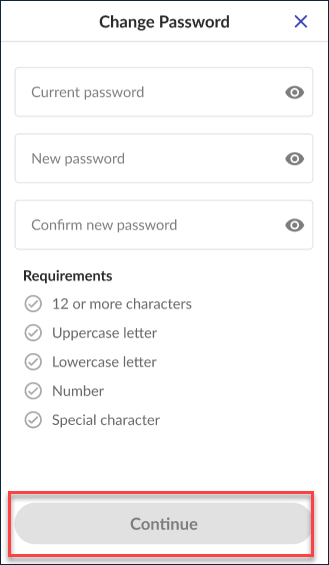
To keep your account secure, change your password regularly, typically every 60 days. When it's time to update your password, notifications appear 10 days before the expiration date, indicating how many days remain. If you don't change your password before it expires, you'll need to follow the steps to reset it.
Other Resources