Sandata Mobile Connect Settings Screen
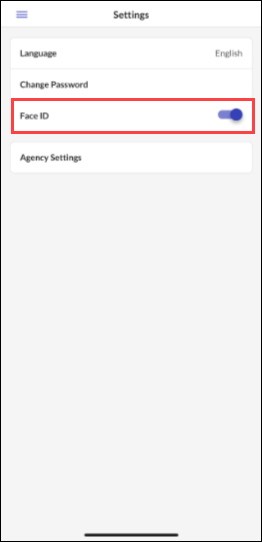
In the Settings screen, you change the default language, update your password, enable or disable touch and face ID, and access additional application settings.
| Setting | Description |
|---|---|
| Languages | Indicates the selected language and allows you to change the preferred language. |
| Change Password | Allows you to manually change your password. |
| Touch/Face ID | Enables the use of biometric data to log in. |
| Agency Settings | Displays additional application settings. |

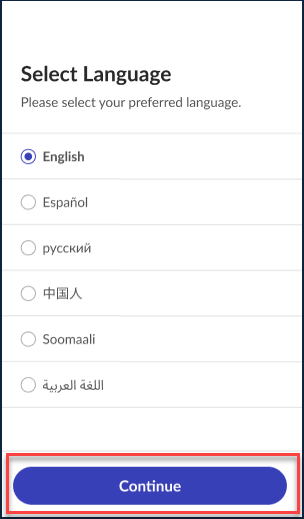
Sandata Mobile Connect is available in multiple languages. Users can select which language they want the text in the app to be shown in.
-
Navigate to Settings.
-
Tap Language.
-
Tap your preferred language.
-
Tap Continue.
-
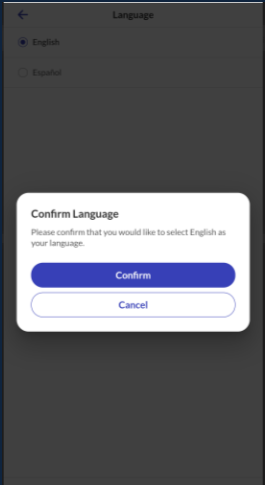
Tap Confirm to save your preferred language.
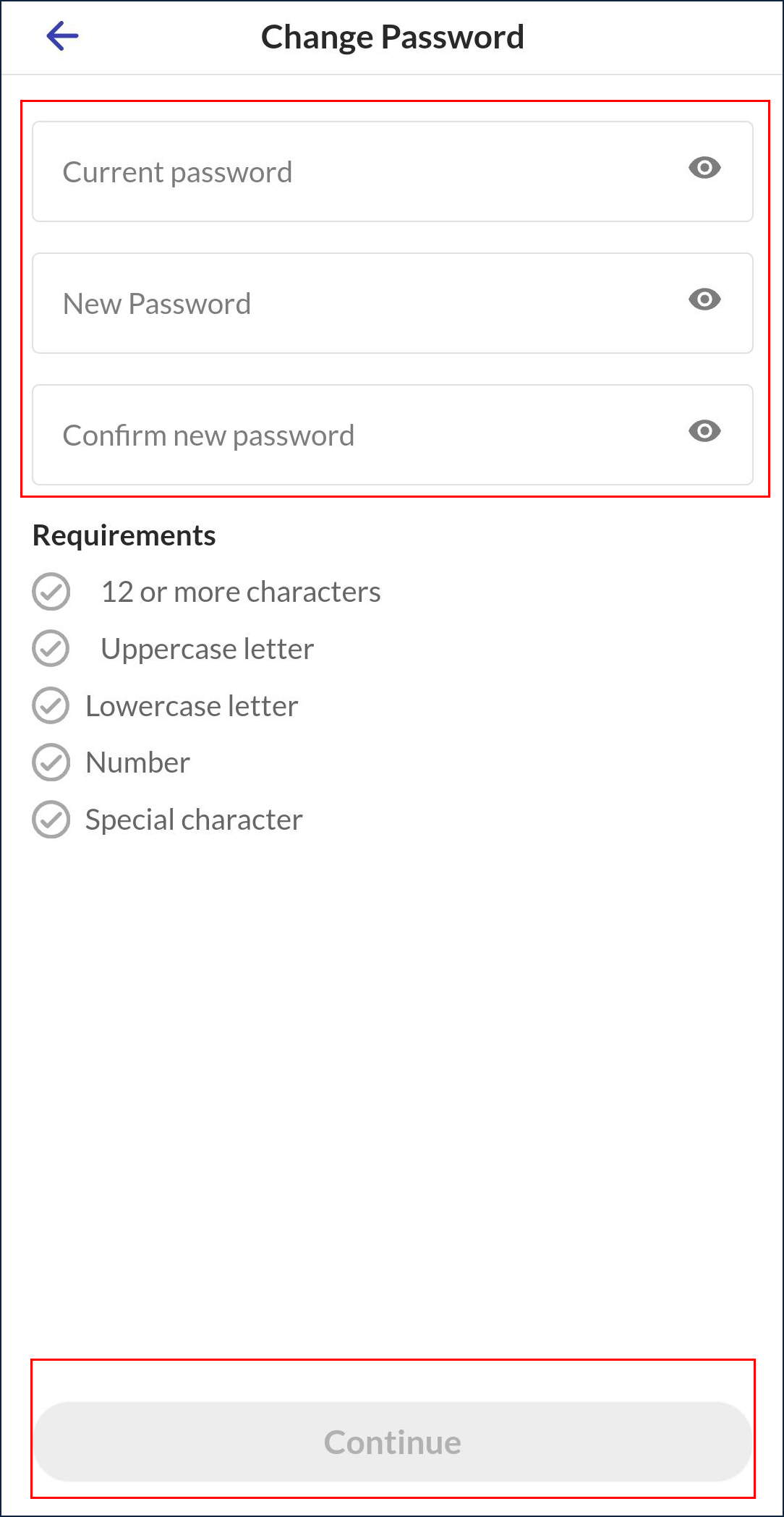
Passwords can be changed at any time within the app using the Change Password option on the Settings Screen.
-
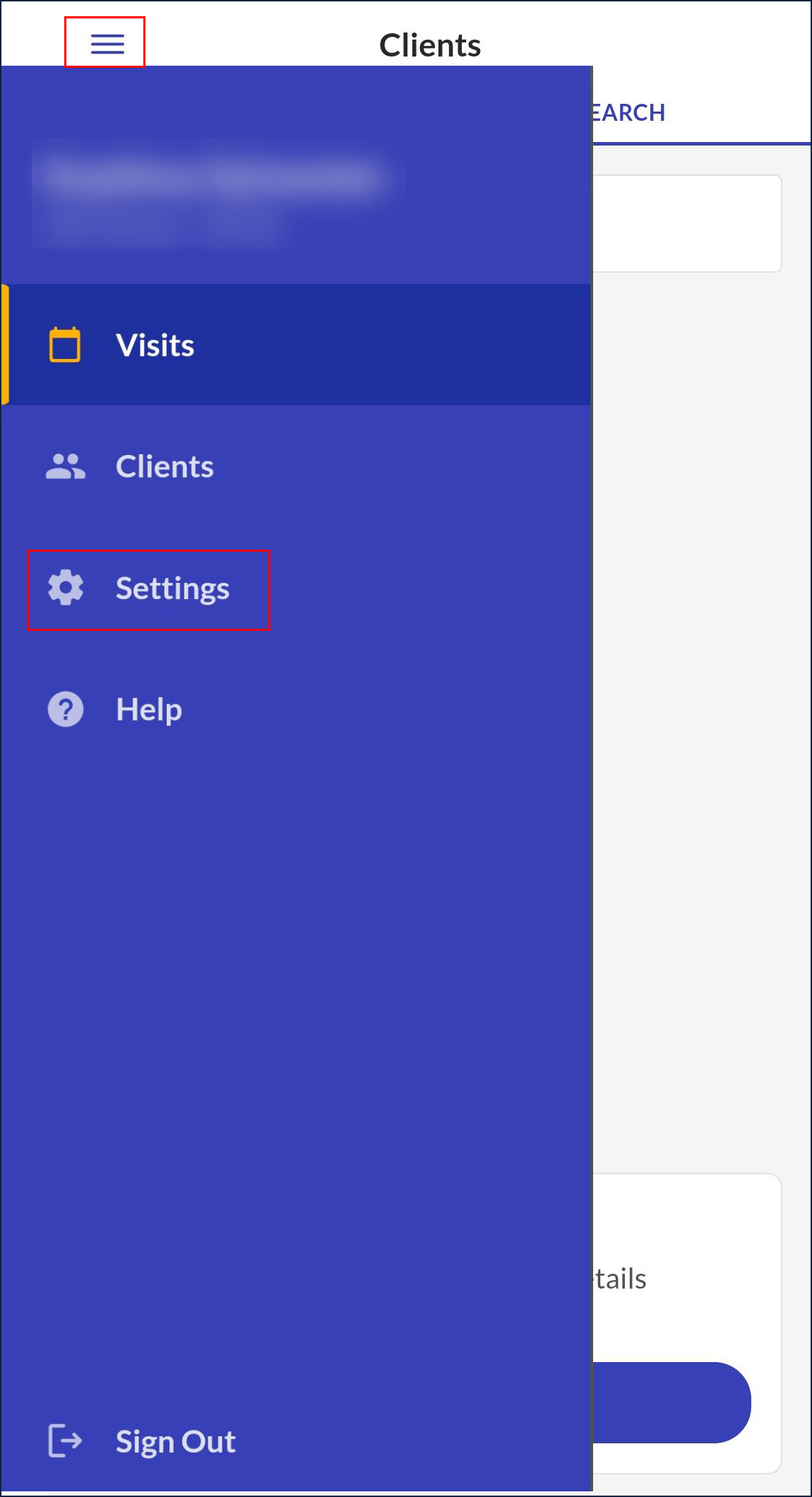
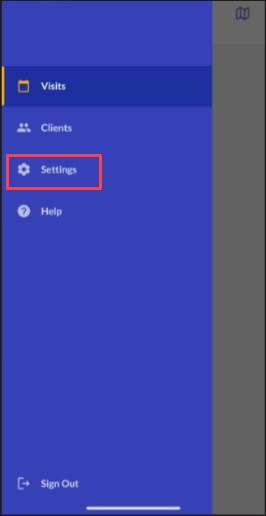
Tap Settings on the Navigation Menu.
-
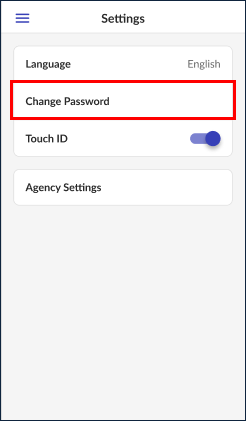
Tap Change Password.
-
Enter your Current Password.
-
Enter and re-enter a New Password.
-
Tap Continue.
Password requirements:
-
Be at least twelve characters long.
-
Have at least one upper case letter.
-
Have at least one lower case letter.
-
Have at least one numeric character.
-
Have at least one special character (@#$%^).
-
Not share three consecutive characters with the username.
-
Not match one of the previous 24 passwords used.
-
-
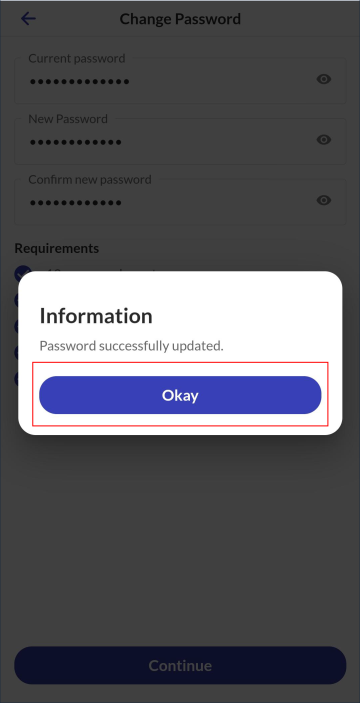
Tap Okay on the pop up confirming the password was successfully changed.
Face or fingerprint log-in can be enabled or disabled at any time using the Settings screen.
To log in using face or fingerprint ID, users must first enable and register their face or fingerprint on their mobile device. If face or fingerprint login is not available, check the device settings.
-
Tap Settings on the Navigation Menu.
-
Tap Face ID to enable the Face ID feature.
-
Tap Fingerprint to enable the Fingerprint ID feature.
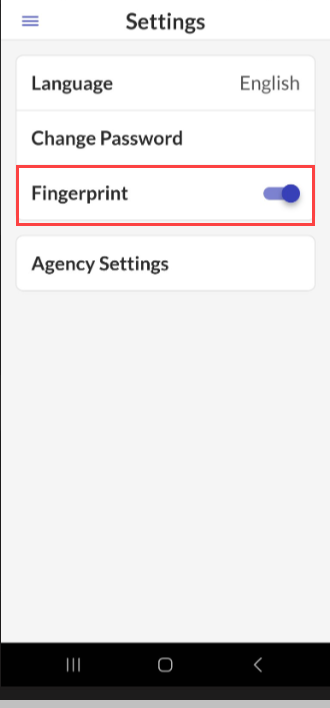
Tap Agency Settings to display the application settings. Some settings are configurable by the user, others are locked based on agency/payer configuration.
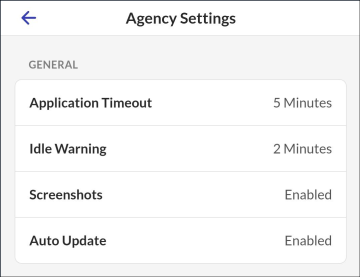
| Setting | Description |
|---|---|
| Application Timeout | Indicates the amount of time the application can remain idle before the user is timed out. |
| Idle Warning | Indicates the amount of time the application can remain idle before displaying an idle warning. |
| Screenshots | Enables or disables the ability to take screen shots in the application. |
| Auto Update | Indicates that the account is set up to automatically receive application updates. |
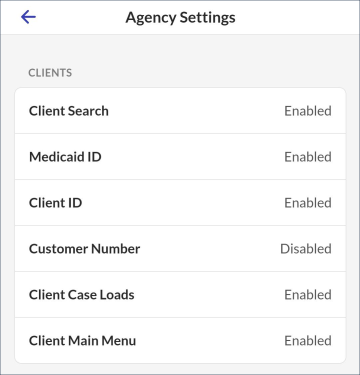
| Setting | Description |
|---|---|
| Client Search | Indicates whether the account has Client Search functionality enables. |
| Medicaid ID | Indicates whether the user has the ability to search for a client by Medicaid ID. |
| Client ID | Indicates whether the user has the ability to search for a client by Client ID. |
| Customer Number | Indicates whether the user has the ability to search for a client by Customer Number. |
| Client Case Loads | Enables or disables the ability to view recent or assign clients on the Clients tab. |
| Client Main Menu | Enables or disables the Clients screen as the homepage. |
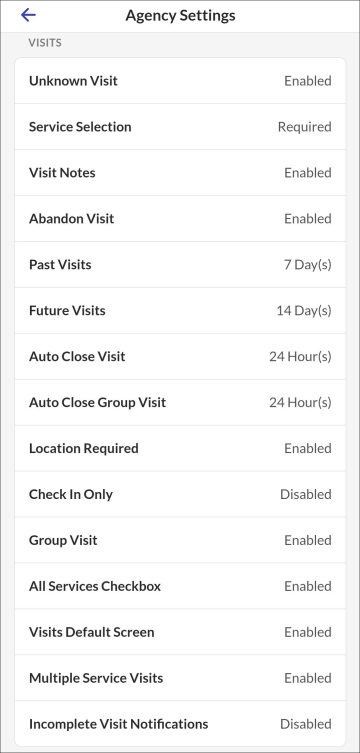
| Setting | Description |
|---|---|
| Unknown Visit | Indicates whether the user has unknown visit functionality enabled. |
| Service Selection | Enable, disable, or require services. |
| Visit Notes | Enable, disable, or require visit notes. |
| Abandon Visit | Indicates whether the user has the functionality to abandon a visit once it is started. |
| Past Visit | Indicates the length of time visits remain on the Past tab. |
| Future Visits | Indicates how many days of scheduled visits display on the UPCOMING tab. |
| Auto Close Visit | Indicates the amount of time that can pass before a visit is automatically abandoned by the application. |
| Auto Close Group Visit | Indicates the amount of time that can pass before a group visit is automatically abandoned by the application. |
| Location Required | Indicates that the user must start a visit using the toll free number if GPS coordinates cannot be retrieved. |
| Check In Only | Indicates that the users are only required to start a visit. |
| Group Visit | Enables or disables group visit functionality. |
| All Services Checkbox | Enables or disables the all services checkbox when the services available are limited by other client settings. |
| Visits Default screen | Enables or disables the Visits screen as the homepage.Enables or disables the Visits screen as the homepage. |
| Multiple Service Visits | Enables or disables the ability to switch services. |
| Incomplete Visit Notifications | Enables or disables a pop up notification that displays if additional visit functionality is not completed on the call-out. |
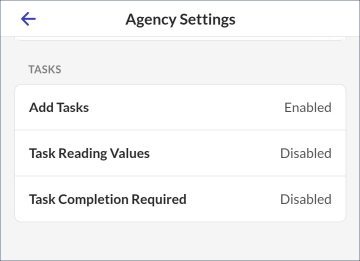
| Setting | Description |
|---|---|
| Add Tasks | Enables or disables the Add Tasks button when the tasks available are limited by a plan of care or an authorization. |
| Task Reading Values | Enables or disables the ability to enter task readings, when applicable. |
| Task Completion Required | Enable, disable, or require visit notes. Enables or disables the ability to require task entry to complete a visit. |
Other Resources