Sync Unit Service Types
You can sync Unit Service Types from ProviderPro Billing.
To sync a unit service type:
-
Log in to your ProviderPro live database.
-
Choose Client Management > Billing > Setup > Unit Service Types.
-
In the window that opens, enter the code or description of the unit service type in the Toolbar Lookup and press Enter to open it.
-
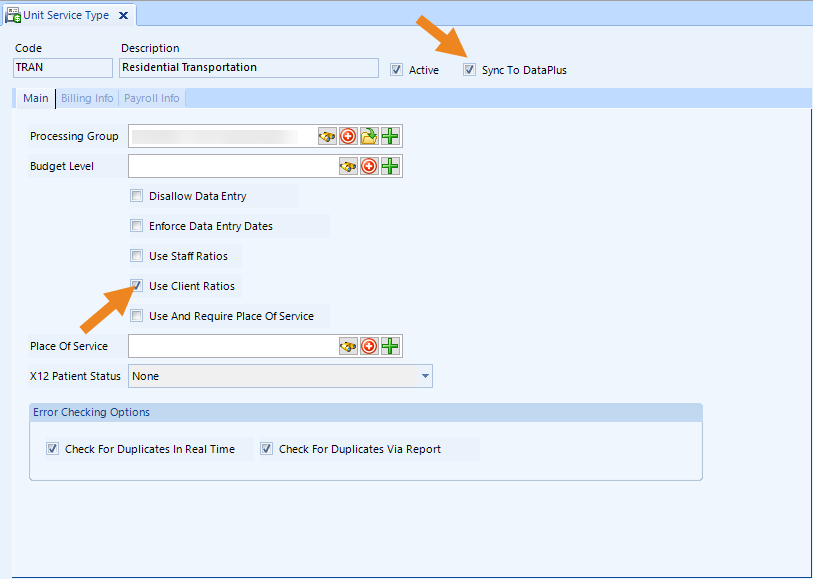
Make sure the Active and Sync to DataPlus check boxes are selected.
-
Verify that the Use Client Ratios setting is correct as this information will sync as well.
-
Click Save on the toolbar to save changes.
The unit service types automatically sync to Time Tracking overnight, or you can Request a DataPlus Sync to force a sync.