Request a DataPlus Sync
The information in your ProviderPro database that is set up to sync to DataPlus (Staff Scheduling and Time Tracking) automatically sync overnight. However, if you make changes to your information that you want to appear in DataPlus right away, you can kick off a sync request at any time.
To request a sync:
-
Log in to your Admin (if ProviderPro is hosted on premises at your agency) or Structure database (if Sandata hosts ProviderPro for your agency). You may need to change your Database Group to Administration on the Login screen.
-
Go to Tools > Data Transfer Client > Upload Data.
-
Select your DataPlus Sync package group from the lookup and then click Upload.
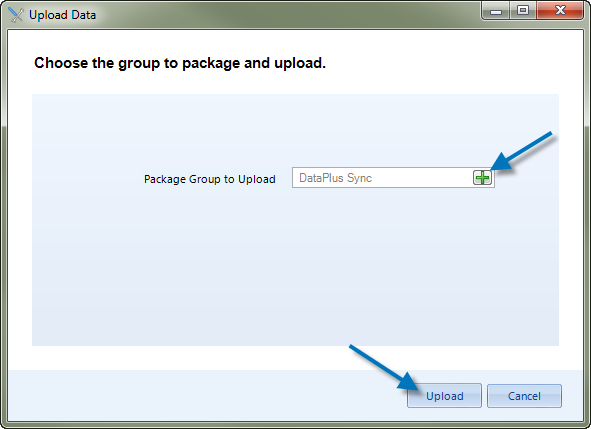
-
Click Finish to exit the wizard. The request to sync the ProviderPro data to the DataPlus database is sent. It may take a few minutes for the data to appear in DataPlus.