Sync Time Service Types
You can sync Time Service Types from ProviderPro Billing.
To sync a time service type:
-
Log in to your ProviderPro live database.
-
Choose Client Management > Billing > Setup > Time Service Types.
-
In the window that opens, enter the code or description of the time service type in the Toolbar Lookup and press Enter to open it.
-
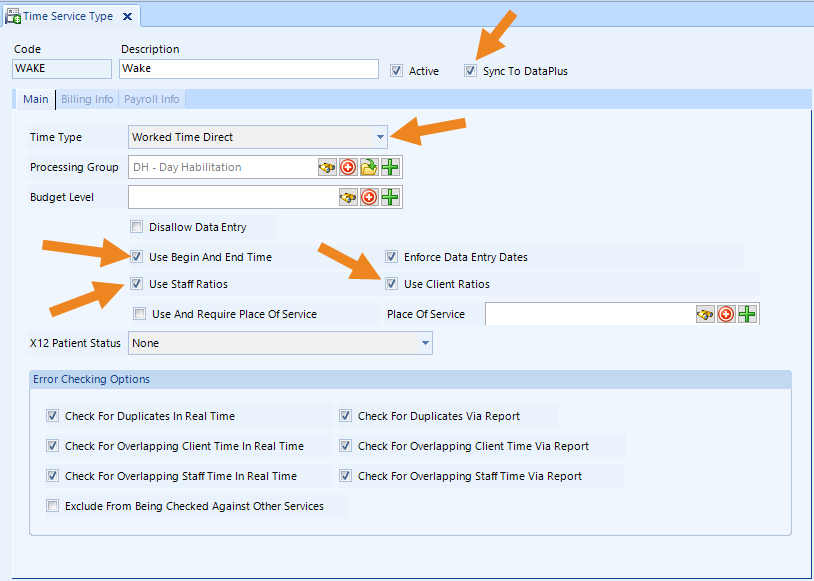
Make sure the Active and Sync to DataPlus check boxes are selected, and verify that the Time Type, Use Begin And End Type, Use Staff Ratios and Use Client Ratios settings are correct.
-
Click Save on the toolbar to save changes.
The time service types automatically sync to Time Tracking overnight, or you can Request a DataPlus Sync to force a sync.