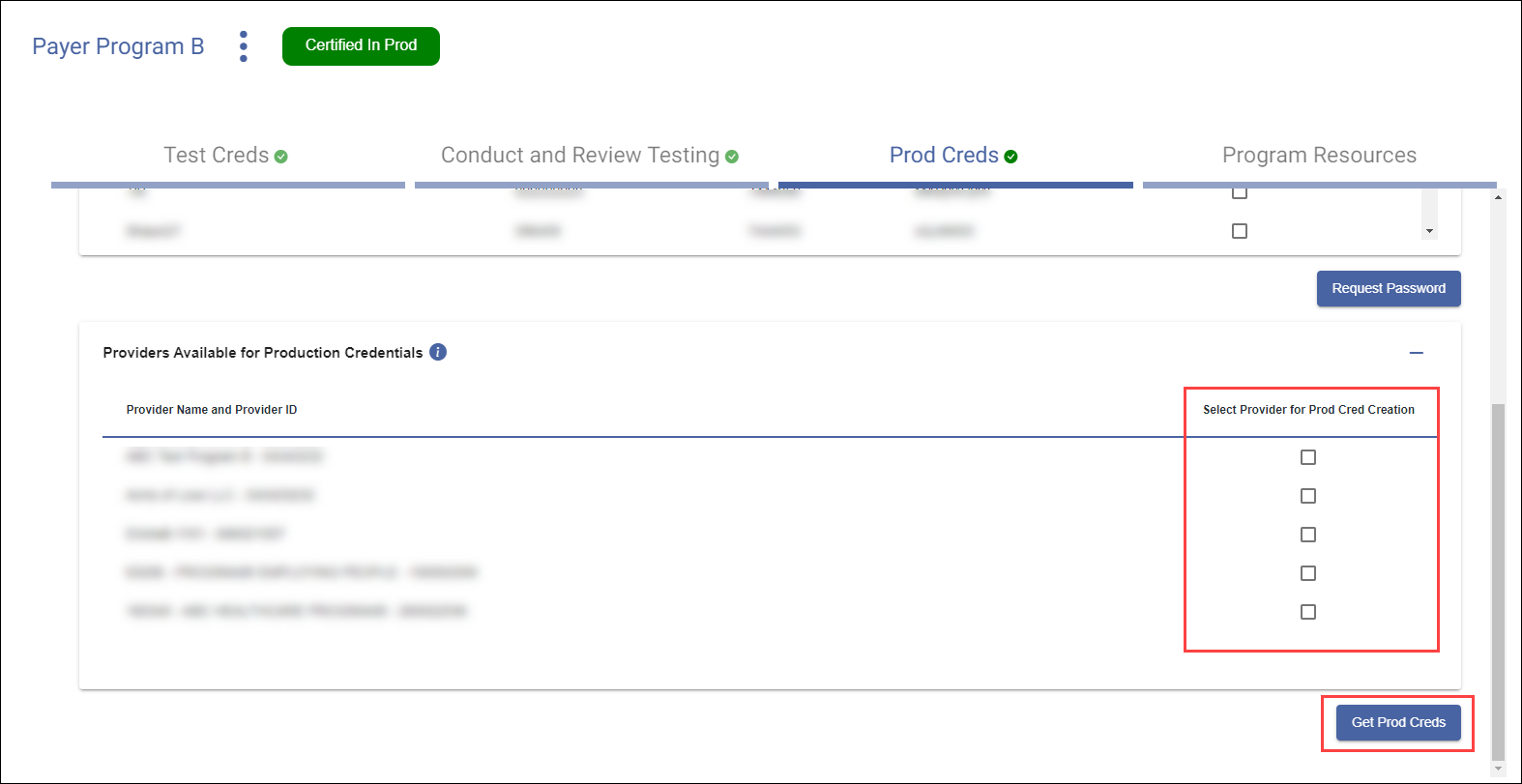
Get Production Credentials
Once testing has been successfully completed, Production Credentials can be requested. These credentials are used to send data in production on behalf of the provider(s).
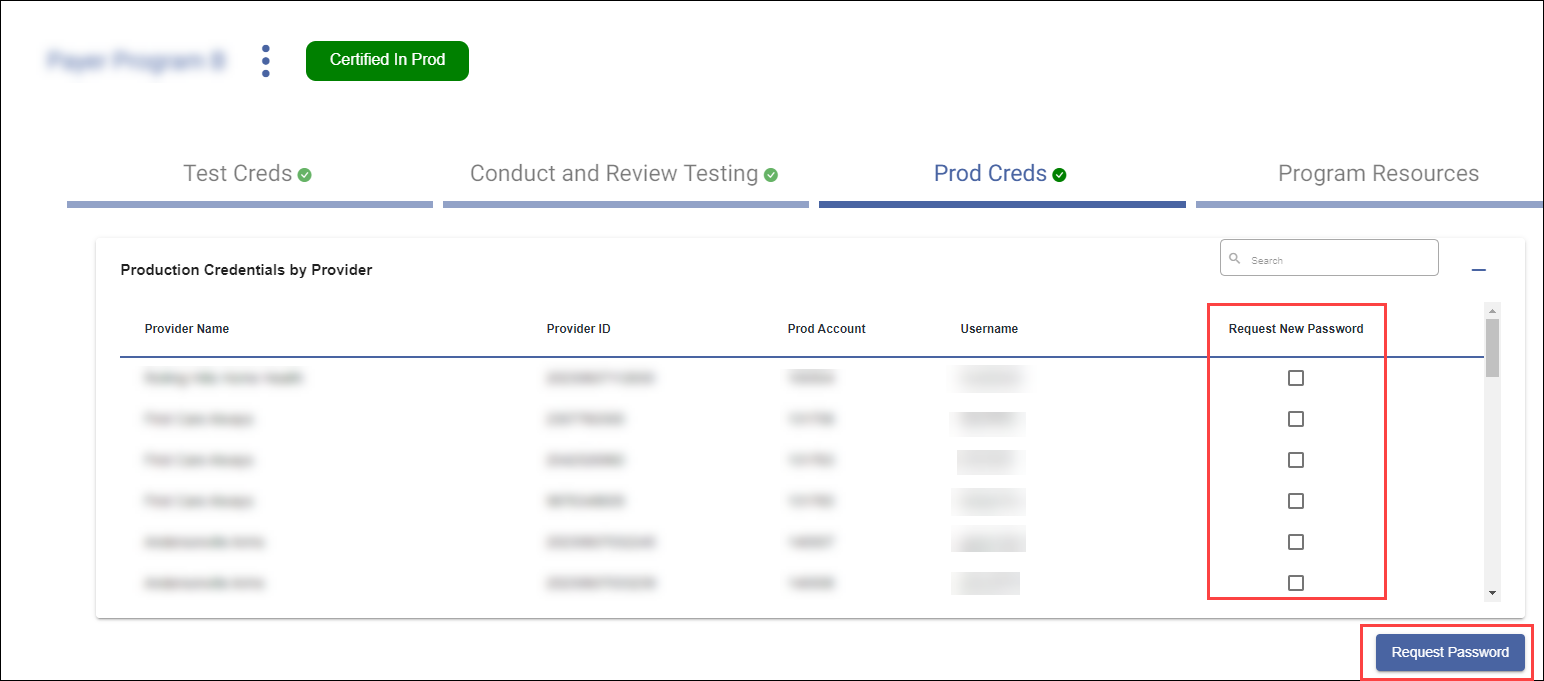
The Production Credentials by Provider section displays the providers for whom vendors have already received Production Credentials. Selecting the Request New Password check box and clicking the Request Password button generates a new Production Credential password for that set of provider production credentials.
The Providers Available for Production Credentials section displays all providers that have indicated they are associated with the vendor and are able to have Production Credentials generated. Selecting the Select Provider for Prod Cred Creation check box and clicking the Get Prod Creds button generates Production Credentials for that provider.