Conduct and Review Testing in the Self-Registration Portal
After receiving the testing credentials, vendors will send files through Sandata's Alternate EVV Interface.
To set up the interface correctly, vendors can refer to the technical specifications located under the Program Resources tab in the vendor portal. Alt EVV can see the responses to their test files and the test scenario validation progress in the Conduct and Review Testing tab.
This tab shows the Test File UUIDs, API Responses, and statuses of the test files, as well as the validation statuses of the required test scenarios for the payer program. By clicking on the Refresh Test Files button, vendors can update the page and see the test files in real time as they are received and validated in the system.
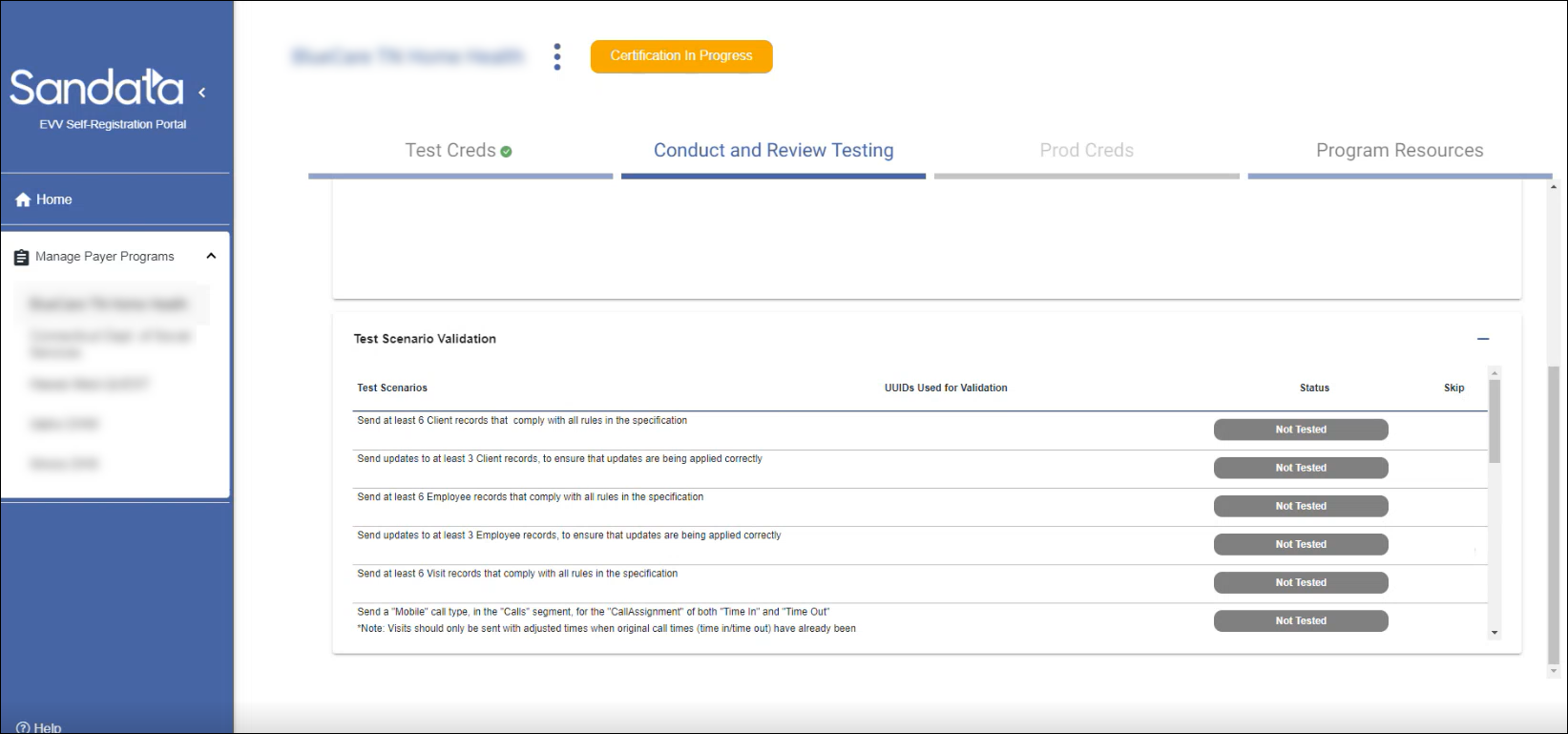

Test Scenarios are based on a program's configuration. Scenarios that are eligible to be skipped will have a check box next to them in the Skip column of the Test Scenario Validation section. A vendor may skip any eligible scenario if they are unable to test for that scenario.
To skip a test scenario:
-
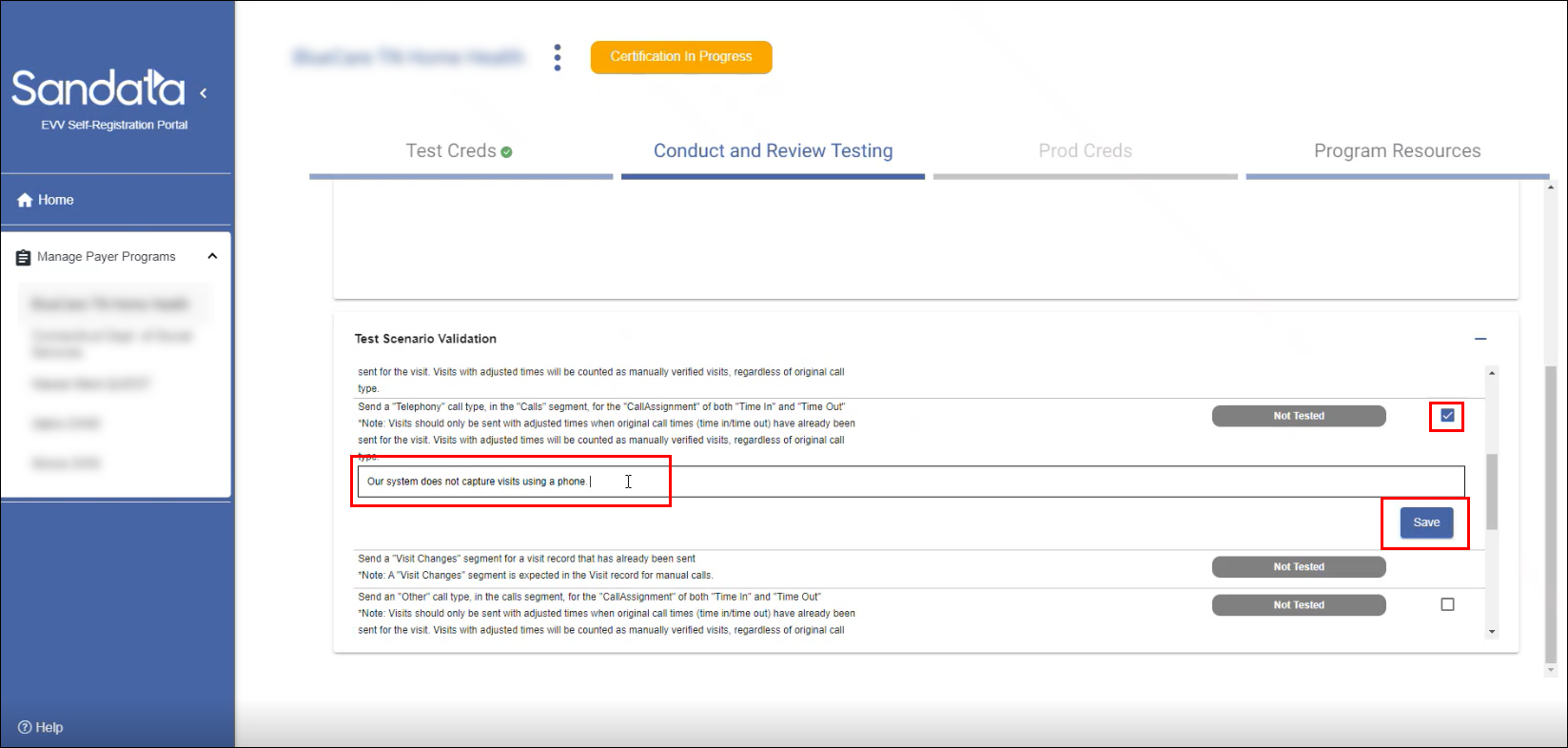
Select the check box next to the scenario to be skipped.
-
Enter the reason why the scenario is being skipped.
-
Click Save.
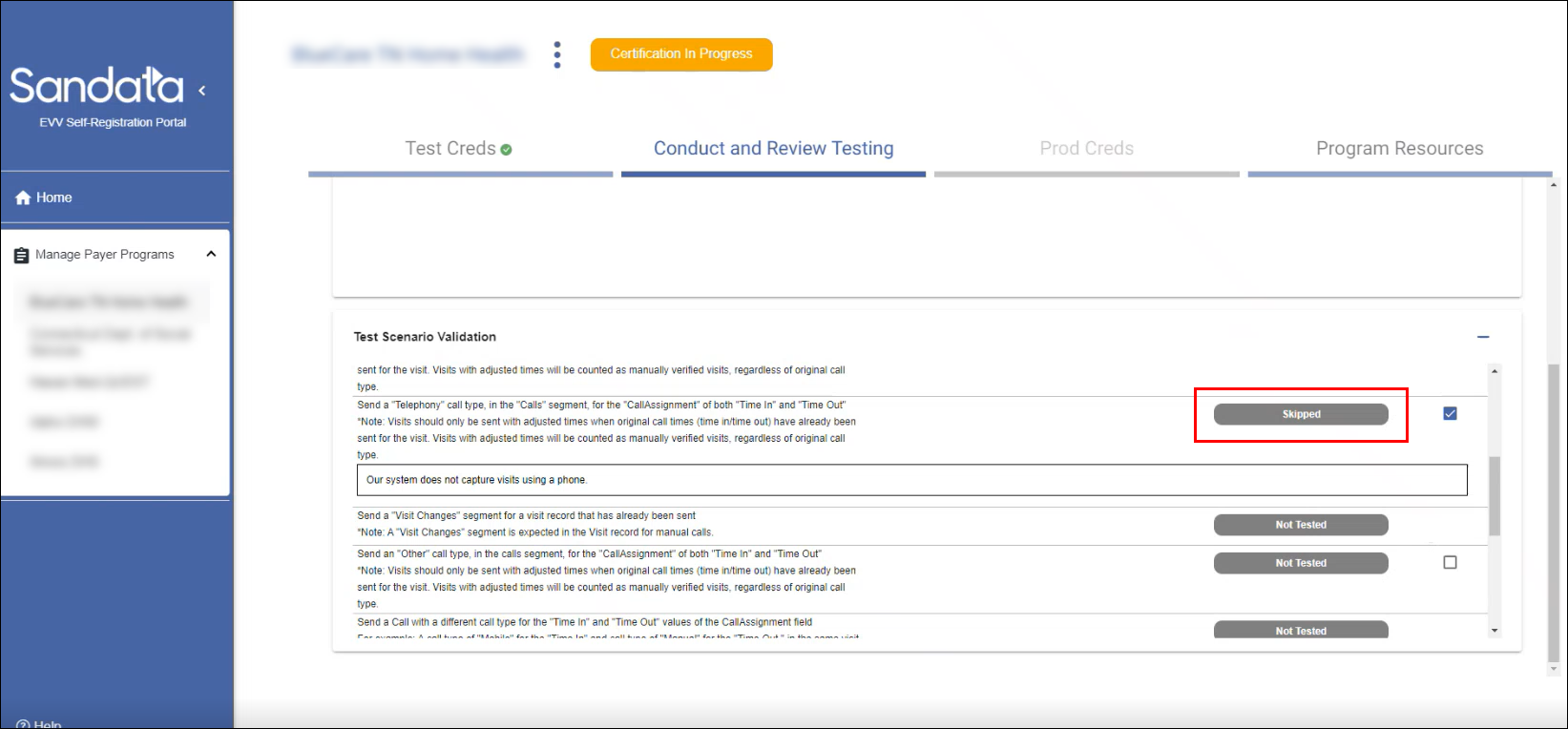
The scenario status changes to Skipped in the Testing section of the Vendor Portal.
If a configuration is changed or a scenario was skipped accidentally, it can be changed back at any time.
To update a skipped testing scenario:
-
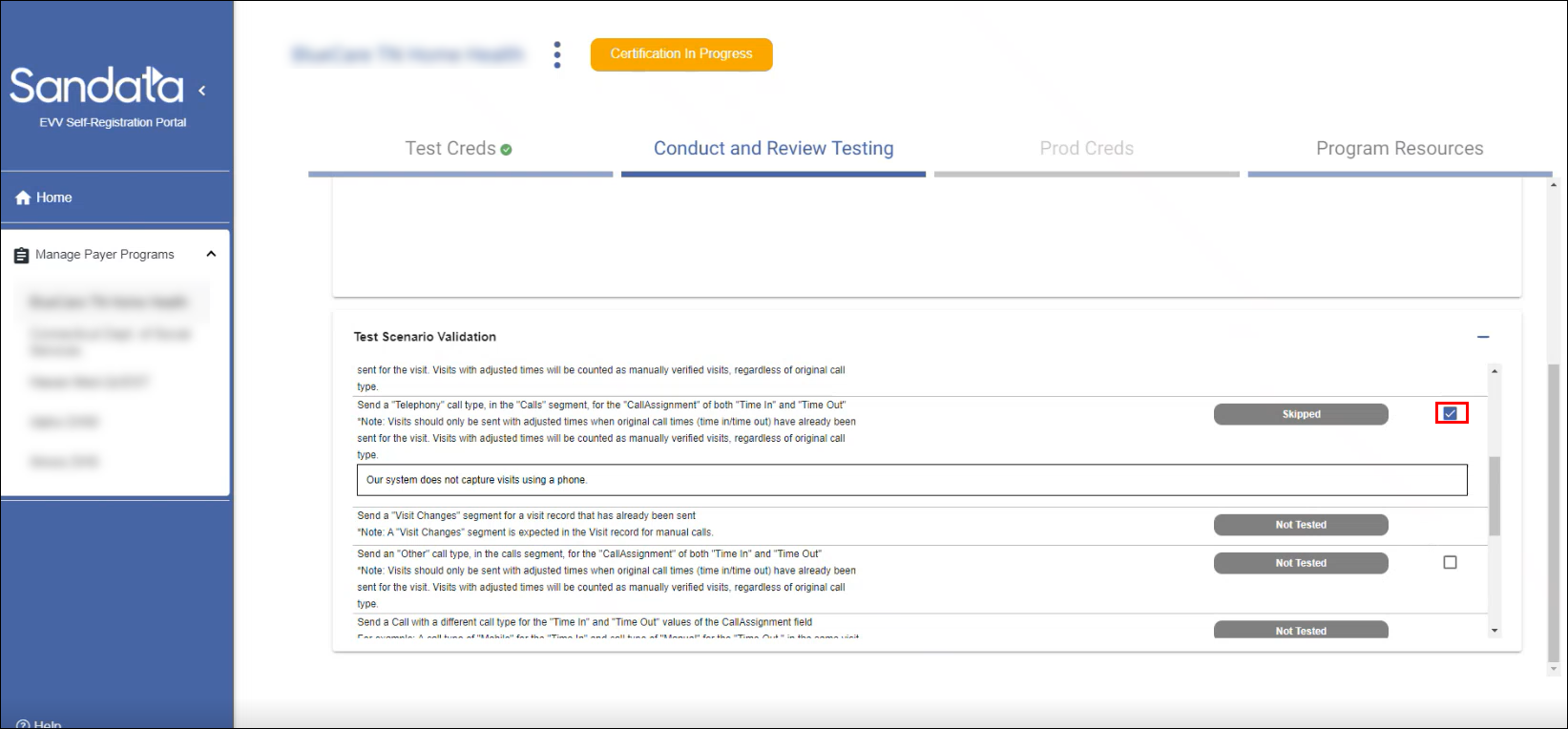
Uncheck the check box next to the skipped scenario.
-
Click Yes - Remove Skipped Indicator in the pop up that appears.
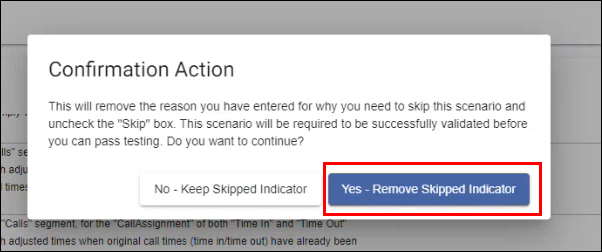
The scenario's status changes back to Not Tested and can be tested normally.