Sandata EVV Provider Self-Registration Portal
The Electronic Visit Verification™ (EVV™) Self-Registration Provider Portal enables eligible Providers to self-register for a Payer EVV program. Eligible Providers are those who provide services that are subject to EVV in the Payer program. Registration in the portal is the first step of the EVV Provider onboarding process, in Payer programs where the portal is used.
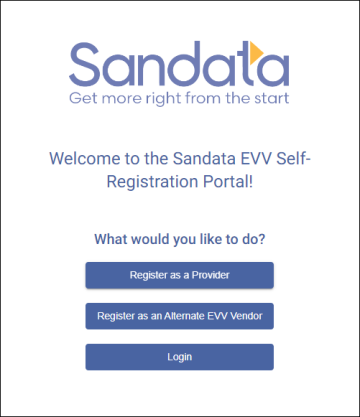
Register as a Provider
Complete the following steps to start registering as a Provider for a state Payer program.
-
Enter https://evv-registration.sandata.com into your web browser or select the portal from bookmarks.
-
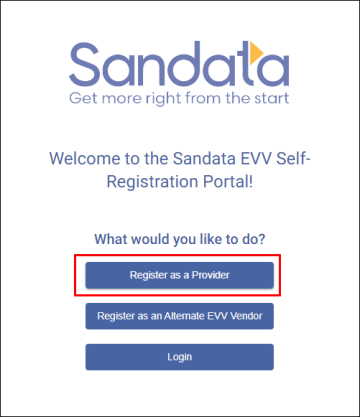
Select the Register as a Provider button.
-
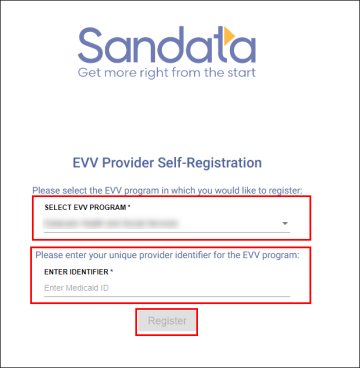
Choose an EVV program from the drop down menu.
-
Enter a unique provider identifier number for the EVV program. If uncertain what your unique provider identifier number is, please check the description in the blank, ENTER IDENTIFIER field.
-
Select the Register button.
-
Enter Provider information in the Basic Information section. Select the option for Independent or Agency Provider if applicable.
Hover over each question to view additional information.
-
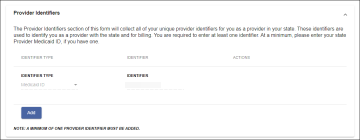
Use the Add button in the Provider Identifiers section to add any additional identifiers that identify the Provider.
At least one identifier is required as a minimum. The identifier entered before clicking the Register button has been carried over to this page.
-
Enter your Provider organization’s contact information in the Contact Information section fields.
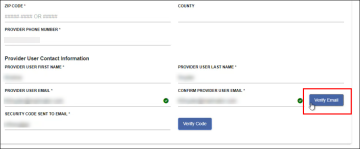
The information entered in the Provider User Contact fields should be for the person who is going to be working on implementation for your Provider agency. The confirmation e-mail for a successful registration will be sent to this address.
-
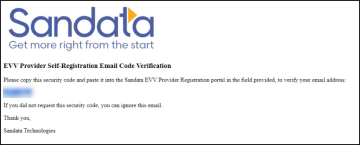
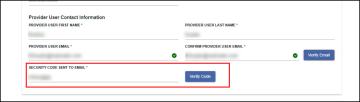
After entering the Provider user contact’s email address, select the Verify Email button. An email will be sent to that address from DoNotReply@Sandata.com with a verification code.
-
Enter the code in the Security Code Sent to Email field and select the Verify Code button.
-
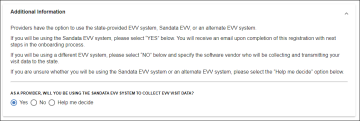
Select the option for in the Additional Information section to confirm if you are using Sandata EVV to electronically collect visit data. Select the option Help Me Decide if you need assistance deciding which option to choose.
-
Verify that all information entered is correct.
-
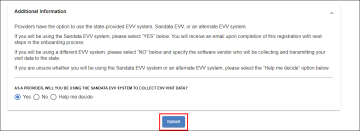
Select the Submit button.
-
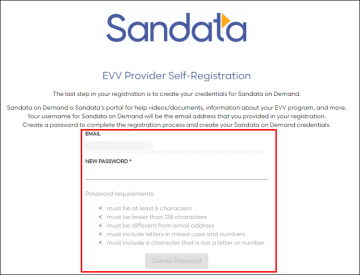
Use the fields to create a login and password for Sandata On-Demand.
-
Select the Create Password button.
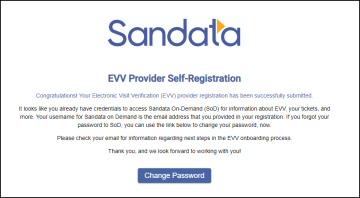
If you already have a login and password for Sandata On-Demand, the second image, below, appears so you can use the Change Password button to reset your password, if needed.