Create a Team (Order Manager)
Teams are assignable titles that identify a user’s department or responsibilities. Teams can be used to identify a user’s specialties or grouping, such as being on the day shift.
To create a team in the system:
-
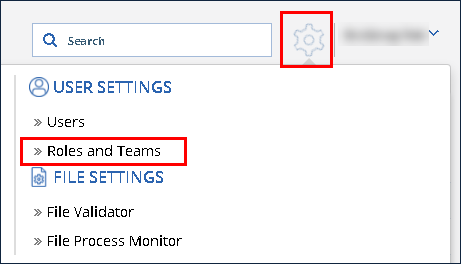
Click the Settings icon.
-
Click Roles and Teams.
-
Click Add Team.

-
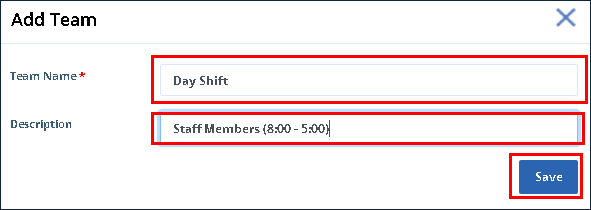
Enter the Team Name.
-
Enter the team’s Description.
-
Click Save.
The Team is created and viewable in the Teams list.
