Create a Role (Order Manager)
Roles are assignable titles that identify a user’s position or abilities inside of the system. Roles can be used to identify basic level users or to provide easy reference to an organization’s hierarchy through supervisors or other titles.
To create a role in the system:
-
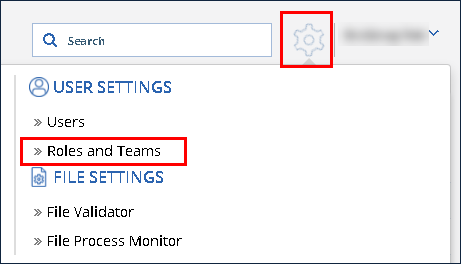
Click the Settings icon.
-
Click Roles and Teams.
-
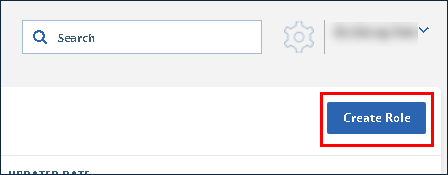
Click Create Role.
-
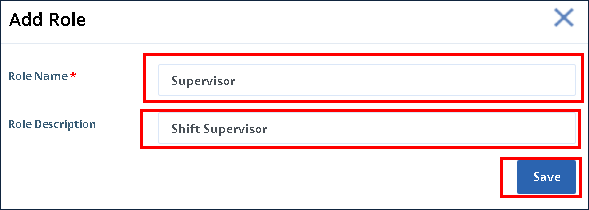
Enter the Role Name and Description.
-
Click Save.
The role is created and viewable in the Roles list.

-
Click on the role.
-
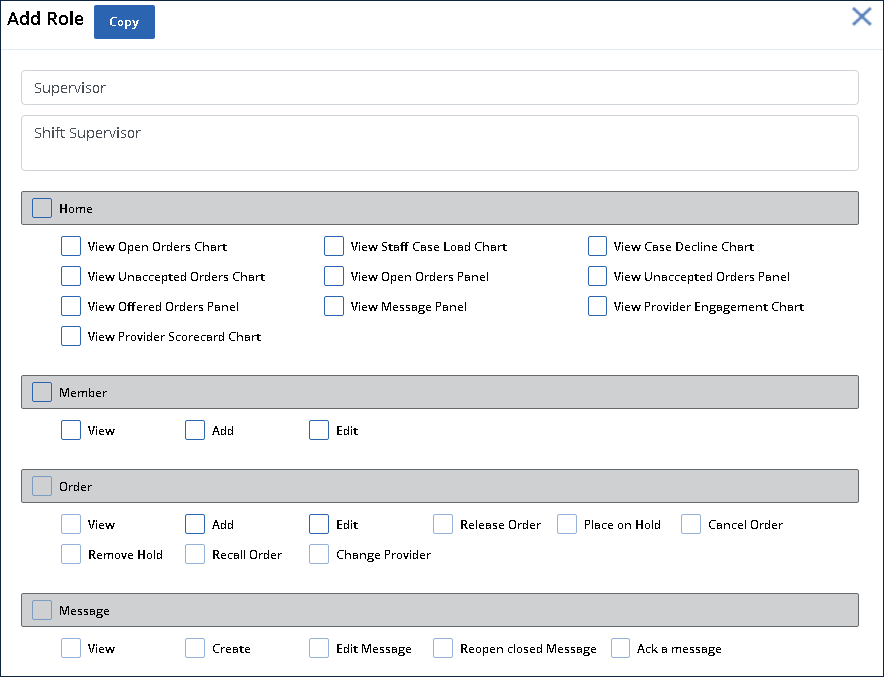
Select the Checkboxes to apply the appropriate permissions. The permissions are saved to the role as they are selected.