Create a Broadcast Message (Order Manager)
The Messages Module can be used to exchange notes, questions, advice or other details about an order or member through the system.
To create a message to send to a Provider:
-
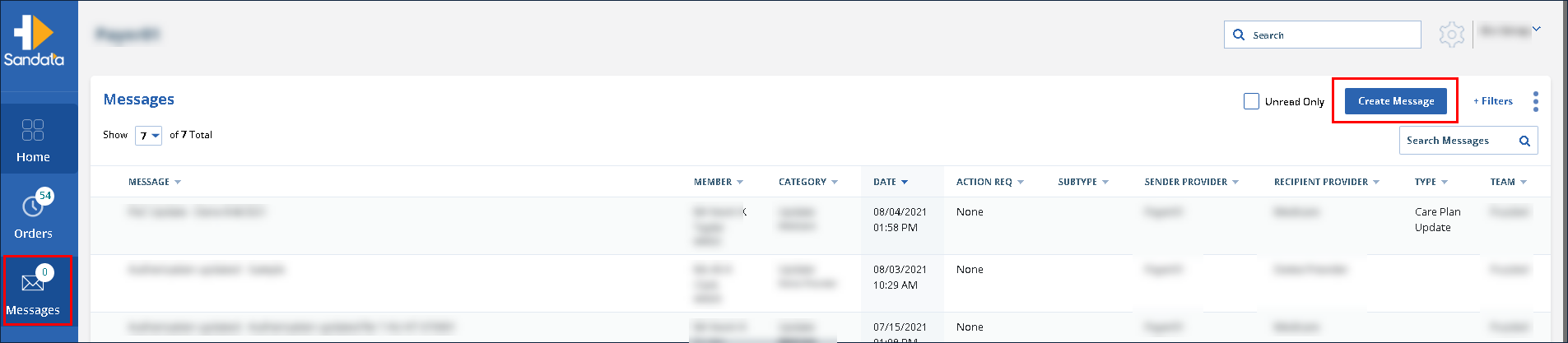
Click the Messages Module.
-
Click Create Message.
-
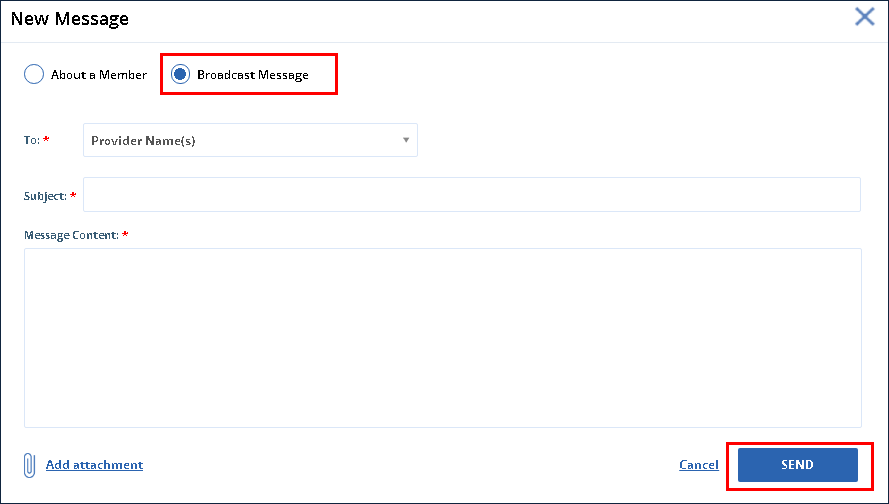
Click the Broadcast Message radio button.
-
Use the fields to select the Provider and enter the message.
-
Click Send.