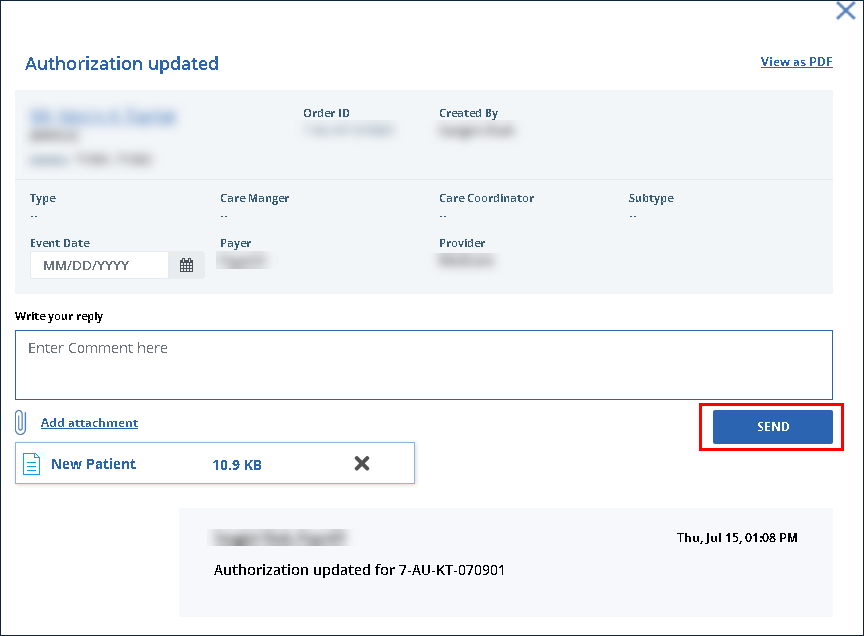
Add Attachment to a Message (Order Manager)
When communicating back and forth, attachments can be added to a message for additional information, providing certifications or meeting other requirements that may arise.
To add an attachment to a message:
-
Locate and click on the message.
-
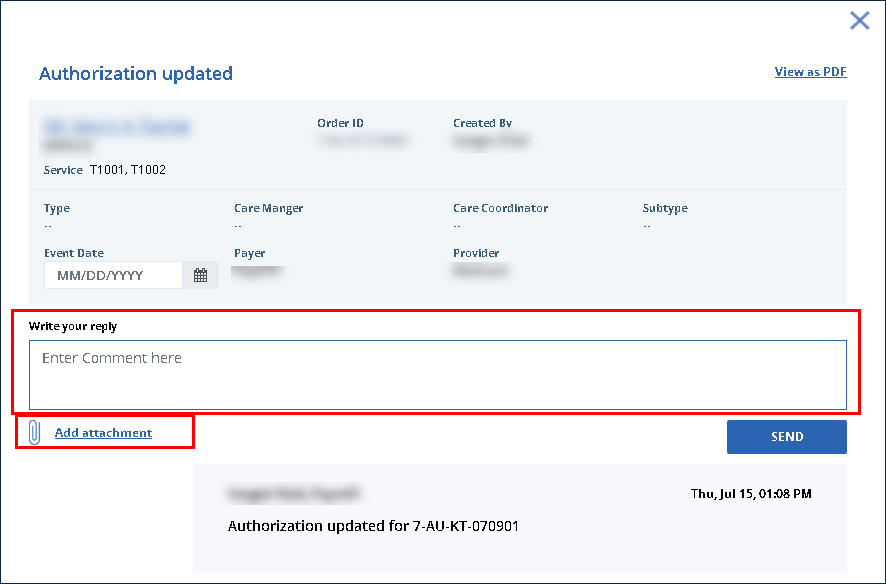
Use the fields to enter the message.
-
Click Add attachment.
-
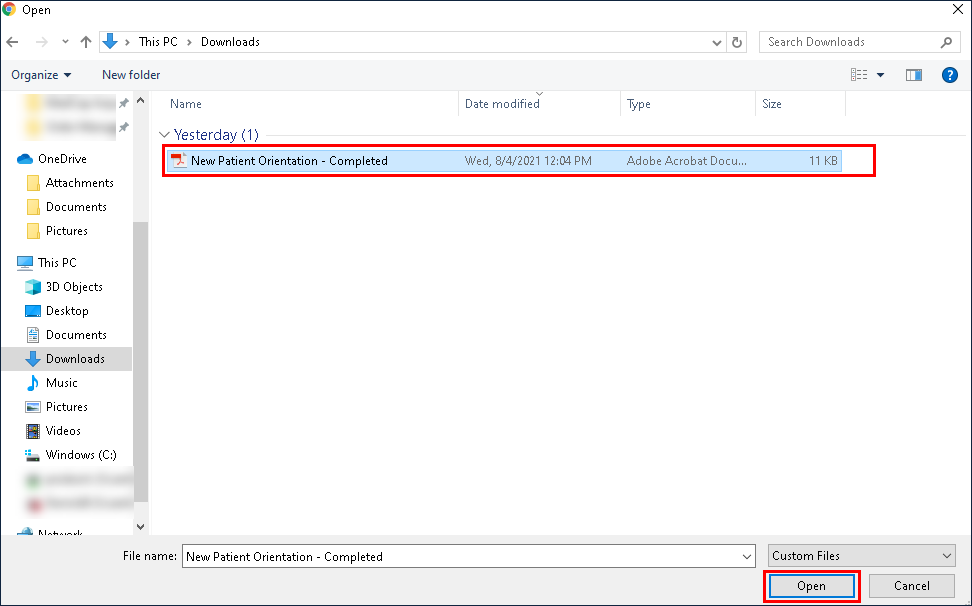
Select the file to be attached.
-
Click Open.
-
Click Send.