Manually Add a New Client
Rhode Island Medicaid does not require prior authorizations for some services provided under Home Health Care Services. As such, clients under this payer will need to manually be added and activated directly in the Sandata Agency Management system.
All other member records are imported electronically into the system from payer file transmissions for payers, RI Medicaid, Tufts, United Healthcare and Neighborhood Health Plan of Rhode Island.
Agency users with the appropriate permissions can manually add and activate members in Sandata Agency Management.
To add and activate a new client in Sandata Agency Management:
-
Click on the Client module and then click on New Client. This launches the New Client Wizard.

-
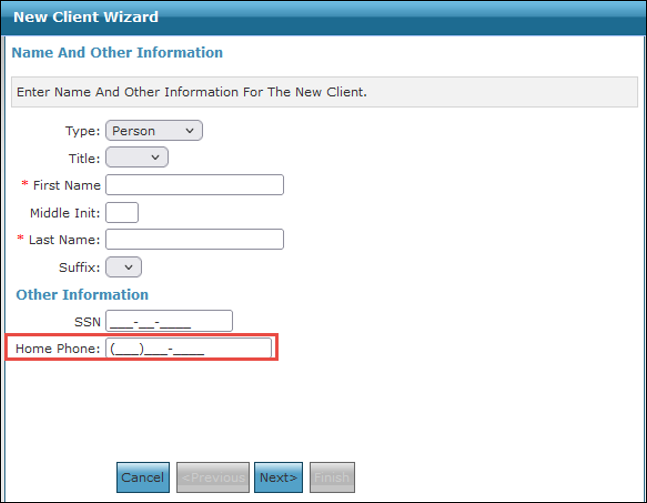
Enter the client’s information. At minimum, the client’s First Name and Last Name must be entered. Click Next.
For telephony visits from the client’s home location, the client’s phone number must be entered.
-
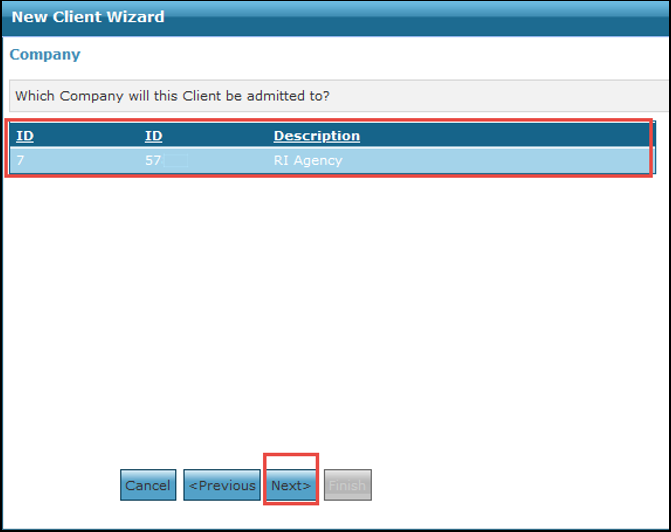
Select the Company that the client is being admitted to. Click Next.
-
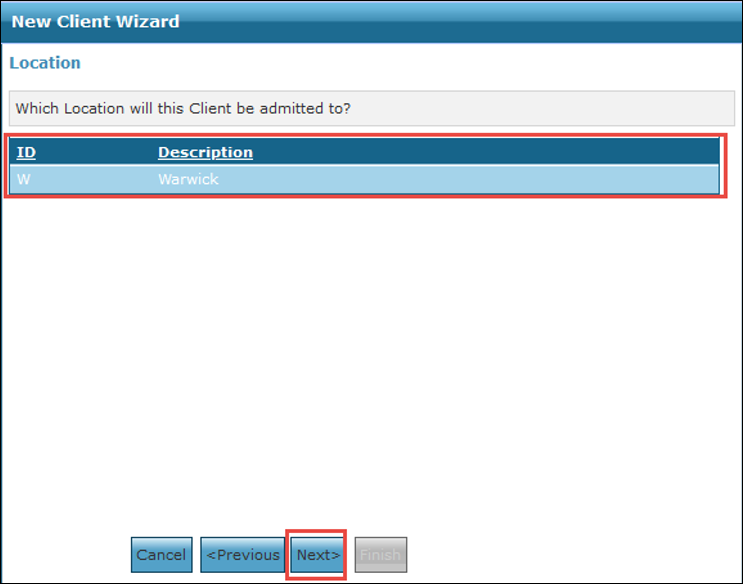
Select the Location that the client is being admitted to. Click Next.
-
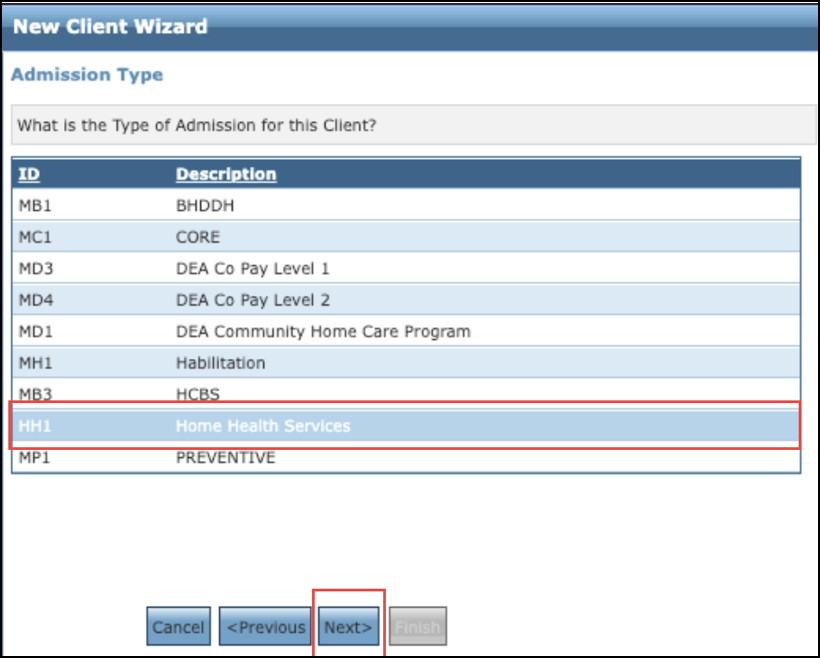
Select the HH1 Home Health Services Admission Type for the client. Click Next.
-
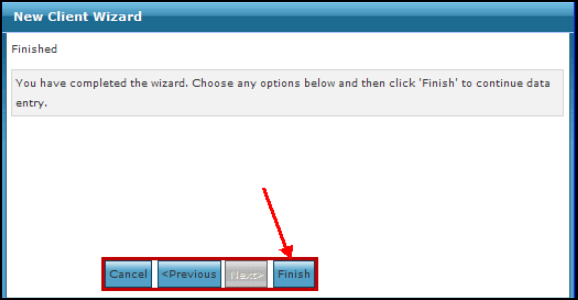
Click Finish to complete the New Client Wizard and add the client to the system.
-
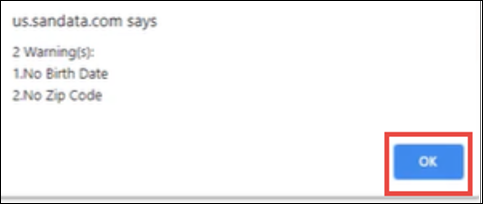
Click OK to close the warning popup. This popup alerts you that there is important missing information from the client’s record. Once you click OK, the client’s profile is opened so that information can be added.
-
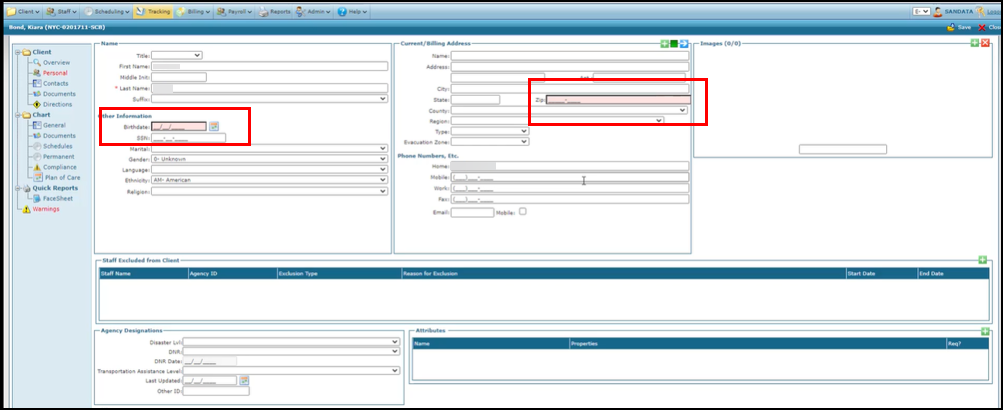
Enter the client’s Date of Birth, Address, Additional Phone Numbers or any other important information missing from their profile.
-
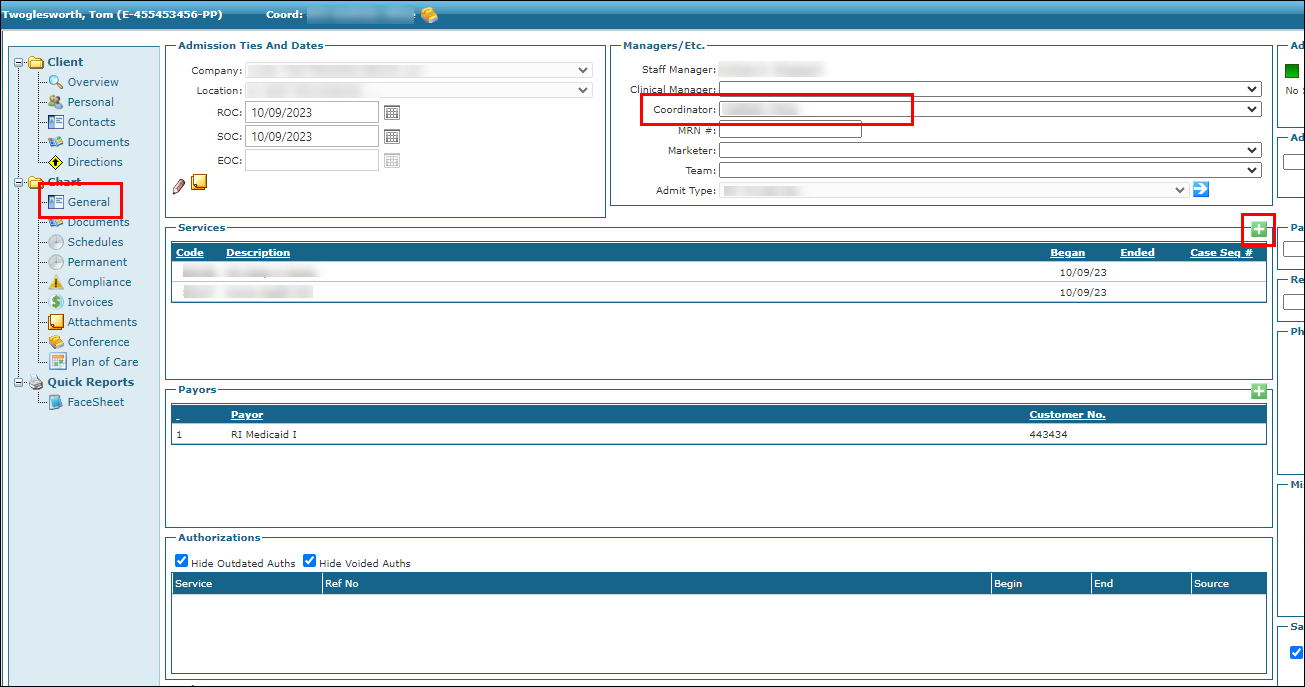
Click General under the Client Chart section.
-
Enter the client’s Coordinator information. The client’s Payer is already filled in based on the Admission Type selected in the New Client Wizard.
-
Click the green Plus Sign to open the Add a Service window.
-
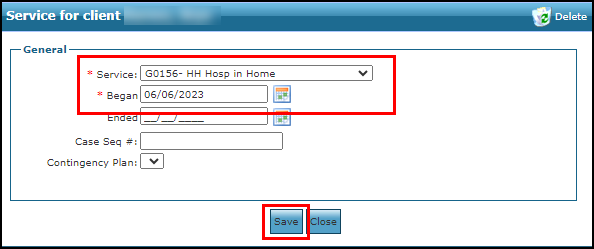
Select the Service from the dropdown and add any additional information. Click Save to complete the client’s profile.