View Approved Live-In Caregiver Exemptions
Visits in which the Direct Care Worker (DCW) or Employee is a resident of the same household as the Recipient may be exempt from Electronic Visit Verification (EVV) visit logging requirements if approved by the Ohio Department of Medicaid (ODM). For more information about the Live-In Caregiver Exemption, see the ODM EVV Homepage.
When Live-in Caregiver exemptions are granted, ODM creates entries in the XREF (Live-in exemption - Cross Reference) module of the Sandata EVV system. The XREF module can be searched to determine if ODM approval for a Live-In Caregiver exemption(s) have been granted.
To verify approved live-in exemption status for your Sandata Account:
-
Log in to the Sandata EVV Portal or EVV Aggregator, whichever applies.
-
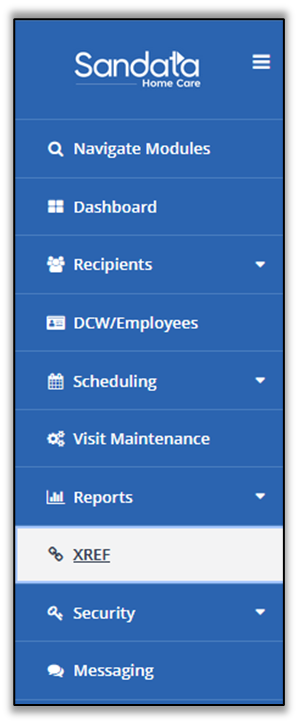
Open the XREF module.
-
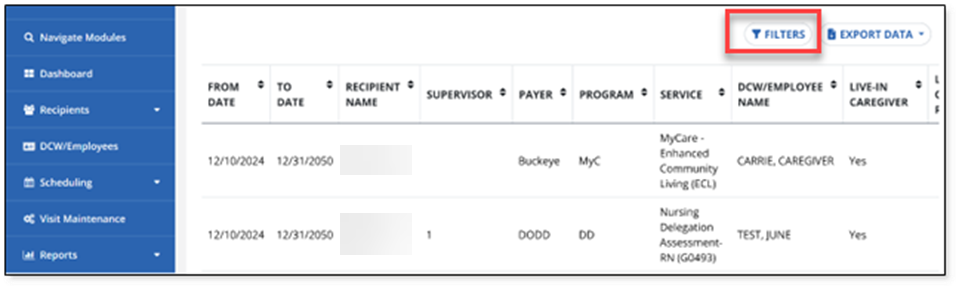
Open the Filters.
-
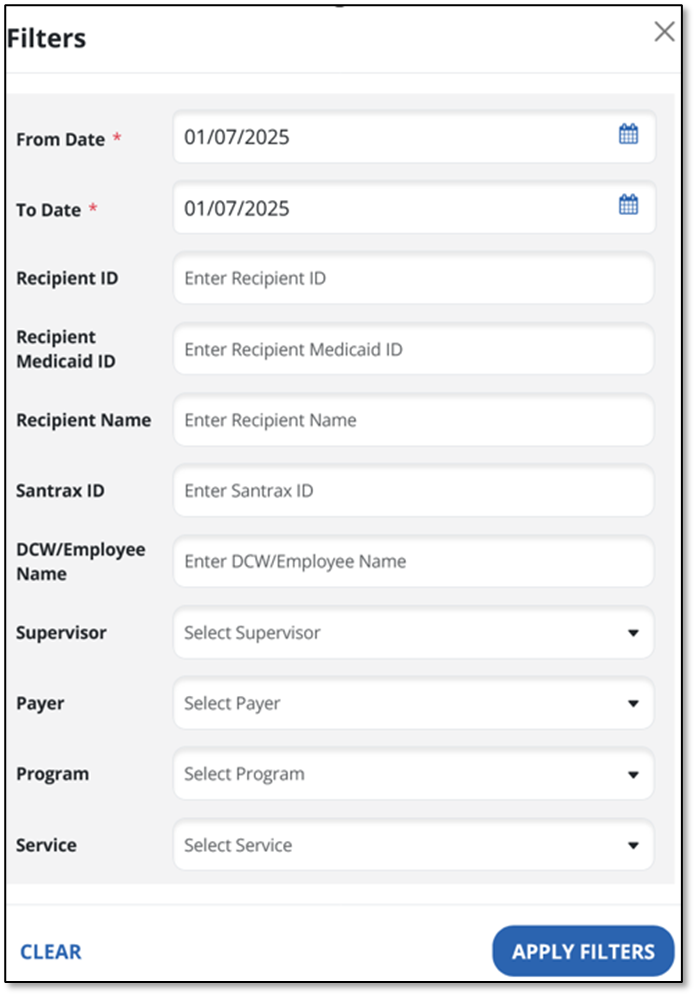
Complete the Filters popup (as needed) with the Recipient, Recipient ID, DCW or Employee name, or any other available filters.
-
Select APPLY FILTERS.
-
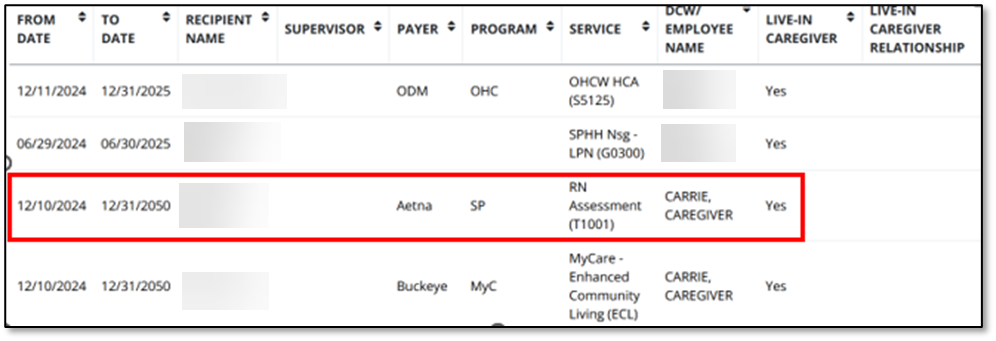
Select the matching line from the results.
-
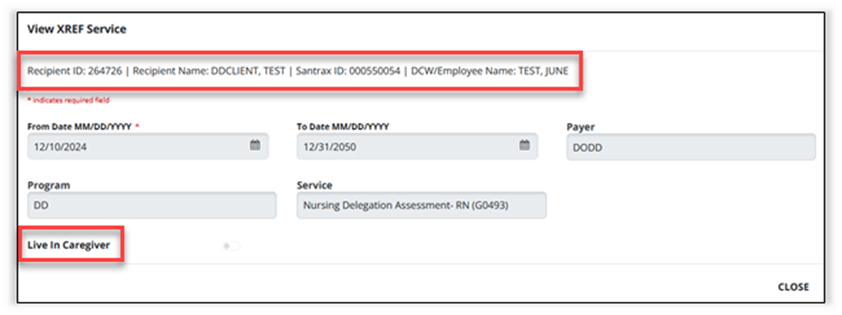
The View XREF Service popup displays. Note that the header includes the Recipient ID, Recipient Name, the DCW or Employee’s Santrax ID, and the DCW or Employee Name.
-
If the DCW or Employee is designated as a Live-In Caregiver, the Live-In Caregiver toggle is in the on position, set to the right.


To pull a Live-In Exemption Report:
-
Log in to the Sandata EVV Portal or the EVV Aggregator, whichever applies.
-
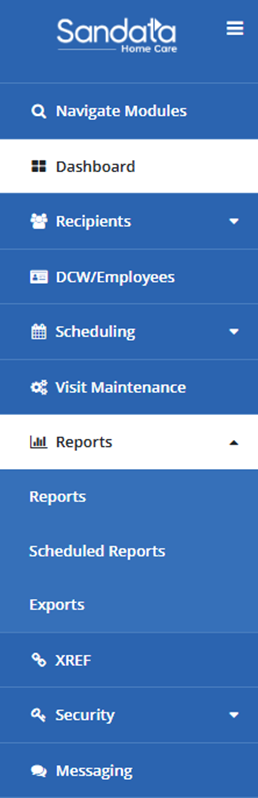
Open the Reports module. Select Reports.
-
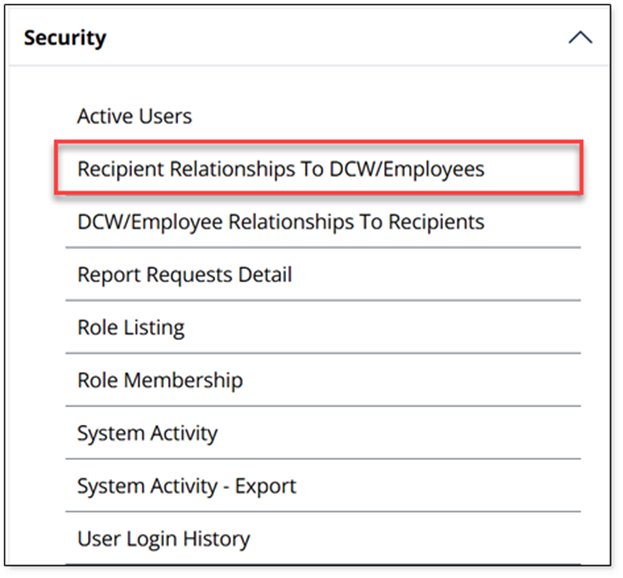
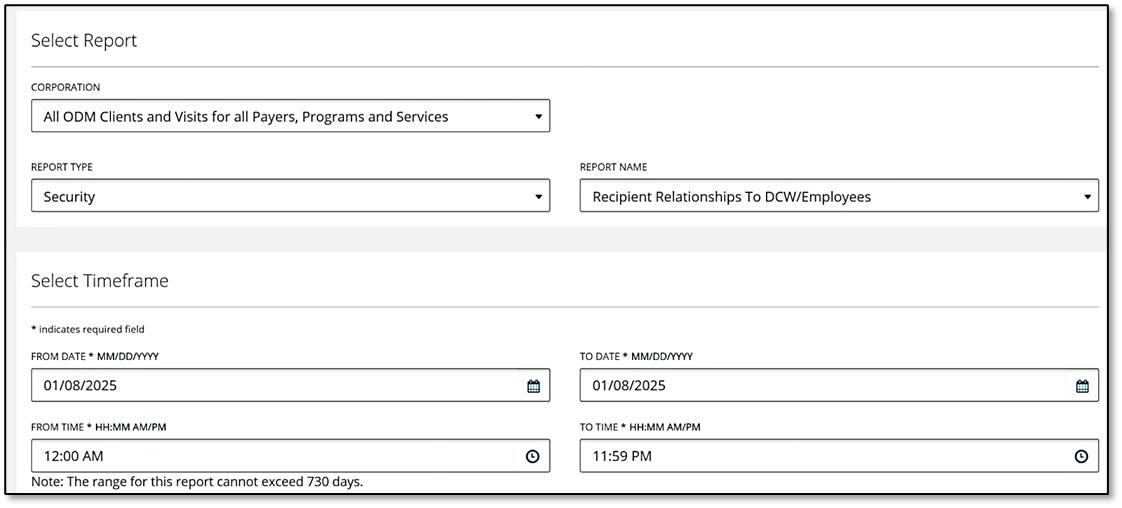
Under the Security Reports list, select Recipient Relationships to DCW or Employee.
If using the Sandata EVV system, the view will look like this:
If using Aggregator, the view will look like this:
-
Select your date range and any other needed filters.
-
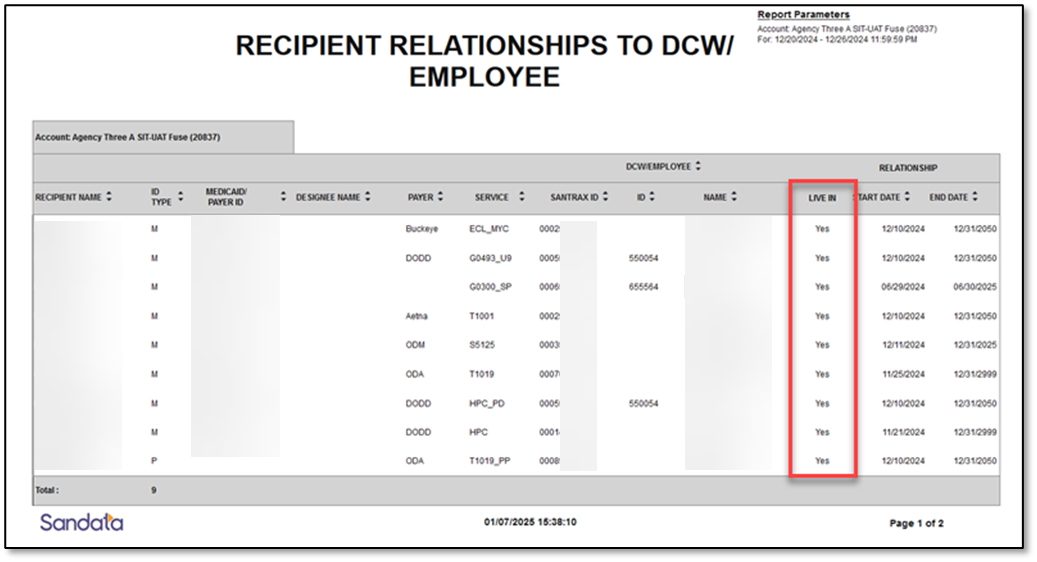
Select Run report. The live-in relationship appears under the Live-In Relationship column, marked with a Yes or No.