View a DCW/Employee's Schedule
-
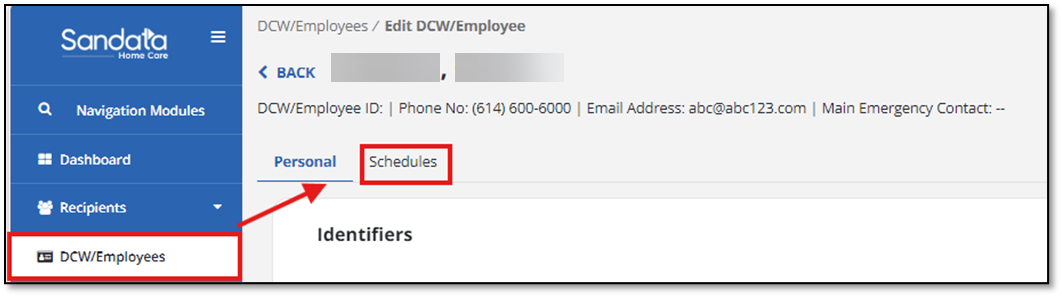
From the DCW/Employee module, select the DCW/Employee on the grid.
-
Select the Schedules tab on the DCW/Employee screen.
-
Filter by Date Range or Client. You can also select X to clear the search to see all schedules for the DCW/Employee.

-
The DCW/Employee’s schedule displays. From this list you can choose a scheduled event by selecting the date. This takes you to the Edit Schedule options.
