Update an Unknown Recipient
When a visit is recorded without a Recipient name or ID, the visit is flagged with an Unknown Recipient exception. Visits with Unknown Recipient exceptions need to have the Recipient updated to resolve the exception and make the visit billable.
To resolve an Unknown Recipient Exception:
-
Select a visit from the Manage Visits screen.
-
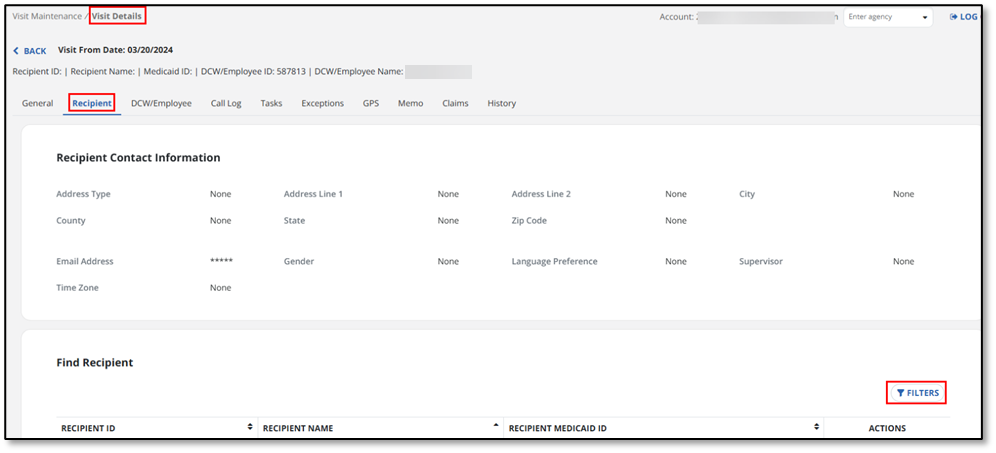
Select the exception dot in the Recipient Name column. You are taken directly to the Recipient tab.
-
Use the Filters button to open the Recipient filters.
-
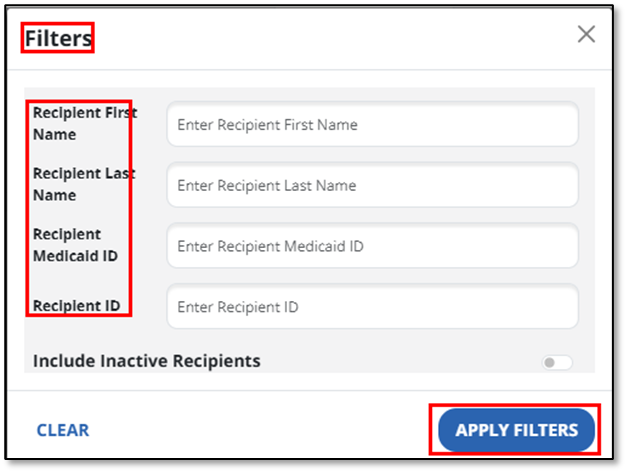
Enter the Recipients first or last name, Medicaid ID, or Recipient ID and then select Apply Filters.
Turn on the Include Inactive Recipients toggle if you need to include Recipients with a status of inactive in the search results.
-
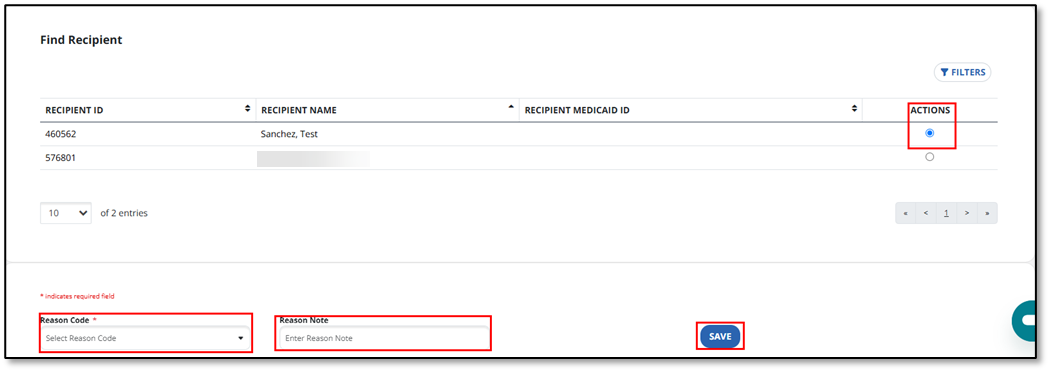
Select the Recipient under the Actions column. Then select the Reason Code and provide a Reason Note if required. Use the Save button to complete the update.