Join a Sandata Mobile Connect Group Visit
-
Log in to Sandata Mobile Connect, then search for the Recipient using the Recipient ID or Medicaid ID.
-
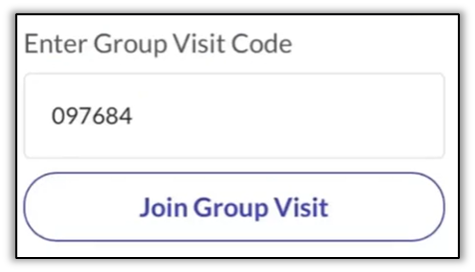
Enter the 6-digit group visit code and tap Join Group Visit.
-
Select the Service and the Location.
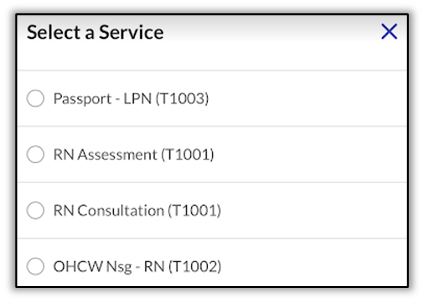
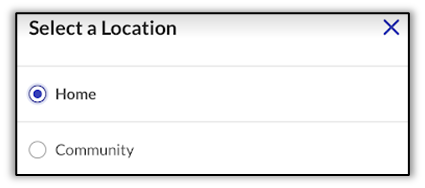
Each DCW/Employee and recipient combination has an individual start and end times as well as a service that is appropriate for that recipient.
-
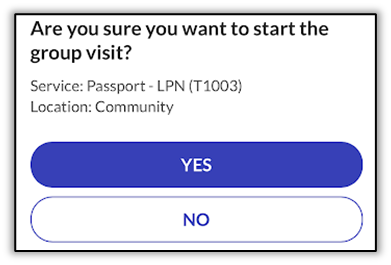
Tap Start Group Visit.
-
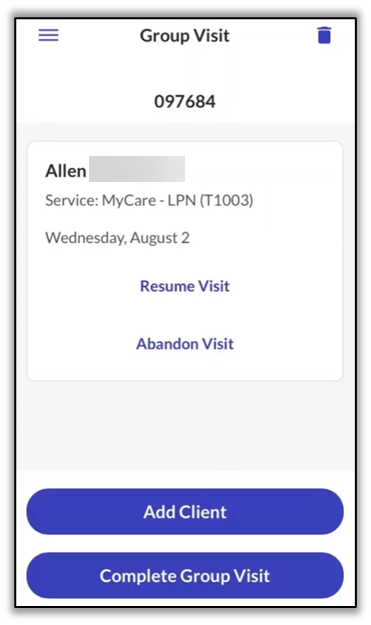
The Recipient is added to the existing in-progress Group Visit. The DCW/Employee may add additional Recipients or log out of Sandata Mobile Connect.
If the Medicaid ID or Recipient ID entered when searching for a Recipient does not return any results, the DCW/Employee can add an unknown Recipient to the group visit. A DCW/Employee can only add a maximum of one unknown Recipient to a group visit.