Complete a Sandata Mobile Connect Visit
-
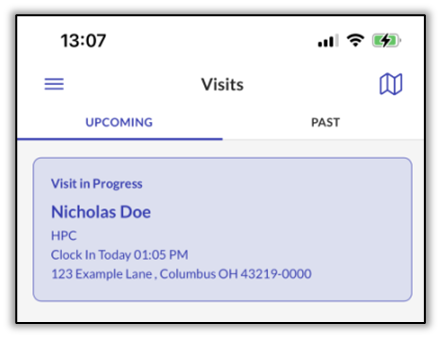
Log in to Sandata Mobile Connect. The Home screen shows the visit is in progress. Tap the Visit in Progress.
-
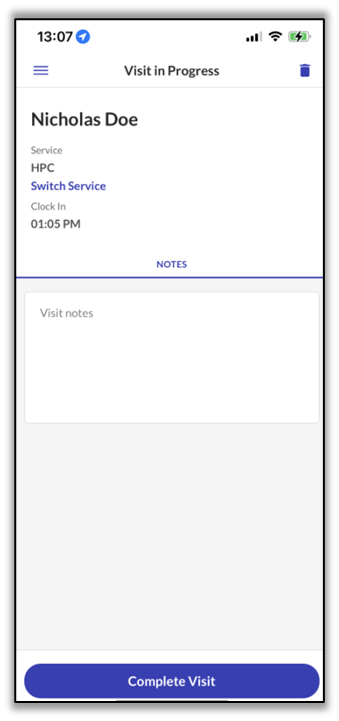
The Visit Note screen displays. Enter Notes if applicable, then tap Complete Visit.
-
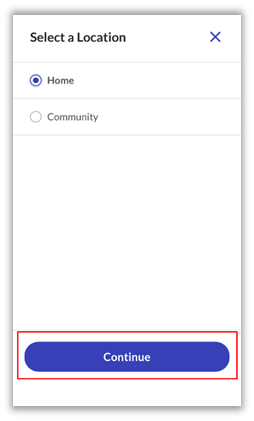
Select the ending location. Tap Home or Community and then tap Continue.
-
The Visit Summary screen displays. Tap Confirm.
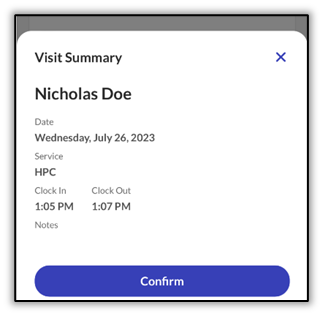
The visit is successfully submitted.