Return a Device Ordered in eTRAC
Note: Devices ordered in eTRAC were processed through our previous system and cannot be returned through the Shopify portal. Please use the Support Form and indicate you are returning a device so our team can assist you. We may need the following information depending on your request: Order Number, Device IMEI Number, and your agency STX Number.
Note: If your device is lost, not working, or needs technical troubleshooting please outreach our Technical Customer Care (TCC) team at 855-805-3505. Do NOT submit an online request for device issues.
-
Access Shopify by navigating to: hha-ohio.myshopify.com.
-
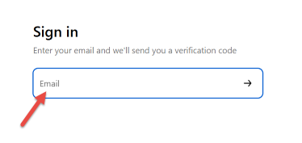
Enter in your email address to sign-in (No password will be needed, and no account must be created to begin, just enter your email address).
-
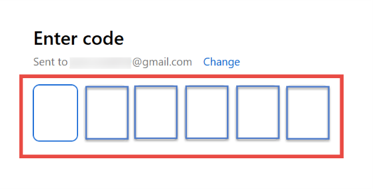
Enter in the six-digit verification code sent to the email entered in the previous step.
-
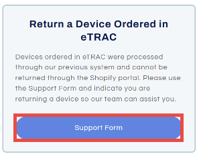
On the Home screen, scroll down and select Support Form under the Return a Device ordered in eTRAC box.
-
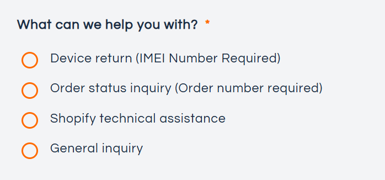
Select the option that best fits your need.
-
Fill out each field with the appropriate information and select Send Message.

-
Once your message has been sent you will receive a green confirmation bar.

-
Support will outreach you to complete your return.