Manage Exceptions in Visit Maintenance
The Visit Maintenance module is where all information related to visits is located. Sandata EVV defines a visit as, at a minimum, a scheduled visit or single call. The maximum length of a visit in the Sandata system is 25 hours. (24 hours with an extra hour to account for early or late calls). This is where you will review detailed information for all visits as well as update visits and correct any exceptions.
When you see the list of visits, check to see that the visits have all the required pieces of information. These five things are required to verify a visit:
-
Recipient
-
Direct Care Worker/Employee
-
Location
-
Call in and call out times
-
Date
Sometimes services and tasks are also required.
When one of these things is missing, you will have Exceptions. The missing and incorrect information are flagged by a red, orange, or grey dot on the visit screen.
To prepare visits for billing claims, you will need the visit status to be listed as Verified.
What do the dots mean?
- Red Dots: These are visits with missing or incorrect information that you must provide. Examples: missed call in or call out times, missing/unauthorized service, unknown Recipient, and unknown DCW/Employee.
- Orange Dots: These are visits with missing or incorrect information that you must acknowledge. Example: missing location
- Grey Dots: These are visits with missing or incorrect information that are informational only and do not require additional action.
-
Yellow Dots: These are visits that were manually created in EVV and do not require further action.
-
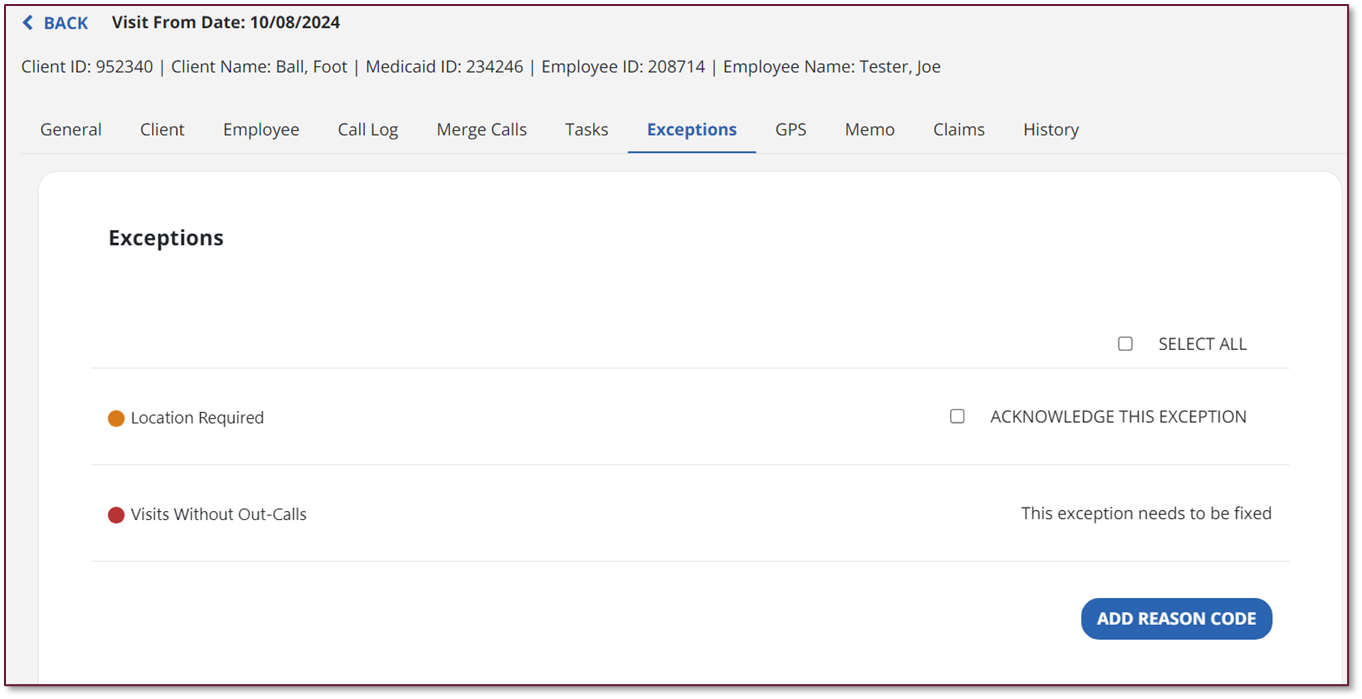
Your goal is to get the visits to a verified state. This requires a fix or acknowledgment for every exception. When correcting an exception, the system will ask you to enter a Reason Code and a Resolution Code before saving the change to the visit.
Here are the most common visit exceptions. Check your Visit Maintenance screen daily to look for those red dots and fix the exceptions.
|
Visit Exception |
Description |
|---|---|
|
Unknown Recipient |
There is no Recipient record associated with the visit. The client for the visit could not be matched to a known client in the system. Update the client for the visit in the General tab. |
| Unknown DCW/Employee | There is no DCW/Employee record associated with the visit. Update the DCW/Employee on the Visit Details screen. |
| Unauthorized / Invalid Service | The service on the visit does not match the service associated with the Recipient. Update the service in the General Tab. |
| Missing Service | There is no service on the visit. Update the service in the General Tab. |
| Visit Without In-Call | A call was not recorded for the start of the visit. Manually create a call using the Call Log tab. |
| Visit Without Out-Call | A call was not recorded for the end of the visit. |
| Missing Location | There was no location (home or community) selected for the visit. |
| No Show | The scheduled visit start time has passed, and the visit does not have an in call. Acknowledge this exception. |
| Late Call | A call-in or call-out did not take place within 15 minutes of the schedule. Update the Adjusted In field on the Visit Details screen. |
| Visit Without Any Calls | The scheduled visit end time has passed, and the visit does not have either an in or an out call. Manually create a call using the Create Visit button. |