Deactivate a DCW/Employee
This video will guide you through the steps to deactivate or delete a Direct Care Worker/Employee in the Sandata EVV system.
To Delete a DCW/Employee:
-
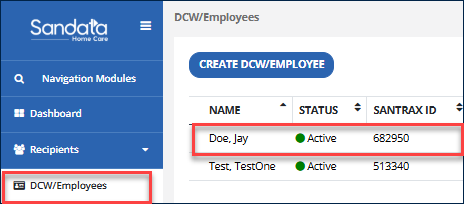
Navigate to the DCW/Employee record.
-
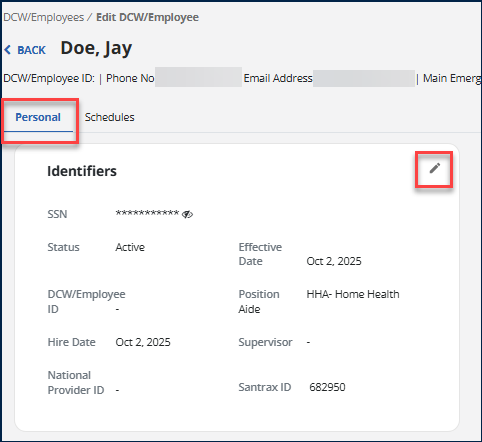
In the Personal tab, in the Identifiers section, click on the Pencil icon.
-
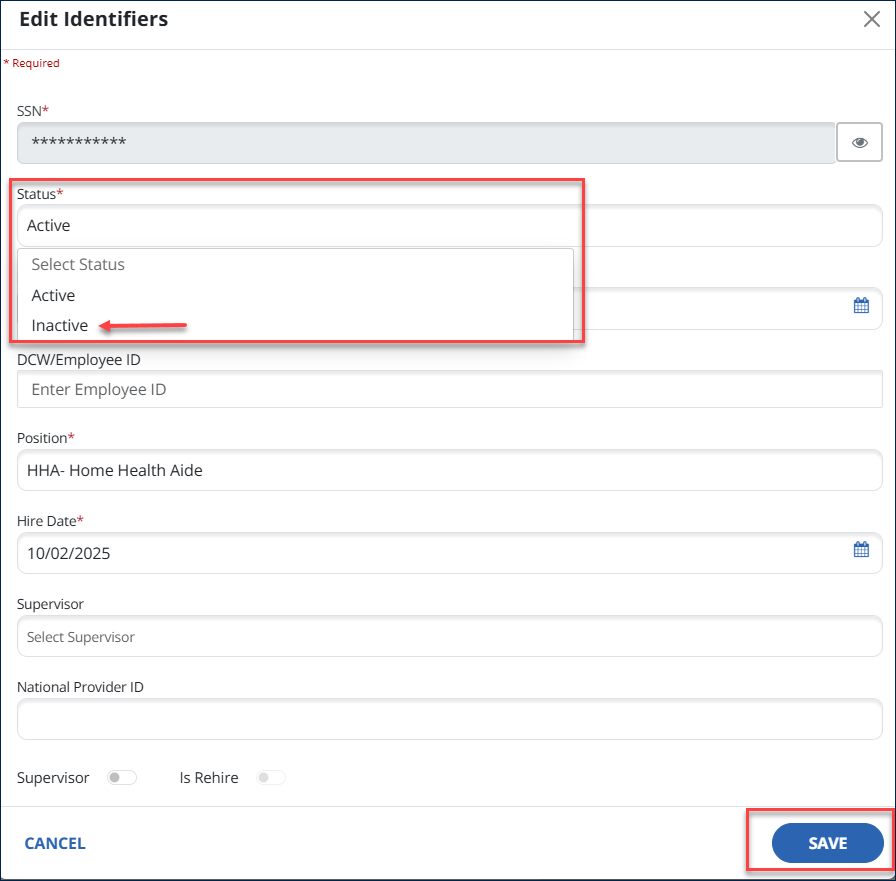
Change status to Inactive. Then select Save.