Add Mobile Device Access
For DCWs/Employees to have access to Sandata Mobile Connect, you will need to enable their profile for mobile access in the system.
-
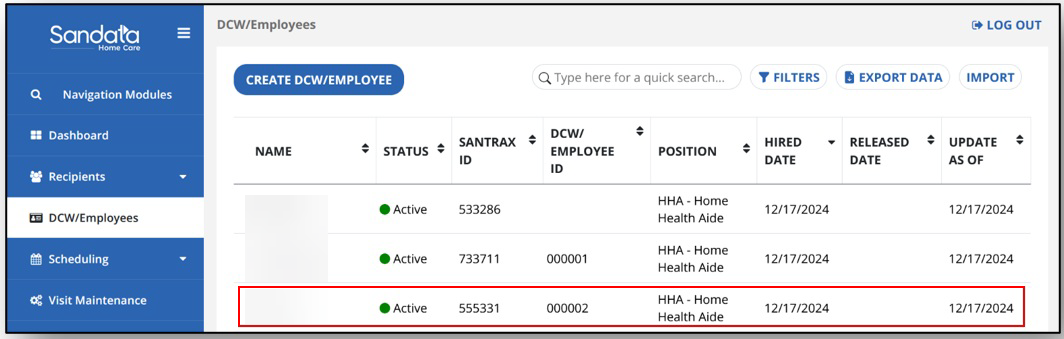
In the DCW/Employees module, find and select the DCW/Employee.
-
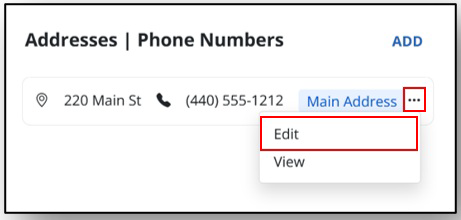
Scroll down to the bottom of the page to find the Addresses section. Select the Ellipsis, then select Edit to open the address and phone number information.
-
Select the Mobile user checkbox. Then select SAVE.
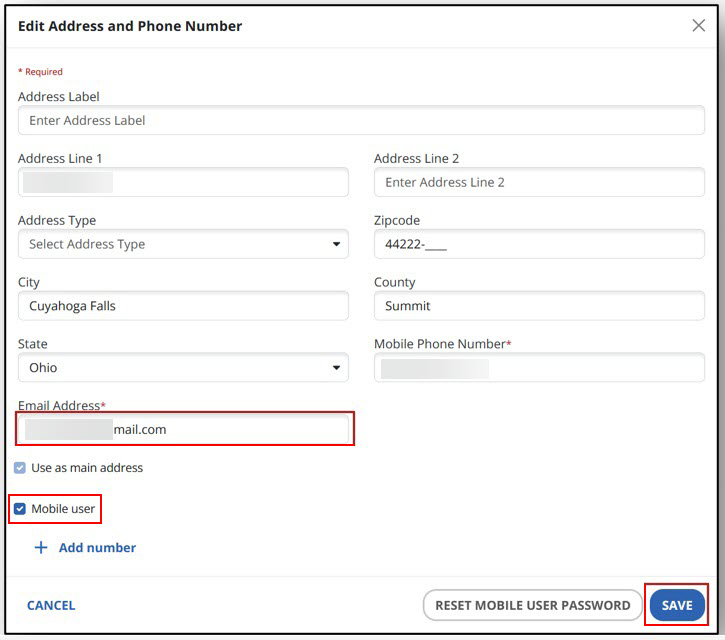
The DCW/Employee’s email address must be added if it is not already on the profile.