Schedule Alerts in Sandata Enhanced EVV
There are several alerts that a Scheduler can receive while setting up visits in the Scheduling module. All of these can be acknowledged or overwritten, but they are very helpful in ensuring the right employee can be available at the right time to provide the right service to a client.
Note: None of these alerts will stop you from scheduling a service if you choose to override or acknowledge the alert.

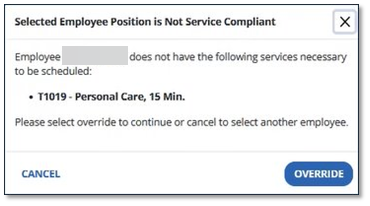
An Agency Admin can add or edit positions in Position Management and associate them with certain services. This alert will appear if the employee chosen for a scheduled service does not meet the required certification requirements.
To change the Employee, select Cancel and edit the Employee in the schedule. To dismiss the alert and continue with the Employee, select Override.
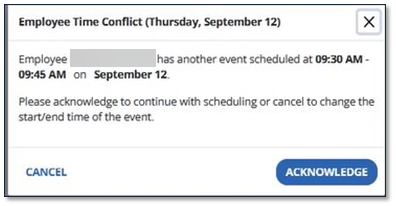
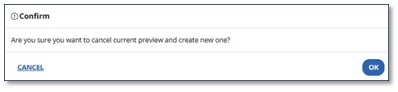
This alert appears when an employee is already scheduled to provide a service during the desired visit times. Select Cancel to go back and change the employee, or select Acknowledge to continue to select Create Preview. Cancel the current preview with the chosen employee by selecting Ok.
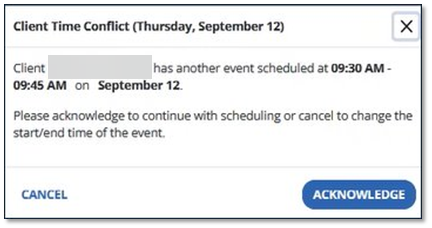
This alert appears when the client has another scheduled service at the same time. You can acknowledge this alert and Create Preview to continue scheduling the visit, or you can Cancel and change the time of the visit.
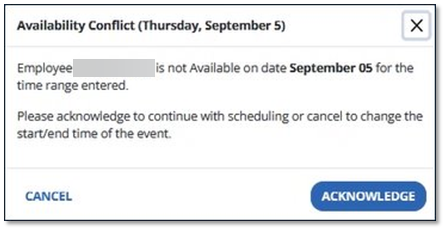
In Employee Availability in the Employee profile, you can edit and add your employee’s availability to be scheduled. An alert appears if the scheduled visit is outside of that Employee’s available time. Change the employee or acknowledge the alert and select Create Preview again.