Create or Delete a Live-In Caregiver Relationship in XREF
The XREF module is available to connect a client to a caregiver who provides service to them. It also allows you to identify the relationship between a live-in caregiver and a client.
NOTE: In Sandata's system, caregivers are referred to as employees.

The relationship options are:
-
Spouse
-
Adult Children/Stepchildren
-
Son-in-Law/Daughter-in-Law
-
Grandchildren
-
Siblings/Stepsiblings
-
Parents/Adoptive Parents/Legal Guardians
-
Stepparents
-
Mother-in-Law/Father-in-Law
-
Brother-in-Law/Sister-in-Law
A live-in caregiver relationship may apply to one or more of the following service codes:
-
Attendant Care S5125
-
Habilitation T2017
-
Home Health Aide T1021
-
Homemaker S5130
-
Personal Care T1019
-
Respite S5150
-
Respite S5151
-
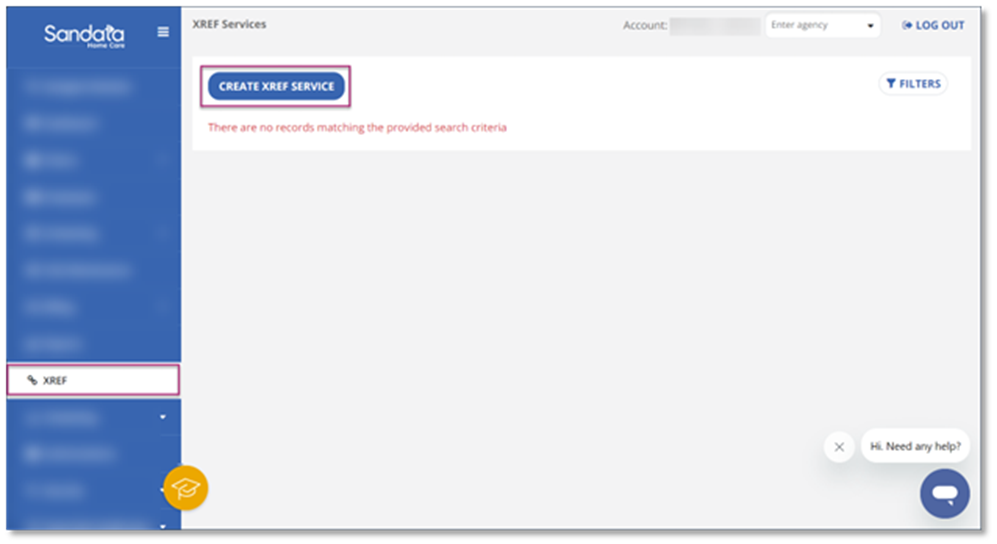
Go to the XREF module. Create a new connection by selecting Create XREF Service.
-
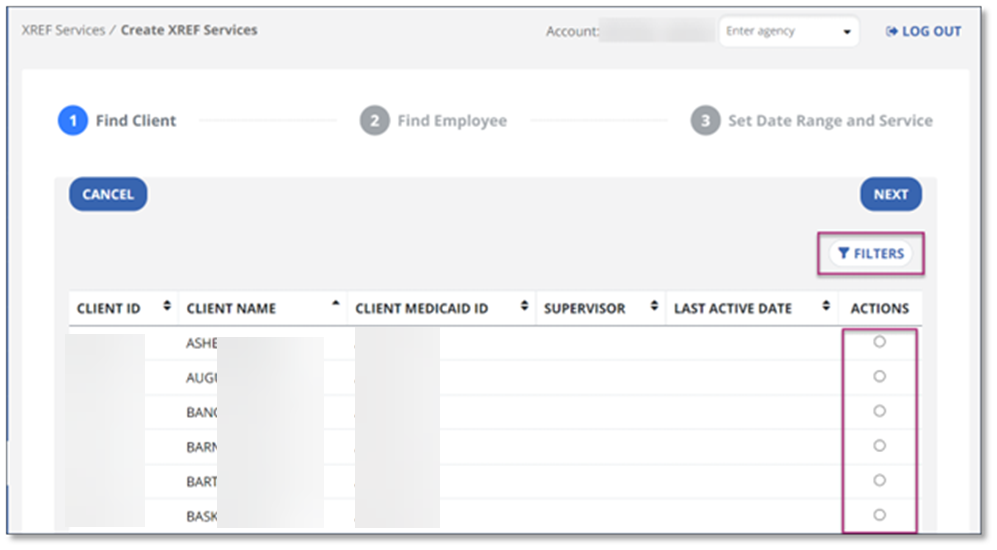
In the Find Client screen, use the Filter button to quickly find the client you want, and select the client to whom you want to connect the employee and service. Select Next.
-
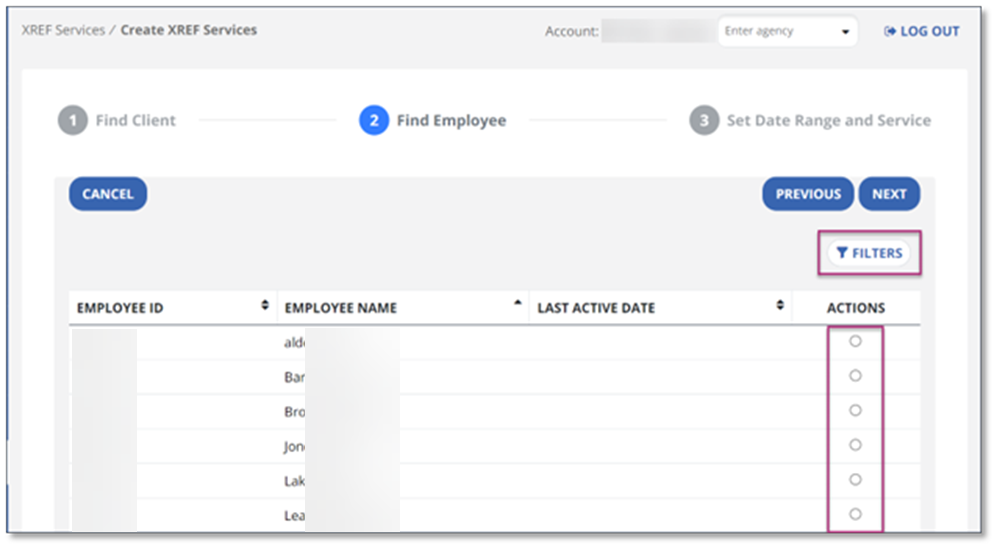
Select the Employee and select Next. You can use the Filter button in this screen to quickly find your selection.
-
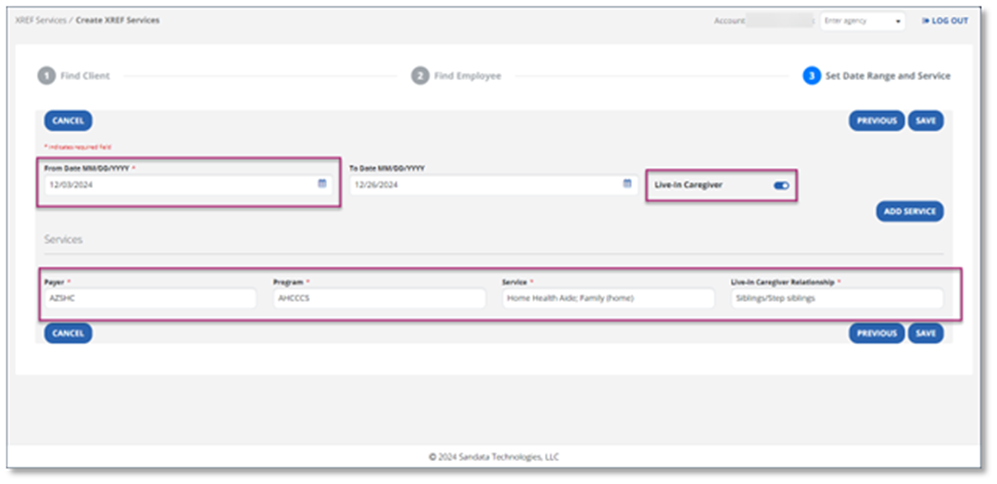
In the Set Date Range and Service screen, select the From Date and choose the date service begins. Select the toggle for Live-in Caregiver and then select the Payer, Program, and the Service provided. You will notice the toggle turns from gray to blue once selected.
-
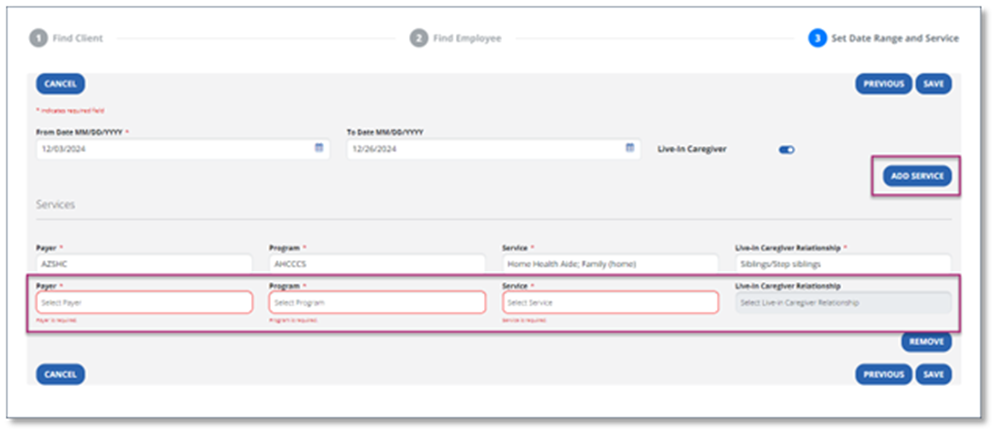
If you need to add another service, select Add Service and identify the Payer, Program, Service, and Relationship.
-
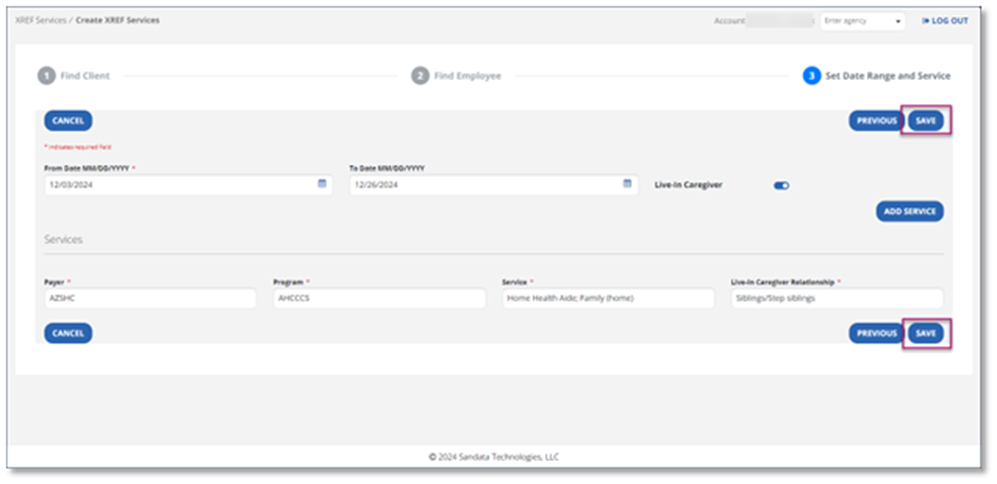
Select Save. A confirmation pop-up appears to let you know the action was saved.
Edit or Delete a Live-In Caregiver Relationship in XREF
You may need to update the service and date of a relationship in XREF or remove the service.
If a live-in caregiver record already exists, use the below instructions to end-date the current record and create a new one identifying the relationship.
-
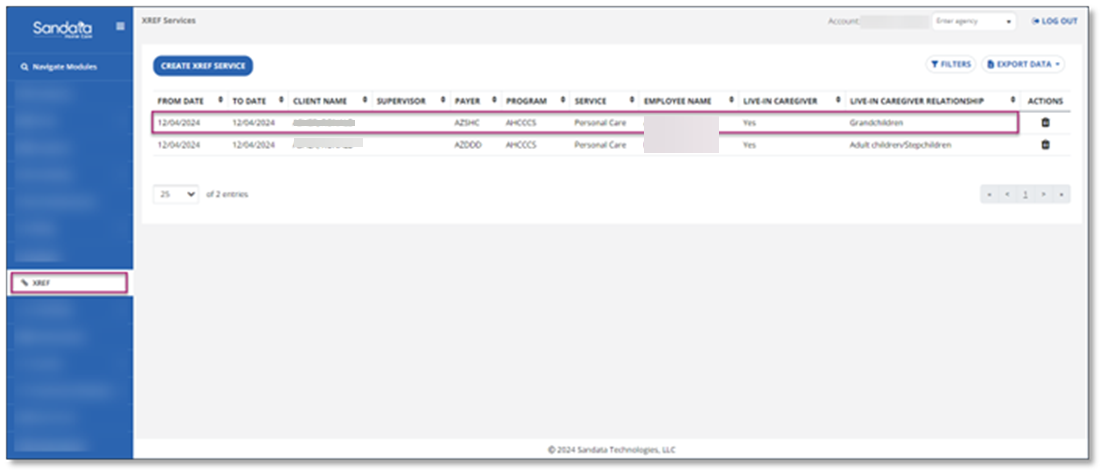
Go to the XREF module. Select the service you wish to edit by selecting a field in one of the columns.
-
Complete the information you wish to edit. Then select Save. If fields are grayed out, you are not able to edit them.
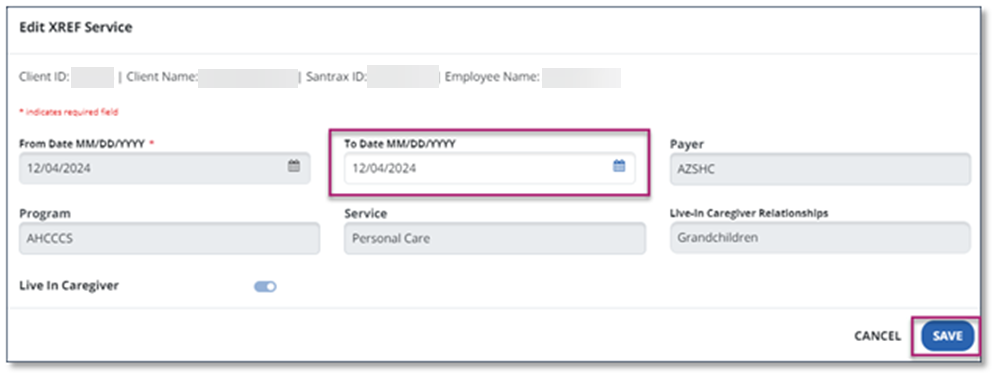
-
To delete an XREF service, select the trashcan icon in the Actions column.
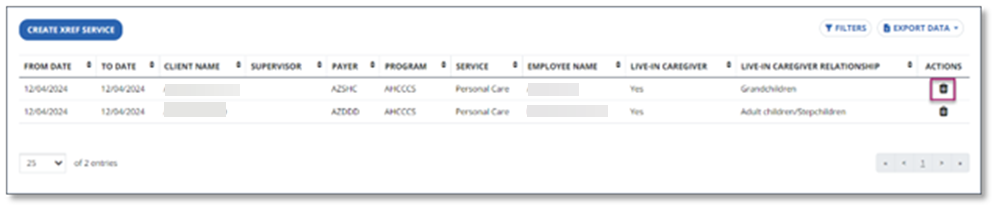
-
Select Yes, Delete. Select Cancel to return to the list of XREF services.
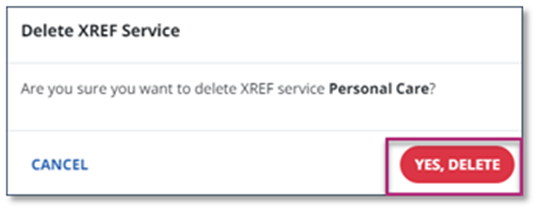
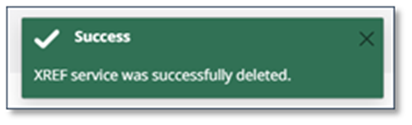
Once deleted, a confirmation screen appears.