Manage Payroll Job Titles
You can view information about the Payroll Job Titles that were synced to Time Tracking from ProviderPro.
If you sync job titles from ProviderPro, do not add, delete or make changes to the Payroll Job Titles within Time Tracking . The changes will be overwritten the next time the sync runs. Make all changes to Payroll Job Titles in ProviderPro. To make Payroll Job Titles read only in Time Tracking, turn on the Disable Synced Properties Default setting in Options.
Payroll job titles are one component of the payroll task that staff select when logging either staff worked time without clients or non-worked time. The Payroll Job Titles that are part of the payroll tasks available to staff to select from when logging staff time worked without clients and non-worked time are set in the Data Collection Types assigned to their Staff Permission Group. In addition, certain tasks may be unavailable to staff if the payroll cost center selected excludes that job title or the job title is not part of any tasks. Payroll job titles are included in the export file that is later imported into ProviderPro Payroll Wage Entries.
To manage the Payroll Job Titles:
-
Log in with your full login.
-
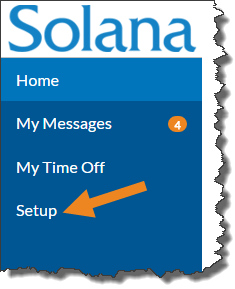
Select Setup from the menu.
-
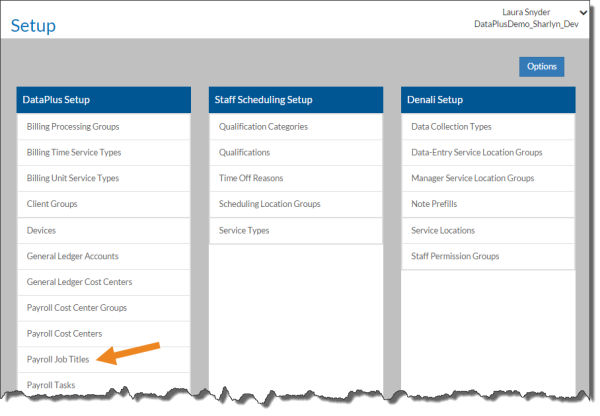
Select Payroll Job Titles on the DataPlus Setup card.
-
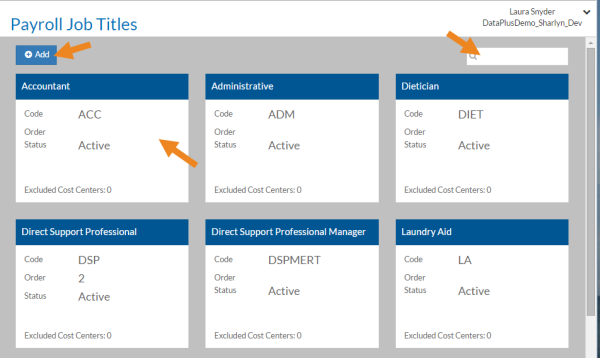
Select a Payroll Job Title card from the list, or enter a Payroll Job Title in the Search box to search for a specific Payroll Job Title. If you do not sync Payroll Job Titles from ProviderPro, select Add to create a new one.
-
Complete the following information and select Save:
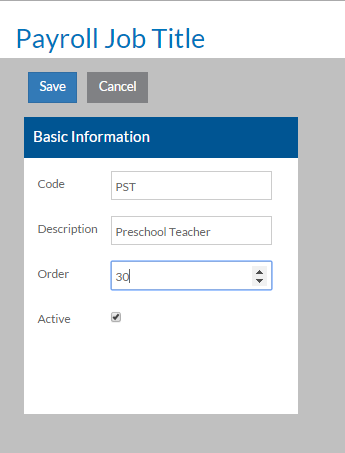
In this field:
Enter:
Code
The code of the Payroll Job Title.
Description A description of the Payroll Job Title. Order The order you want the Payroll Job Title to be sorted in lists. Active The Payroll Job Title is in use. If this is a new Payroll Job Title, the Excluded Cost Centers card appears.
-
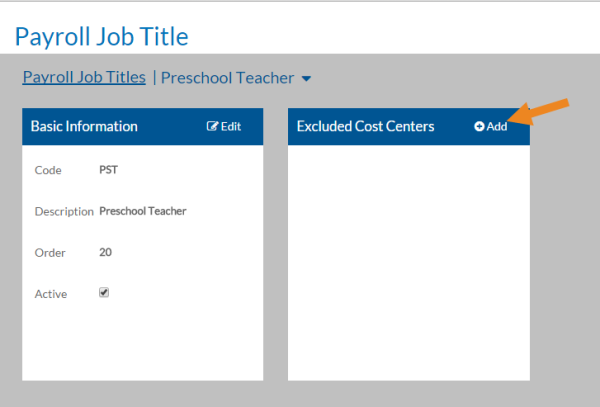
Select Add on the Excluded Cost Centers card to select any payroll cost center that would never apply to this Payroll Job Title.
-
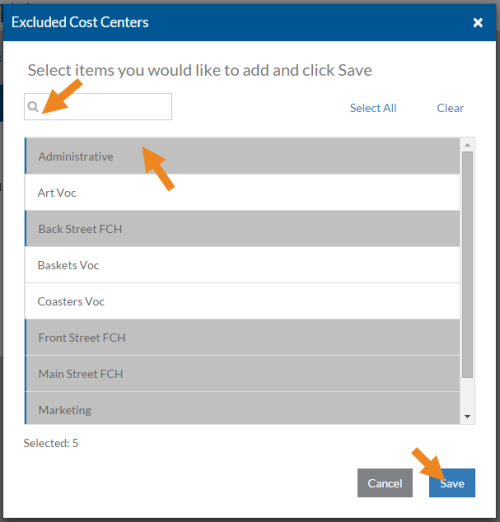
Select the payroll cost centers that would never use this Payroll Job Title and then click Save.
-
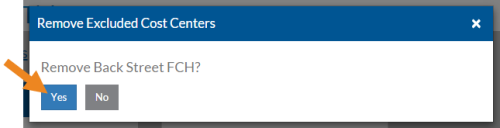
Select the minus sign next to a cost center to remove it from the this list of exclusions for this Payroll Job Title.
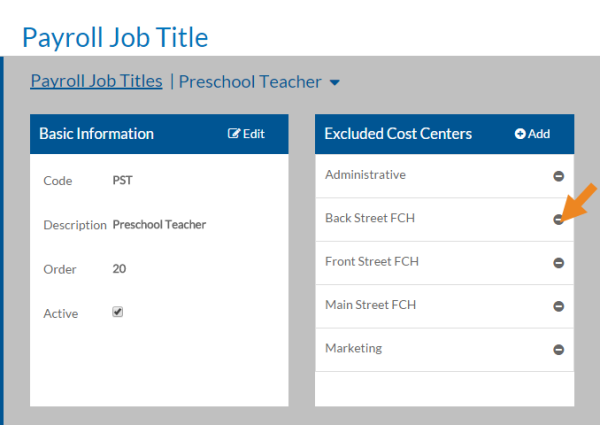
A confirmation message appears. Select Yes.