Archive a Time Tracking Export File
If your list of exports becomes too cluttered, you can archive them and hide them from your view.
To archive an export file:
-
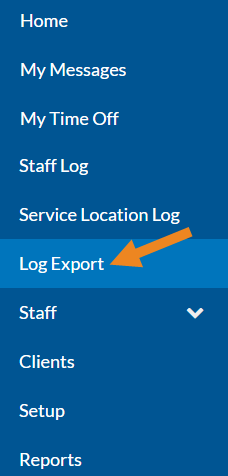
Select Log Export from the menu.
-
Click Archive on the export you want to hide.
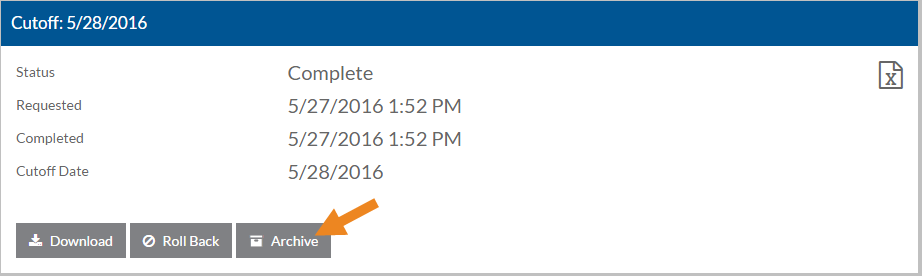
The export card disappears from the list.
-
To view the archived exports and/or unarchive an export, select the Filters icon, select the Show Archives check box and click Done.
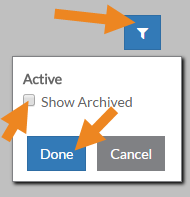
The archived exports appear.
-
If you want to unarchive the export so you can download it again, click Unarchive.
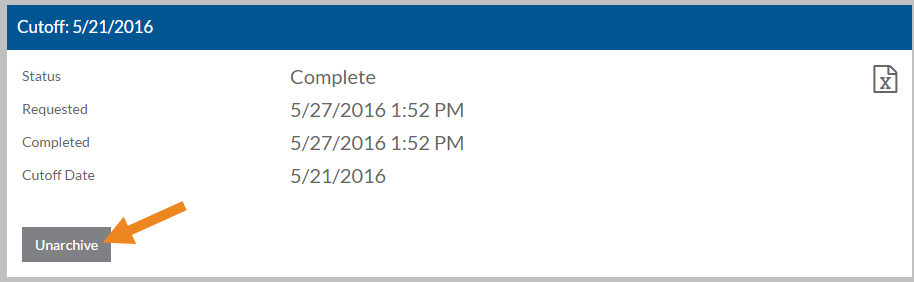
The Download, Roll Back and Archive buttons reappear.