Staff Permission Groups
Staff Permission Groups do not sync to DataPlus from ProviderPro. You can sync over an employee's staff permission group setting. To do so you must set up the staff permission group list in ProviderPro, and the Description must match the Time Tracking Descriptions exactly.
To set up staff permission groups:
-
Log in to your ProviderPro live database.
-
Choose Tools > DataPlus Sync > DataPlus Time Tracking Staff Permission Groups.
-
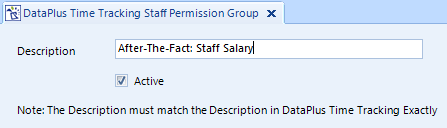
In the new window that opens, enter the description for the Staff Permission Group exactly as it appears in Time Tracking.
-
Make sure the Active check box is selected.
-
Click Save on the toolbar to save changes.