Manage Manager Service Location Groups
Administrators can manage manager service location groups. Manager service location groups are groups of service locations used to determine the service locations that managers can view, review or approve the log entries for. Manager service location groups are used when setting up security. Users or staff with the role of Logs: View Selected, Logs: Review Selected or Logs: Approve Selected will be able to view, review or approve the log entries for those service locations in the selected service location groups.
Do not add, delete or make changes to the manager service location group settings within Time Tracking if you sync from ProviderPro. The changes will be overwritten the next time the sync runs. Make all changes in ProviderPro. To make manager service location group settings read-only in Time Tracking, turn on the Disable Synced Properties Default setting in Options.

-
Log in with your full login.
-
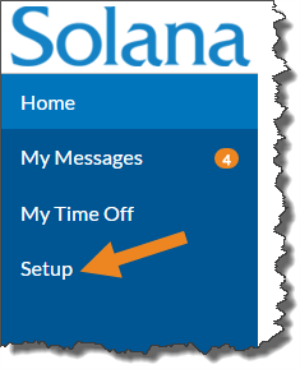
Select Setup from the menu.
-
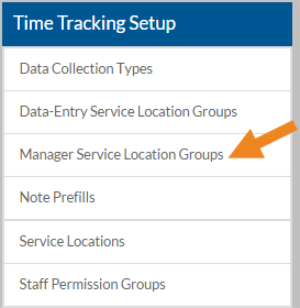
Select Manager Service Location Groups on the Time Tracking Setup card.
-
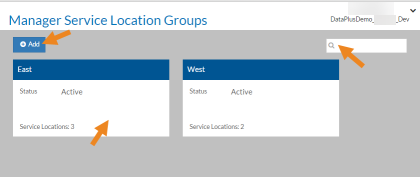
Select a manager service location group card from the list, enter a manager service location group in the Search box to search for a specific manager service location group, or select Add to create a new one.
-
Complete the following information and select Save:
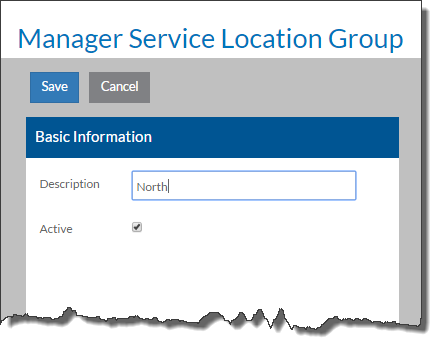
- Description: A description of the manager service location group.
- Active: Checking this box makes the manager service location group in use.
-
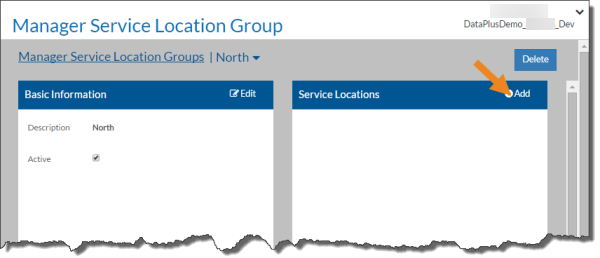
Select Add on the Service Locations card.
-
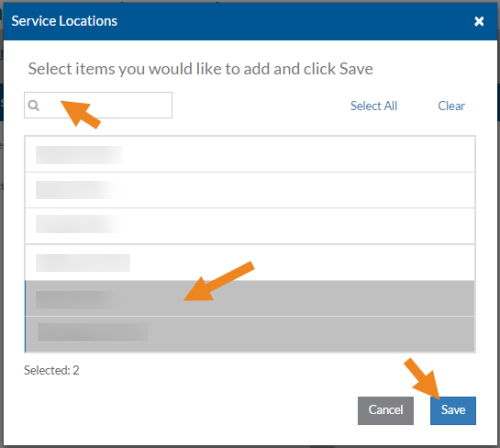
Select the service locations you want to assign to the manager service location group and then click Save.
-
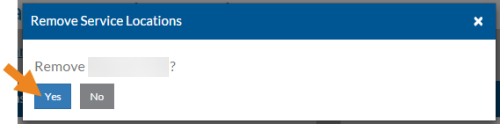
Select the minus sign next to a service location to remove it from the manager service location group.
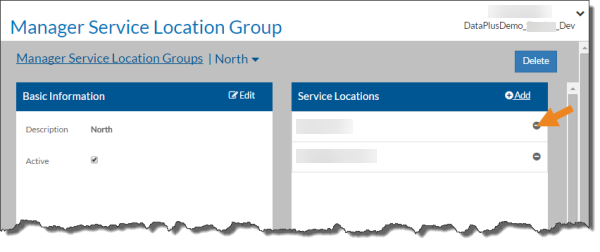
Select Yes in the confirmation pop-up to remove the service location.
-
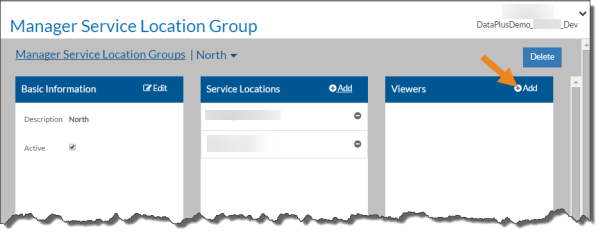
Select Add on the Viewers card to select the staff that can view the log entries for the service locations in this manager service location group.
-
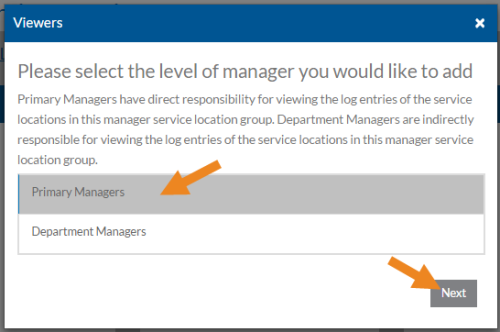
Select either Primary Managers or Department Managers and click Next.
-
Primary Managers have direct responsibility for viewing the log entries for the service locations in this manager service location group.
-
Department Managers are indirectly responsible for viewing the log entries for the service locations in this manager service location group.
-
-
Select the viewers you want to assign to the manager service location group and then click Save. Only staff that have the Logs: View Selected role will appear in the list.
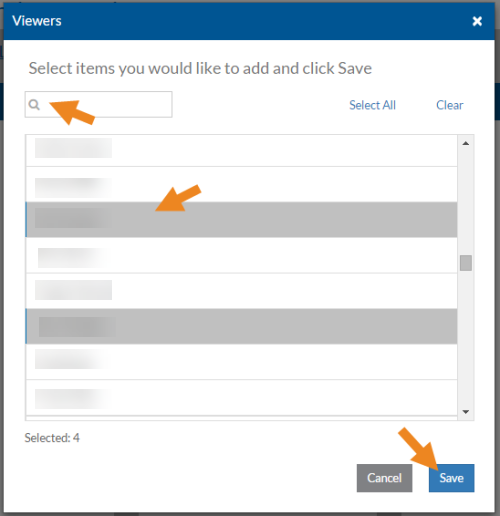
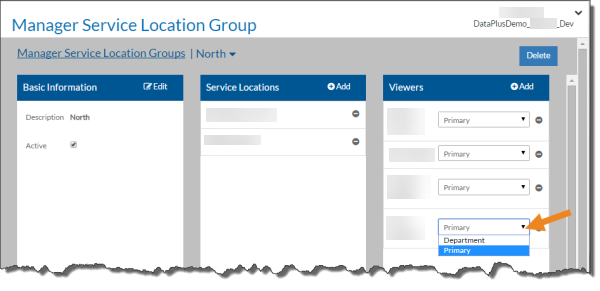
You can change the Manager Type if needed.
-
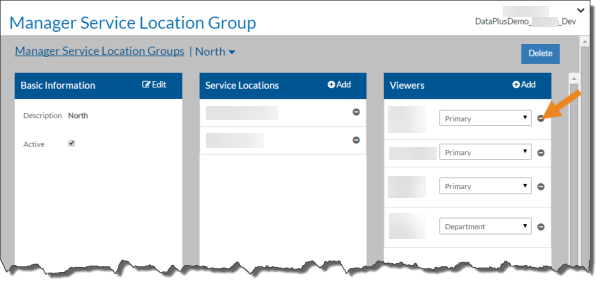
Select the minus sign next to a viewer to remove them from the manager service location group.
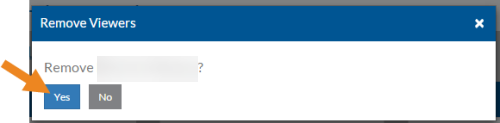
Select Yes in the confirmation pop-up to remove the viewer from the service location group.
-
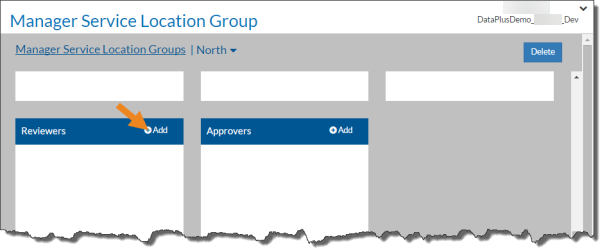
Select Add on the Reviewers card to select the staff that can review the log entries for the service locations in this manager service location group.
-
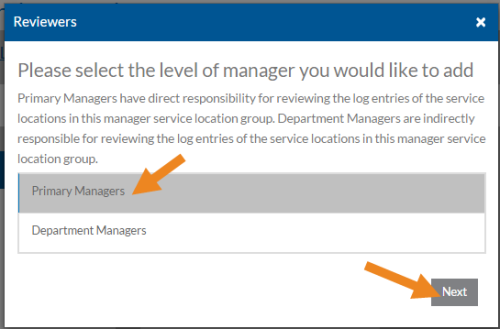
Select either Primary Managers or Department Managers and click Next.
-
Primary Managers have direct responsibility for reviewing the log entries for the service locations in this manager service location group.
-
Department Managers are indirectly responsible for reviewing the log entries for the service locations in this manager service location group.
-
-
Select the reviewers you want to assign to the manager service location group and then click Save. Only staff that have the Logs: Review Selected role will appear in the list.
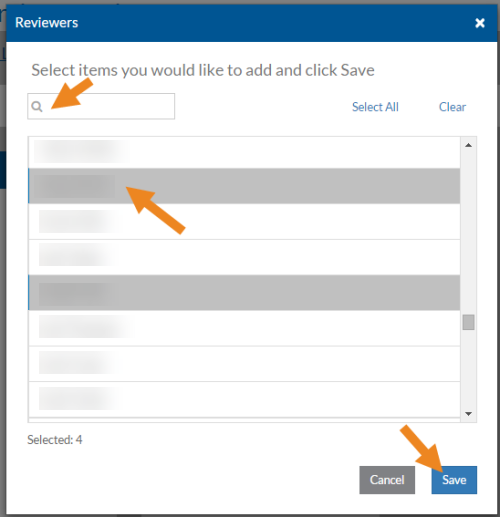
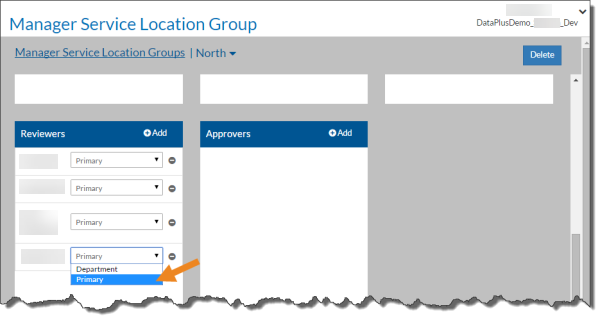
You can change the Manager Type if needed.
-
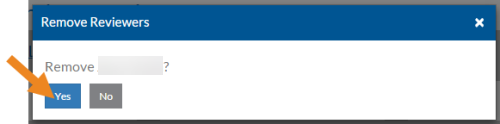
Select the minus sign next to a reviewer to remove them from the manager service location group.
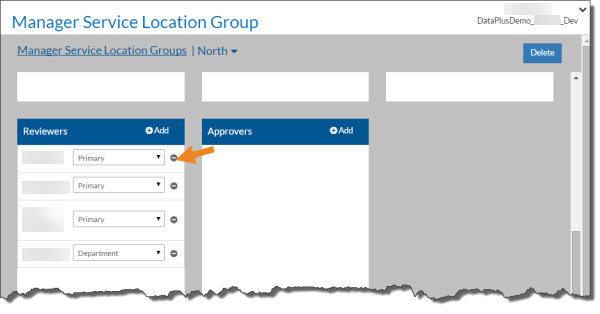
Select Yes in the confirmation pop-up to remove the reviewer from the manager service location group.
-
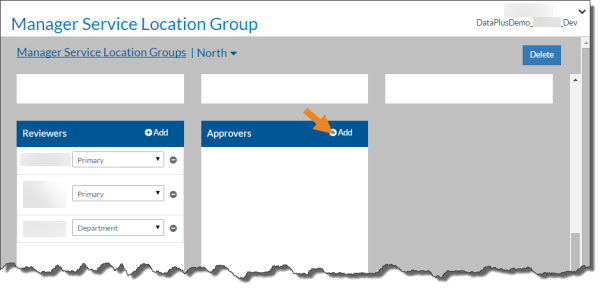
Select Add on the Approvers card to select the staff that can approve the log entries for the service locations in this manager service location group.
-
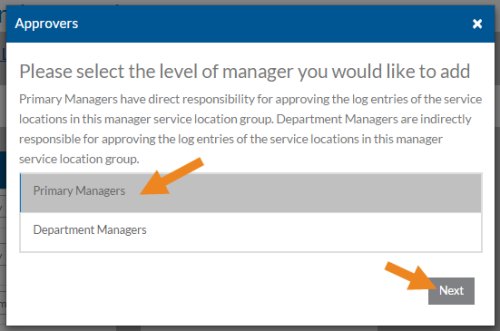
Select either Primary Managers or Department Managers and click Next.
-
Primary Managers have direct responsibility for approving the log entries for the service locations in this manager service location group.
-
Department Managers are indirectly responsible for approving the log entries for the service locations in this manager service location group.
-
-
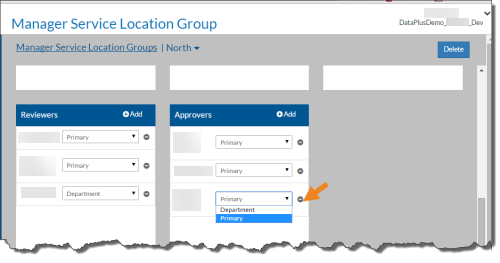
Select the approvers you want to assign to the service location group and then click Save. Only staff that have the Logs: Approve Selected role will appear in the list.
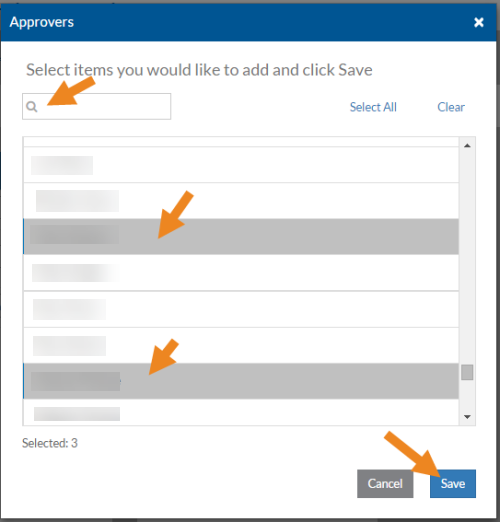
You can change the Manager Type if needed.
-
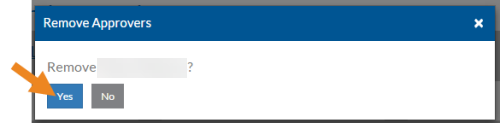
Select the minus sign next to an approver to remove them from the manager service location group.
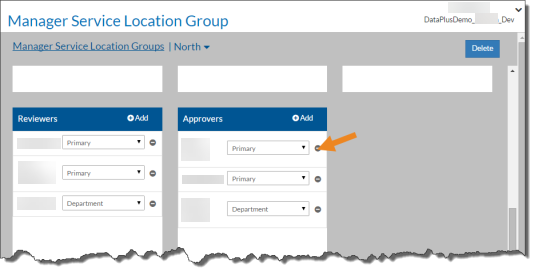
Select Yes in the confirmation pop-up to remove the approver from the manager service location group.