Adjust Number of Days Before Setting in Time Tracking Options
Only users with the DataPlus Administrator role can adjust this setting.

-
Setup in blue menu
-
Time Tracking
-
General
-
Options
-
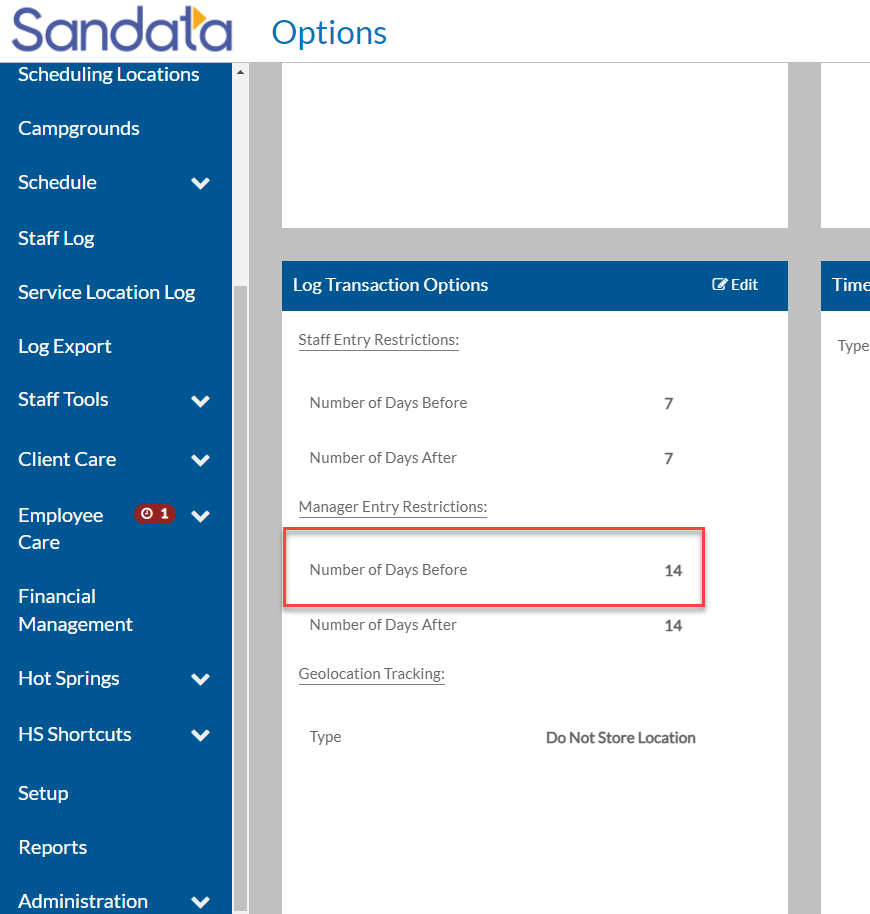
Scroll down to Log Transaction Options
-
Manager Entry Restrictions section
-
Number of Days Before
-
Change the value to a higher number such as 365
-
Save
-
Make the necessary changes for the employee(s)
-
Change the Number of Days Before value back to what it was previously
-
Save
-
Setup
-
Options button
-
Scroll down to Log Transaction Options
-
Manager Entry Restrictions section
-
Number of Days Before
-
Change the value to a higher number such as 365
-
Save
-
Make the necessary changes for the employee
-
Change the Number of Days Before value to what it was previously
-
Save