Sandata View Upcoming Shifts
Complete the following steps to review your shift.
-
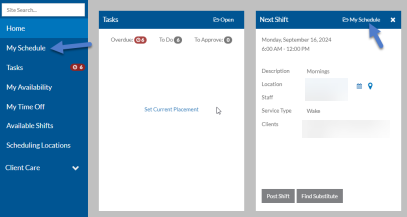
Select My Schedule from the menu or on the Next Shift card on the Home screen.
-
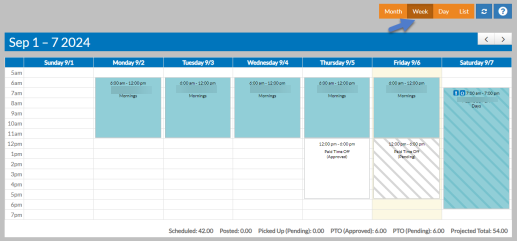
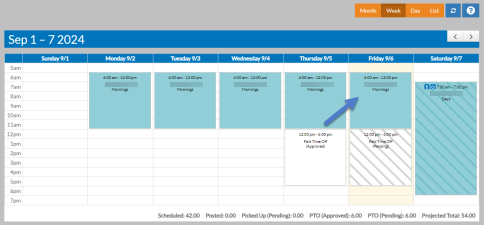
Select the Week, Day, Month, and List filters to change your view as you review your upcoming shifts.
If you have any approved or pending time off requests, they will appear on the schedule in a white box. If the box has stripes on it, then the request has not yet been approved by your manager.
Additionally, if you have picked up any open/posted shifts, they will appear on the schedule in a striped yellow box until your manager has approved it. If a co-worker has sent you a sub request to fill a shift they have posted, it will appear on your scheduled in blue with stripes on it. If you click on it you can accept or reject their request.
-
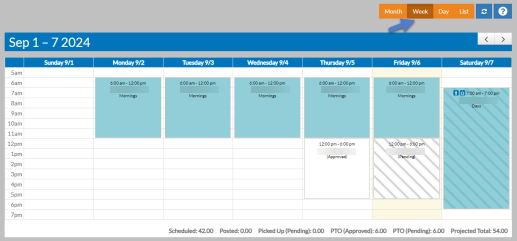
Select the arrows to move to the next or previous week, month, or day.
-
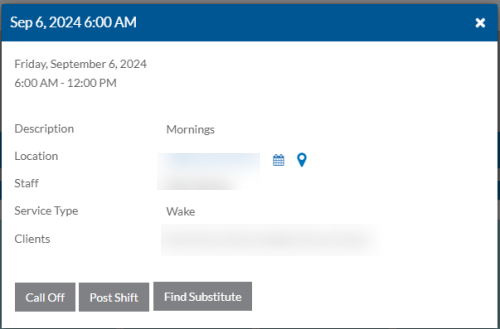
Select a shift to view more information about it.
The shift opens in a pop-up.
-
Select the X to close the shift.