Call Off a Shift
Complete the following steps to notify your Manager that you are calling off a shift (only available if this feature is enabled in Options):
-
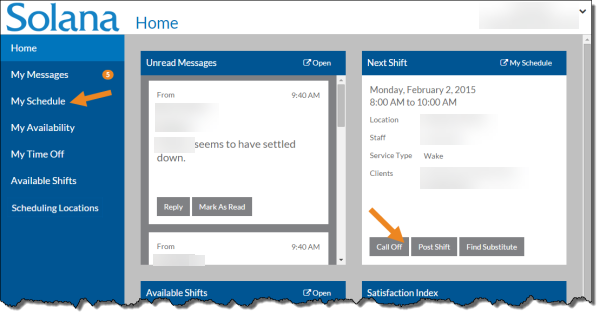
Select My Schedule from the menu or if the one you want to post is your next shift, select the Call Off button on the Next Shift card on the Home page.
-
If My Schedule is selected, the My Schedule window opens. Continue on to Step 2, or
-
If Call Off is selected on the Next Shift card, go to Step 4.
-
-
Select the shift you need to call off from the grid.
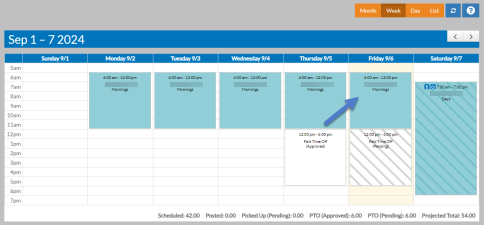
The shift opens in a pop-up.
-
Select the Call Off button.
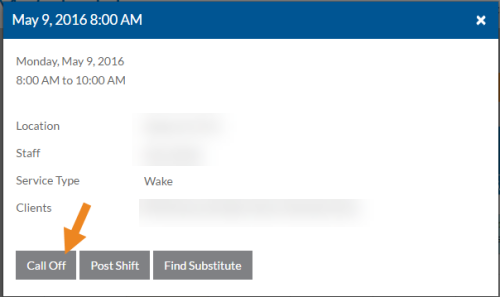
A confirmation message appears.
-
Select the Yes button.
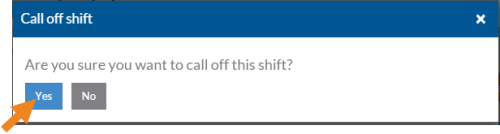
The shift is removed from your schedule and both your Staff Manager and the Schedule Manager is notified.