Employees Auto Schedule for One Scheduling Location
Complete the following steps to auto schedule staff to the slots of the shifts for one scheduling location:
-
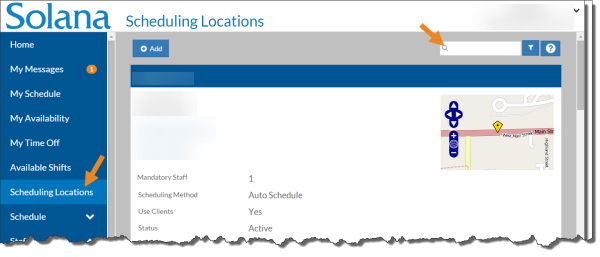
Select Scheduling Locations from the menu, then enter the name of the scheduling location in the Search field.
-
Select Schedule on the Scheduling Location card.
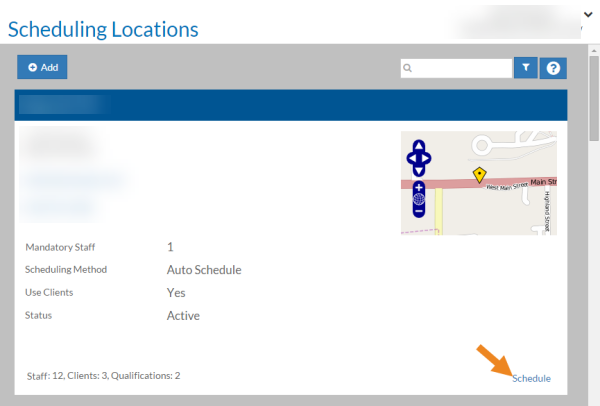
The schedule opens for the scheduling location.
-
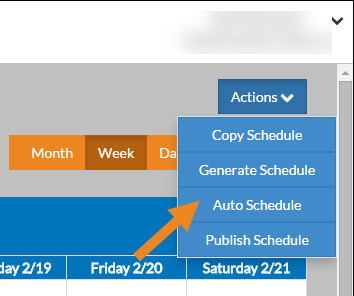
Next, select the Auto Schedule option (located under the Actions menu).
-
Select the first week you want to auto schedule, the number of weeks you want to auto schedule then click the Auto Schedule button.
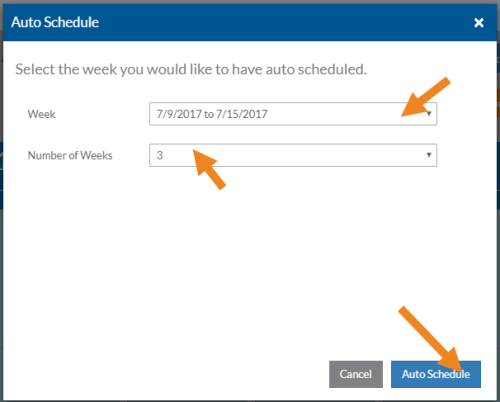
It may take a few minutes for the auto schedule to complete.