Employees Assign Scheduling Locations to Clients
The client manager can assign scheduling locations to clients, if they are not automatically synced from ProviderPro, based on the billing cost center.
Complete the following steps to assign a scheduling location to a client:
-
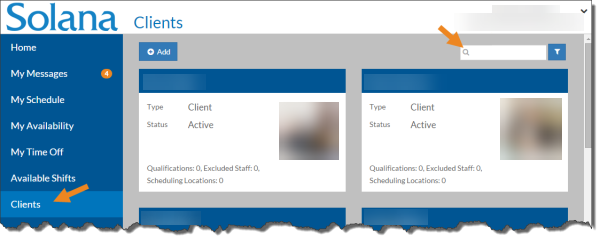
Select Clients from the menu and then enter the name of the client you want to update in the Search box.
-
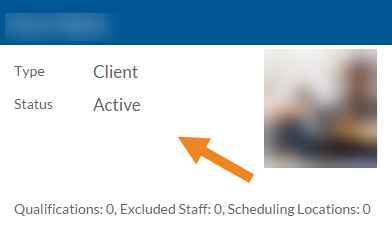
Select the card of the client you want to assign locations to.
-
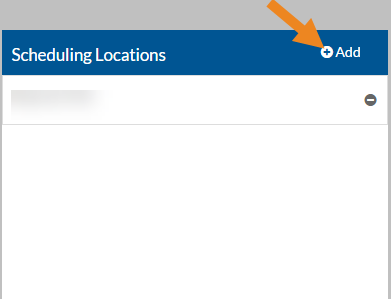
The client's card opens. Select Add icon on the Scheduling Locations card.
-
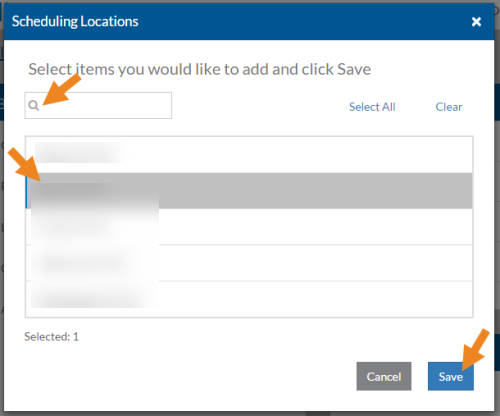
The Scheduling Locations pop-up opens. Select the scheduling location(s) for the client and then click the Save button.
-
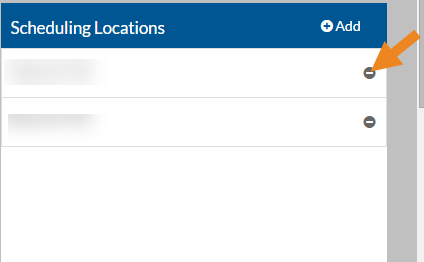
Select the minus sign next to a scheduling location to remove it from the client.
-
A confirmation window opens. Click Yes to remove the scheduling location.