Employees Assign Qualifications to Staff
The auto-scheduler takes the staff's qualifications into account when assigning staff to slots at a specific scheduling location or with specific clients.
Staff qualifications that are tracked in ProviderPro Employee Requirements or that are based on the staff's payroll job title are automatically synced to Staff Scheduling from ProviderPro. You cannot update or delete synced qualifications.
Complete the following steps to assign user-defined qualifications to staff:
-
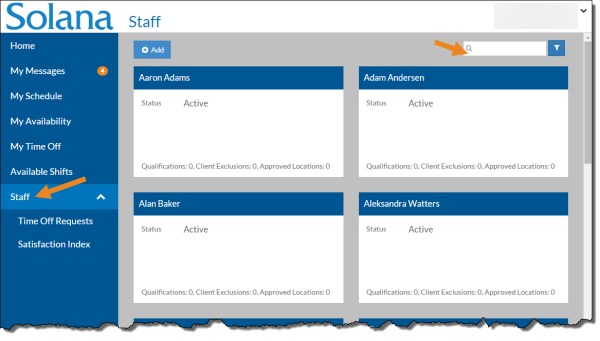
Select Staff from the menu and then enter the name of the person you want to update in the Search field.
-
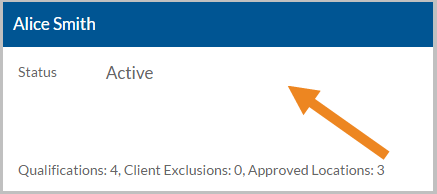
Select the card of the staff you want to assign user-defined qualifications.
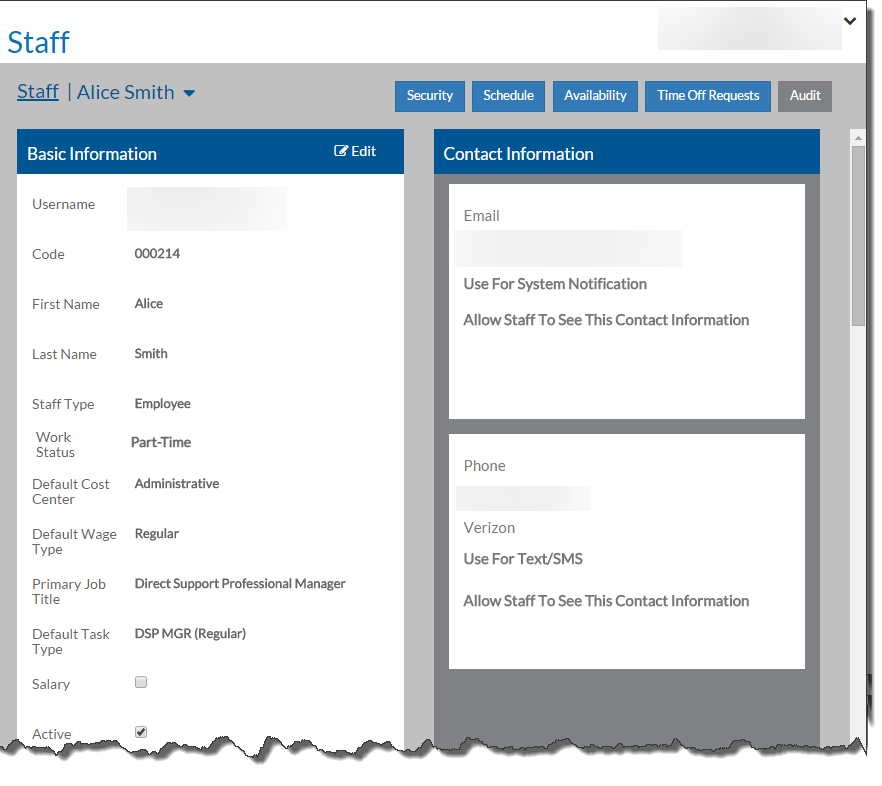
The staff member's card opens.
-
Select the Add button on the Qualifications card.
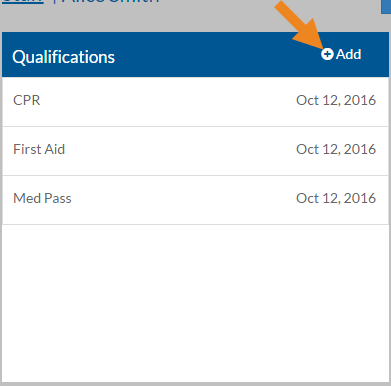
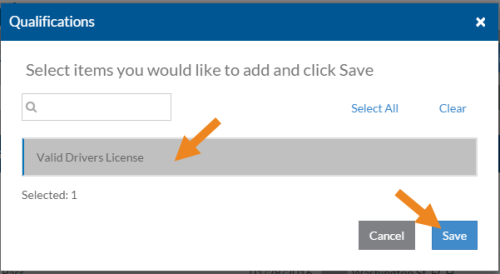
The Qualifications pop-up opens. Only user-defined qualifications appear in the list.
-
Select the qualification you want to assign and then select the Save button.
-
If the qualification has a renewal date, enter it in the date box next to the qualification.
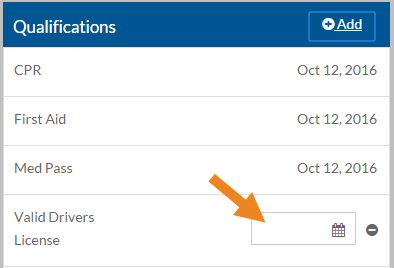
You can only set effective dates for user-defined qualifications. The dates for qualifications that sync from ProviderPro are read-only.
-
Select the minus sign next to a qualification to remove it from the employee.
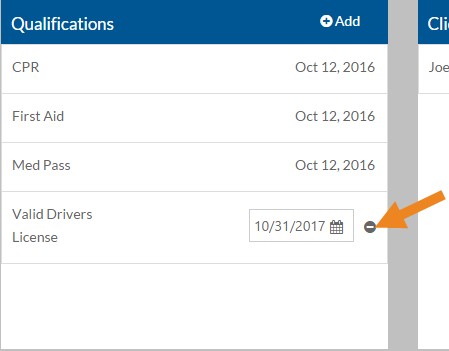
Qualifications that sync from ProviderPro are read-only and you cannot delete them from Staff Scheduling.
A confirmation pop-up appears. Select the Yes button to remove the user-defined qualification.