Employees Assign Qualifications to Clients
If a client requires that the staff that works with him or her have specific qualifications, the client manager assigns them to the client here. The auto-scheduler makes sure that any staff that works with the client has those qualifications.
Complete the following steps to assign qualifications to a client:
-
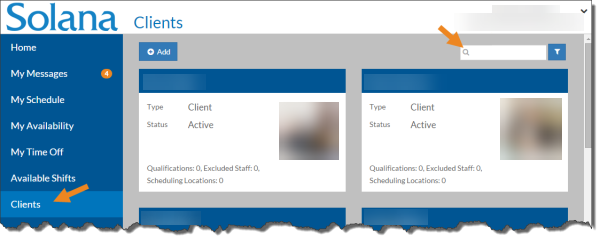
Select Clients from the menu and then enter the name of the client you want to update in the Search box.
-
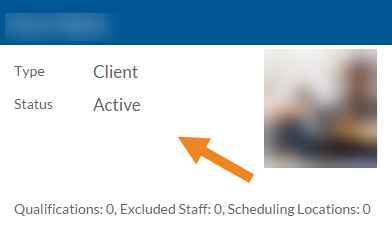
Select the card of the client you want to assign qualifications to.
-
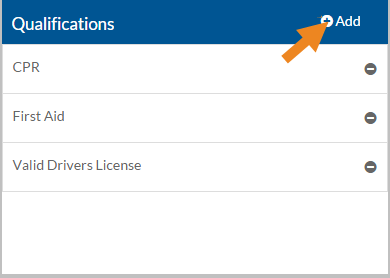
The client's card opens. Select the Add icon on the Qualifications card.
-
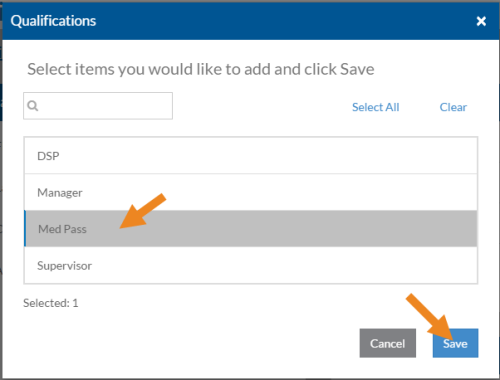
The Qualifications window opens. Select the qualification you want to assign to the client and then click the Save button.
-
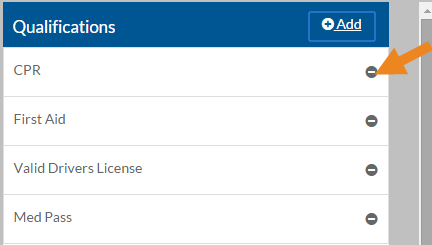
Select the Minus sign next to a qualification to remove it from the client.
-
A confirmation message appears. Select Yes to remove the qualification.