Assign Approved Staff to Scheduling Locations
The auto-scheduler only schedules staff at approved scheduling locations and takes the manager's scheduling location preferences into account when assigning staff to slots. Additionally, when assigning staff to shifts and displaying available shifts to staff, only those where the staff is approved to work are valid.
To assign staff to a scheduling location:
-
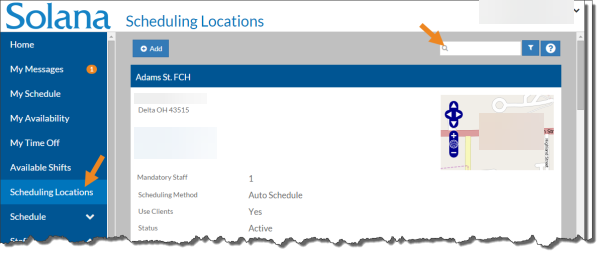
Select Scheduling Locations from the menu and then enter the name of the scheduling location in the Search box.
-
Select the card of the scheduling location you want to assign staff to.
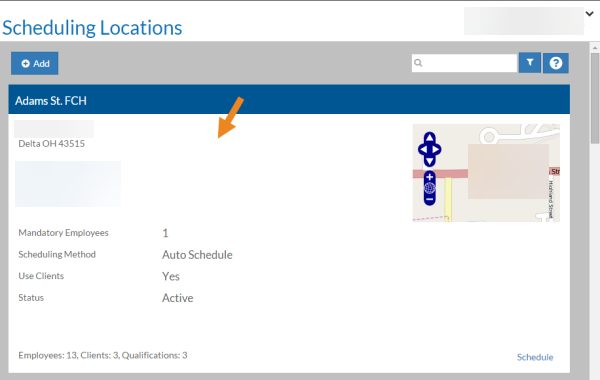
The scheduling location's card opens.
-
Select Add on the Approved Staff card.
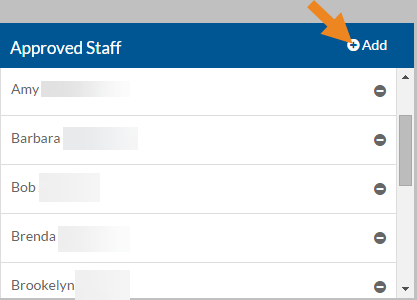
The Approved Staff pop-up opens.
-
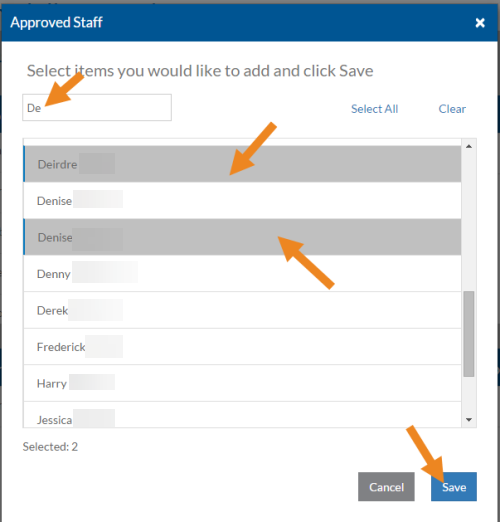
Select the staff you want to assign to the scheduling location and then click Save.
-
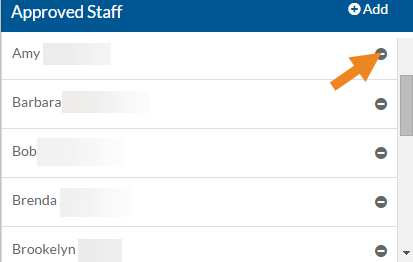
Select the minus sign next to a staff to remove it from the scheduling location.
-
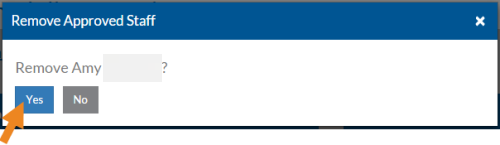
A confirmation message appears. Select Yes.
The staff disappears from the card.