Sandata Accept or Reject Substitute Requests
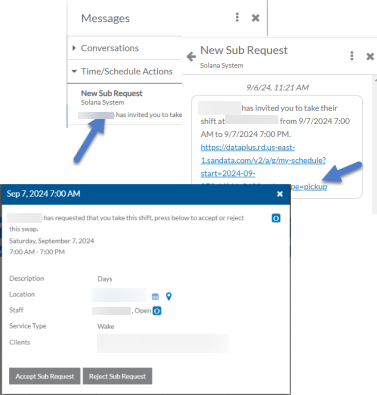
If a coworker sends a request to fill a shift they have posted, it appears in your My Schedules list as a Pending Shift. You can then either accept or reject the request. If you accept it, depending on the settings of the scheduling location, a schedule manage may still need to approve the swap. You will also receive a message in the Message Center when you receive a substitute request.
Complete the following steps to accept or reject a substitute request.
-
Select the link from the substitute request message in the Message Center and skip to Step 4 or go to Step 2.
-
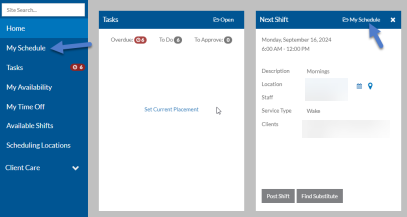
Select My Schedule from the menu or from the Next Shift card on the Home page.
-
Select the pending shift substitution request from the schedule to open it.
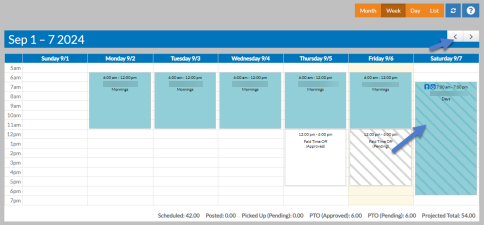
The shift opens in a pop-up.
-
Select the Accept Sub Request to pick up the shift or Reject Sub Request to decline it.
If you accept it and the swap requires approval, the shift block will turn yellow with stripes until it is approved. If rejected, it will disappear from your schedule.