Employees Event Setup Lists
To manage the event related setup lists:
-
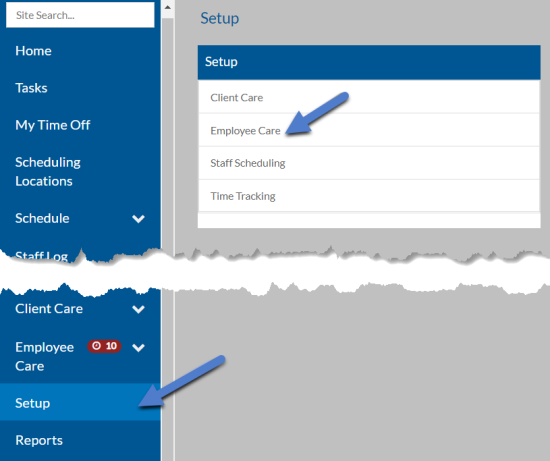
Select Setup from the navigation pane and then select Employee Care.
-
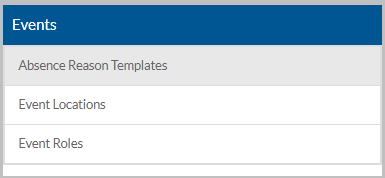
Scroll down to the Events card.
-
Select the setup list you want to manage:
This Setup List Used Here For Absence Reason Templates Event Attendance A list of prefills to use when taking event attendance when an attendee is absent. Event Locations Events A list of locations where an event is held. Event Roles Events: User Roles The list of event roles that determines security access to view and manage attendees as well as take attendance. The descriptions and items in this list must be exact. Sandata implementation sets these up. -
Select anywhere on an existing card to open to view or edit or select the + to add a new one.
-
Enter the Code and/or Description and select Save.