ScrewDriver Printing to the Bypass Tray
-
In the search box next to Start on the taskbar, type control panel.
-
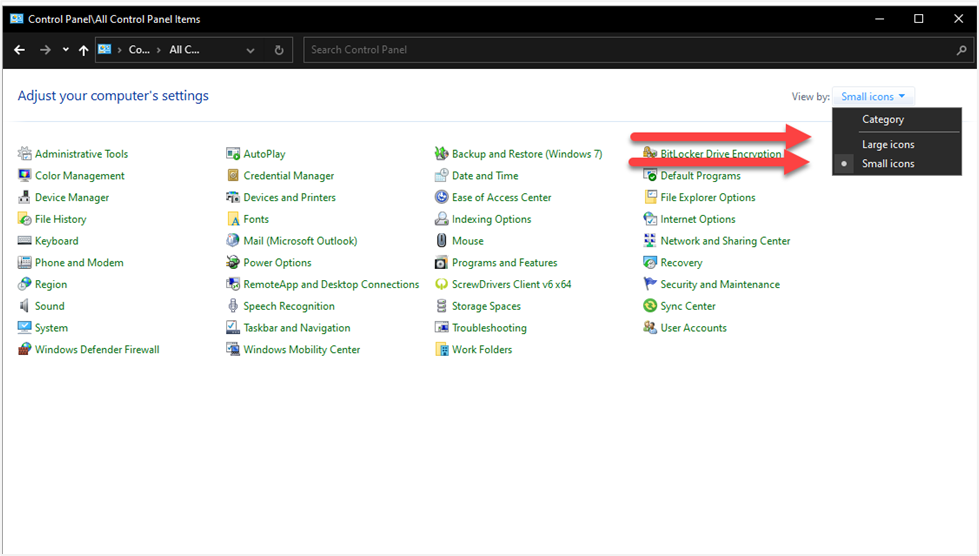
Select Control Panel from the list of results. If not already selected, select View by: Small Icons or Large Icons
-
Select ScrewDrivers Client v6 x64.
-
Select Printers.
-
Activate the Display Second Print Dialog option by sliding it to the enabled position.
-
Select Apply.
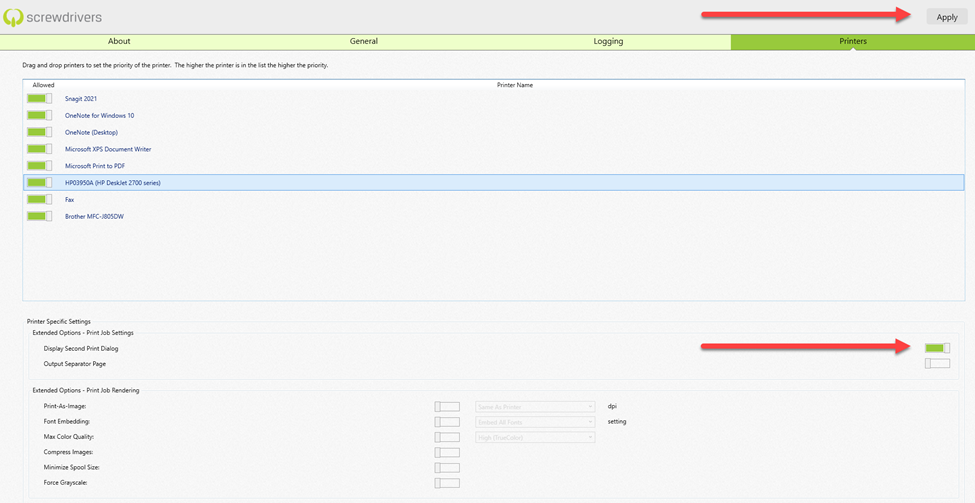
The Screwdriver settings need to be activated individually for each printer.
If you are unable to access the ScrewDrivers folder, please contact your local IT Department.