Saved Filters
You can save selected filters for future use on any screen with a filter drawer. Saved filters can be accessed from the saved filters dropdown or buttons on the header to easily switch between saved filters. Users with appropriate Admin permissions can make selected queries available to all other users. Managed by Me is a default saved filter that is available for all users.
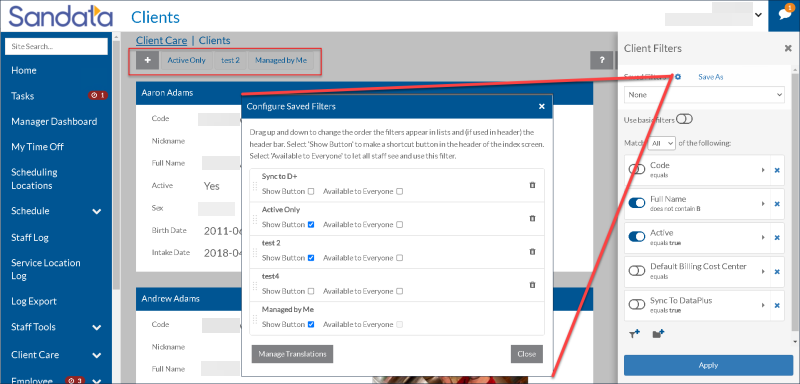
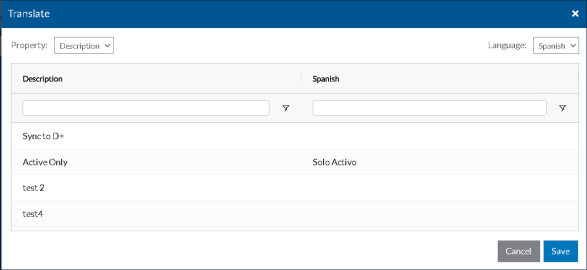
Users can also map the name of their saved filters to a translated version of the name using the Manage Translations button. The mapped name displays when the application is viewed in the selected language.

To save a filter:
-
Click the Filter icon
 .
. -
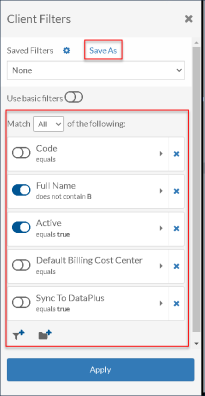
Set up the applicable filters.
-
Click Save As.
-
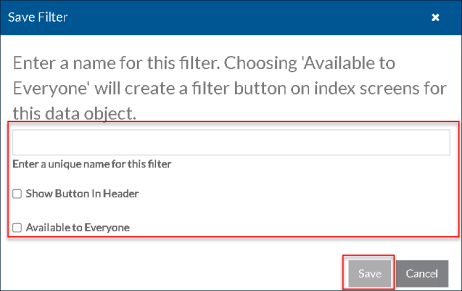
Enter a name for the saved query.
-
Select the applicable checkboxes.
-
Click Save.
You can only modify filters that you have saved yourself. If you need to modify a shared query, apply the saved filter, make your modifications, and save your own version.
-
Click the Filter icon
. -
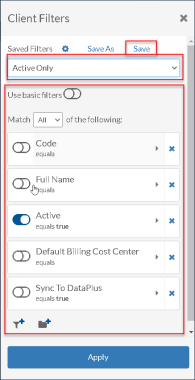
Select the query from the Saved Filters dropdown.
-
Click Save.
-
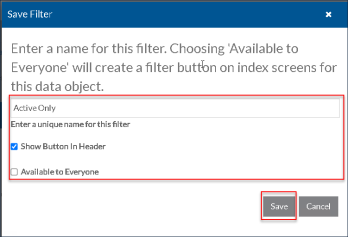
If required, update fields on the Save Filter pop up.
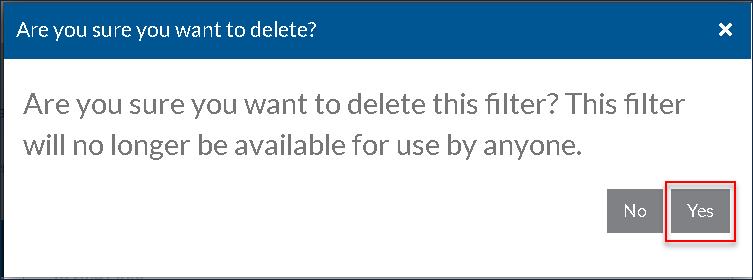
You can only delete saved filters that you yourself have created. If a query that is set as Available to Everyone is deleted from the system, it is deleted for all users.
-
Click the Filter icon
. -
Click the Settings icon
 .
. -
Click the Delete icon
 next to the filter you would like to delete.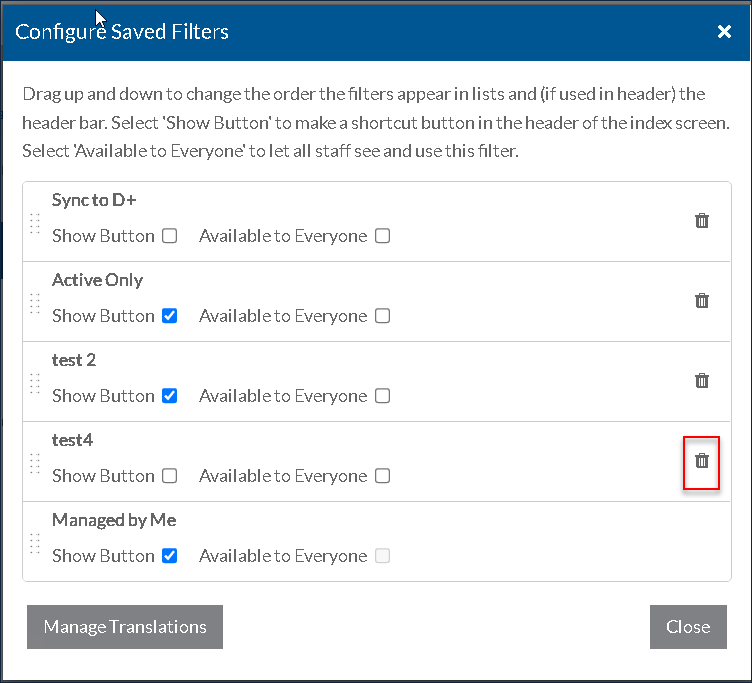
-
In the confirmation window, click Yes.