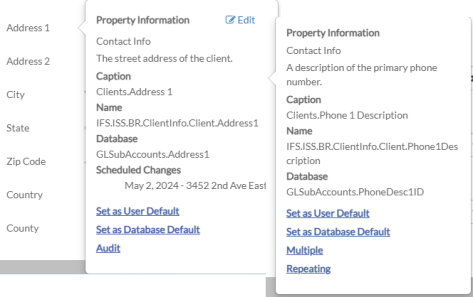
Data Property Caption Menu
When you click on the caption of a data property, the Caption menu displays. This menu shows a tool tip that describes what value should be entered, the underlying database table where the values are saved (if it is not calculated) as well as any pending changes scheduled to be made to it for the current record.
From this menu you can set and clear user default values, set and clear database default values (if you have database default security permissions) and view the audit history of the data property (if save auditing is turned on for the data property). In addition, if you are adding a record you can set its value to repeat or select multiple values.