Client Care Staff Scheduling/Time Tracking Sync Tab
If your agency has licensed ProviderPro Client Banking and Client Care visibility is enabled, you can view the client’s sync information on the Scheduling/Time Tracking Sync tab.
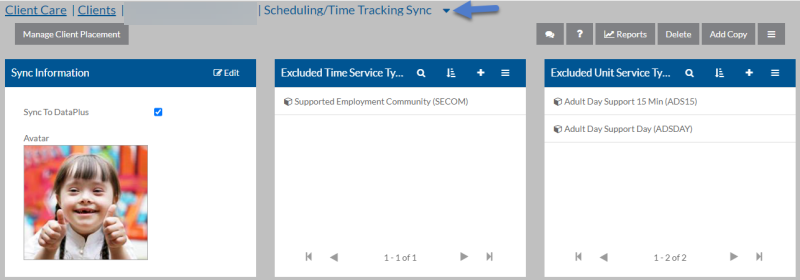
The following table describes the information found on the cards in the tab:
| On this Card | Information on the Fields |
|---|---|
| Sync Information |
Sync To DataPlus - This client should appear in Time Tracking and Staff Scheduling. Avatar - The photograph that should appear for this client in Time Tracking and Staff Scheduling. It must be in jpg format and no larger than 300 X 300 pixels. |
| Excluded Time Service Type | One or more time service types that staff should not see when logging time for this client in Time Tracking. Only time service types that are set to Sync To DataPlus appears. |
| Excluded Time Service Types | One or more unit service types that staff should not see when logging mileage for this client in Time Tracking. Only unit service types that are set to Sync To DataPlus appears. |