Client Care Client Banking Tab
If you have licensed ProviderPro Client Banking and visibility in Client Care is turned on, the client banking information is listed on the Client Banking tab.
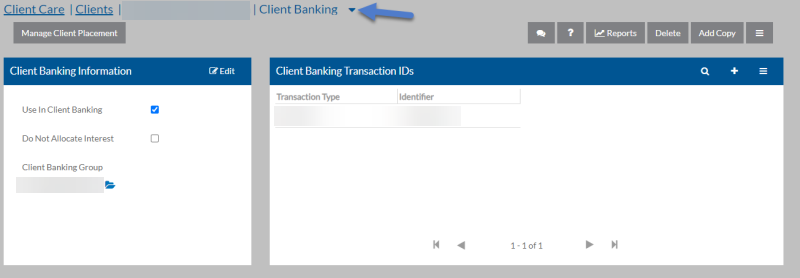

The table below describes the information found in the Client Banking Information section:
| Field | Information |
|---|---|
| Use in Client Banking | If this client should be accessible to the Client Banking wizards and inquiries. |
| Do Not Allocate Interest |
If Use In Client Banking is selected and you do not want to allocate interest to this client when running the Allocate Interest Wizard. Client Banking Group - If Use In Client Banking is selected, the code of the appropriate client banking group for this client (for reporting purposes only). |
| Client Banking Group |
If Use In Client Banking is selected, the code of the appropriate client banking group for this client (for reporting purposes only). |
To import a client’s bank transactions, you must first configure bank transaction identifier types. Link each relevant transaction type to the client by setting up their Client Bank Transaction IDs.
| Field | Information |
|---|---|
| Transaction Type |
The code of the bank transaction type. |
| Client Banking Transactions IDs | The related identifier from the NACHA file for this client for the bank transaction type selected (up to 40 characters). |