Sandata Security Reports

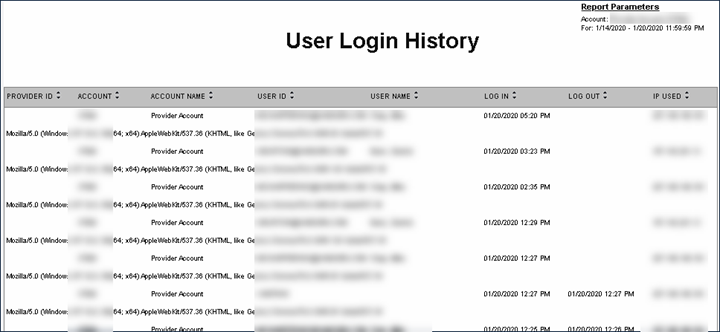
This report shows a list of all users who logged into the system for a selected date range. The report displays the username, time, browser and the IP addresses of the users. The maximum date range for this report is 7 days.
Use this report to allow authorized users to view all user login activity. This report can assist with audits and be useful to identify trends or patterns within or across providers.
Each column of the report lists the following information:
| Columns | Description |
|---|---|
| Provider ID | The state assigned identifier for the Provider (e.g Provider Medicaid ID) |
| Account | The Provider's Sandata EVV account number |
| Account Name | The Provider's account name |
| User ID | The email address used to login to the system |
| Log In | The date and time the user logged in |
| Log Out |
The date and time the user logged out. This value is blank if the user did not use the LOG OUT button to log out of the system. |
| IP Used | The IP address the user logged in and out from |
| Browser Details | The second row displays additional browser information |
Sample Report
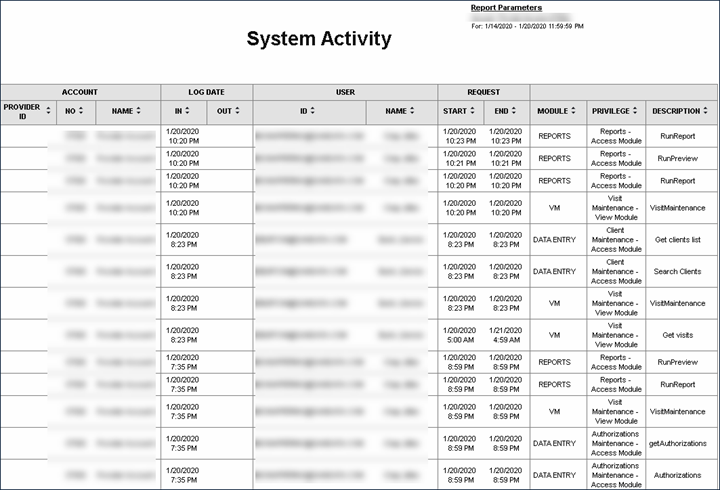
This report shows all activity taking place in Sandata for a selected date range. The report displays a list of users, features accessed, log in and log out times and the actions made within the system. The maximum date range for this report is 7 days.
This is an audit report using the system logs to understand user activity within Sandata. All accounts are shown together on this report. Both the overall user login information is available as well as the time spent in each individual feature. This can be used to view individual user activity or activity for a date range within Sandata.
Each column of the report lists the following information:
| Columns | Description |
|---|---|
| Account: Provider ID | The state assigned identifier for the provider (e.g. Provider Medicaid ID) |
| Account: Number | The Provider agency's Sandata EVV account number |
| Account: Name | The account name |
| Log Date: In | The date and time the user logged in |
| Log Date: Out |
The date and time the user logged out. This value is blank if the user did not use the Log Out button to log out of the system. |
| User: ID | The email address used to log into the system |
| User: Name | The user's name (last, first) |
| Request: Start | The date and time the module was accessed |
| Request: End | The date and time the module access was completed (e.g. the user logged out or went to another module) |
| Module | The name of the module accessed |
| Privilege | The privilege allowing access to the module |
| Description | The activity performed by the user |
Sample Reports
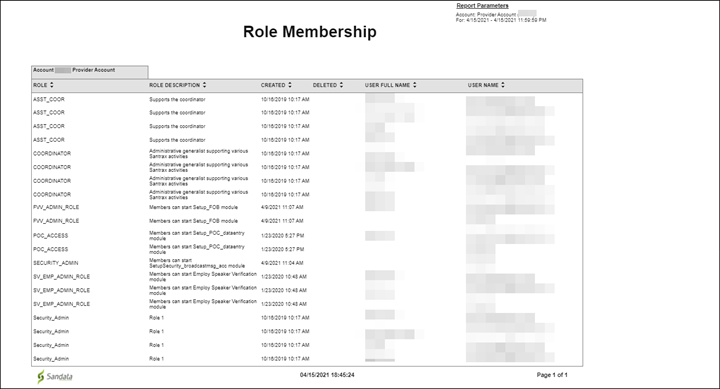
This report displays a list of all roles configured for the account and which users are assigned to those roles as of the date the report was run.
This report is used to audit role assignments to individual users. The report allows users to easily view the current role assignments and determine if changes are needed.
Reports are grouped by the fields below. Each change in these fields results in a page break.
Each column of the report lists the following information:
| Columns | Description |
|---|---|
| Role | The name of the role |
| Role Description | A short description of the role |
| Created | The date the role was created |
| Deleted | The date the role was deleted |
| User Full Name | The full name of the user assigned the role |
| User Name | The username/email address of the user assigned the role |
Sample Report
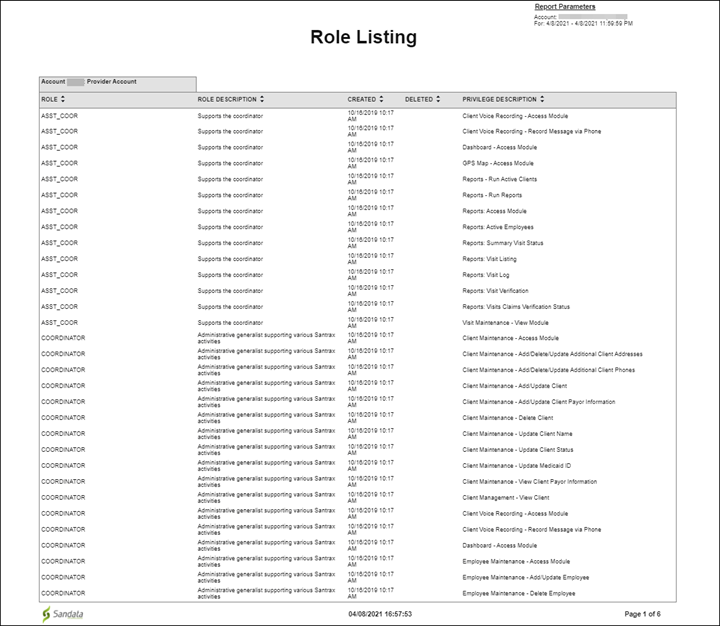
This report displays a list of the account’s roles and all the privileges assigned to those roles. The creation and deletion dates for each role is included in the report.
Use this report to audit the roles for the account so the appropriate privileges are assigned to the correct roles.
Reports are grouped by the fields below. Each change in these fields results in a page break.
| Field | Description |
|---|---|
| Account | The provider agency’s Sandata EVV account number |
Each column of the report lists the following information:
| Columns | Description |
|---|---|
| Role | The name of the role |
| Role Description | A short description of the role |
| Created | The date the role was created |
| Deleted | The date the role was deleted |
| Privilege Description | A short description of the privilege |
Sample Report
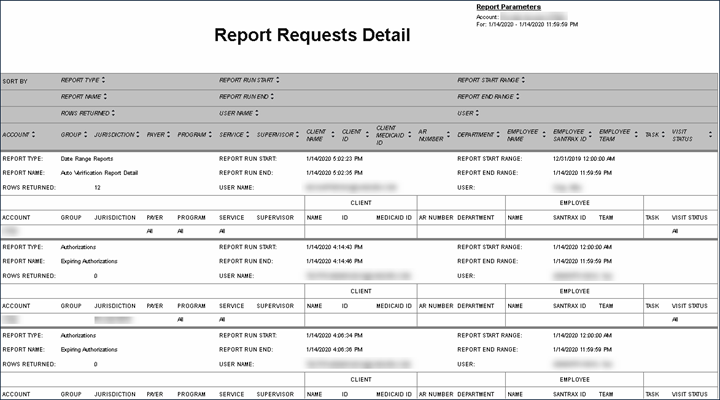
This report shows all report requests made on a specific date. The report lists the username of the requester, the report run, times, and report length. The maximum range of this report is one day.
Use this report to view what reports have been run in the system. Use the following fields to limit the report output:
| Field | Description |
|---|---|
| Payer | The selected Payer(s) |
| Program | The selected program(s) |
| Service | The selected service(s) |
The Report Request Detail shows various selection criteria used when each report was run. Fields with information are limited based on the report selected, its criteria, and the selections made by the user. The report output is the selection information used when running each report.
| Column | Description |
|---|---|
| Report Type |
The grouping or type of report On the Reports page, this is the Report Type drop-down. |
| Report Name |
The reports selected. On the Reports page, this is the Report Name. |
| Rows Returned |
The number of rows returned for the report based on the selected criteria If no rows were returned, the report was blank. |
| Report Run Start | The date and time the report began |
| Report Run End | The date and time the report finished |
| User Name | The username of the individual requesting the report |
| Account |
The Provider agency's Sandata EVV account number used for the report if applicable. Users may see multiple accounts for the Aggregator version of this report or an 'A' which indicates 'All.' |
| Group | Internal accounts grouping |
| Jurisdiction |
The group name used for generating the report which defines report row level security within Aggregator. Used for Aggregator reports only |
| Payer | The Payer selected for the report if applicable |
| Program | The program selected for the report if applicable |
| Service | The service selected for the report if applicable |
| Supervisor | The Supervisor selected for the report if applicable |
| Client Name | The Client name selected for the report if applicable |
| Client Medicaid ID |
The Client's Medicaid ID and/or Alternate Medicaid ID. If not available, Payer ID. If newborn support is enabled and the Client is flagged as a newborn, value is shown as "N". |
| AR Number | The Client Accounts Receivable (AR) number selected for the report if applicable |
| Department | The Employee's department selected for the report if applicable |
| Employee Name | The Employee name selected for the report if applicable |
| Employee Santrax ID | The Employee Santrax ID selected for the report if applicable |
| Employee Team | The Employee's team selected for the report if applicable |
| Task | The task(s) selected for the report if applicable |
| Visit Status | The visit status selected for the report if applicable |
Sample Report
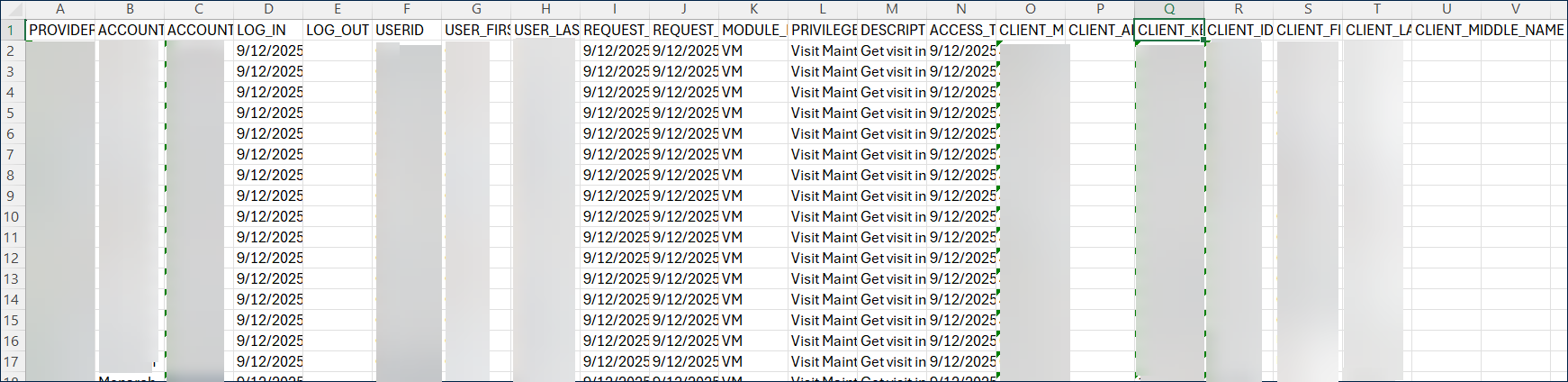
This report allows system administrators and auditors to review a user’s activity. The report displays the staff member’s name and user information, the client’s name and identification information and the activity taken. This report is available as an Excel or CSV export as it contains significant amounts of information, even for a short period of time. The maximum date range for this report is 7 days.
This report can be used to view a staff member’s activity in the system when performing an audit or review.
Each column of the report lists:
| Columns | Description |
|---|---|
| Provider ID | The state assigned identifier for the Provider (e.g. Provider Medicaid ID) |
| Account Name | The Provider's account name |
| Account | The Provider agency's Sandata EVV account number |
| Log In | The date and time the user logged in |
| Log Out |
The date and time the user logged out. This value is blank is the user did not use the Log Out button to log out of the system. |
| User ID | The email address used to log into the system |
| User First Name | The user's first name |
| User Last Name | The user's last name |
| Request Start | The date and time the module was accessed |
| Request End | The date and time module access was completed (e.g the user logged out or navigated to another module) |
| Module Name | The name of the module accessed |
| Privilege | The privilege allowing access to the module |
| Description | The activity performed by the user |
| Access Time | The date and time the activity was accessed |
| Client Medicaid ID |
The Client's Medicaid ID and/or Alternate Medicaid ID If not available, Payer ID. If newborn support is enabled and the Client is flagged as a newborn, the value is shown as "N." |
| Client Alternate Medicaid ID | The Client's alternate Medicaid ID |
| Client Key |
The Client's key for the related activity. The Client Key is assigned each time a Client is created or updated and is needed if further information is required from the system logs. |
| Client ID |
The Client's ID for the related activity. This value is either assigned by the Provider or automatically assigned when the Client is created. |
| Client First Name | The first name of the Client whose information was viewed |
| Client Last Name | The last name of the Client whose information was viewed |
| Client Middle Name | The middle name or initial of the client whose information was viewed |
Sample Report
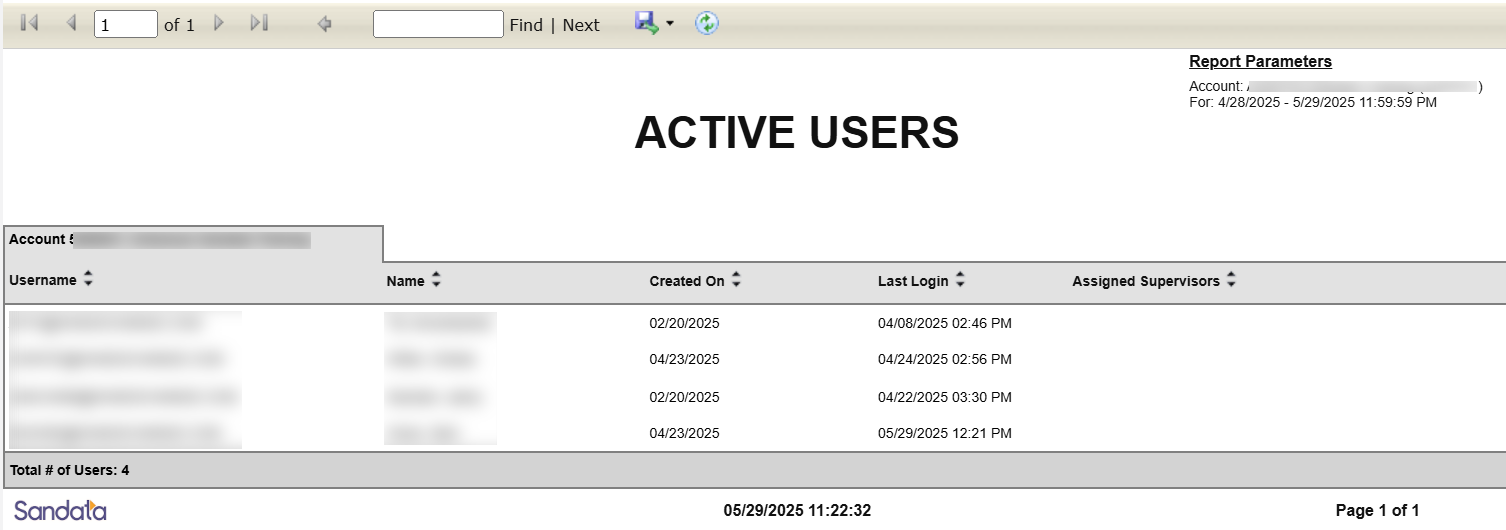
This report shows a list of all active users for the selected date range. The report displays when the user was created in the system, the last time the user logged in and assigned Supervisors. The maximum date range for this report is 730 days.
Use this report to review the roster of active users and their last log in times. System Administrators can also use this report to review possible security changes.
Reports are grouped by the following fields. Each change in these fields results in a page break.
| Field | Description |
|---|---|
| Account | The Provider agency’s SandataEVV account number |
Each column of the report lists the following information:
| Columns | Description |
|---|---|
| Username | The email address used to log into the system |
| Name | The user's name |
| Created On | The date the user was created |
| Last Login | The user's last Sandata account login date and time |
| Assigned Supervisors | The Supervisor names or codes associated with the user if the user is a supervisor |
Sample Report