Search for Client
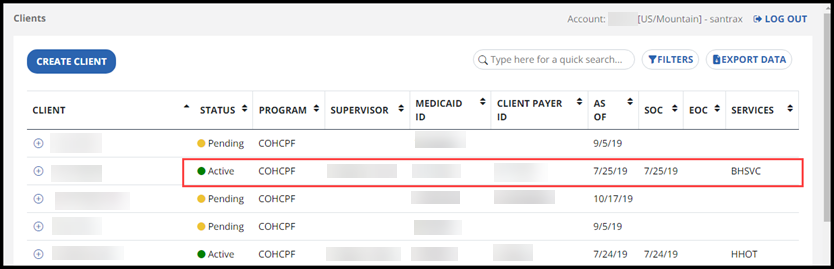
Finding a Client in the system is easy. Use these steps to review a Client’s profile.
-
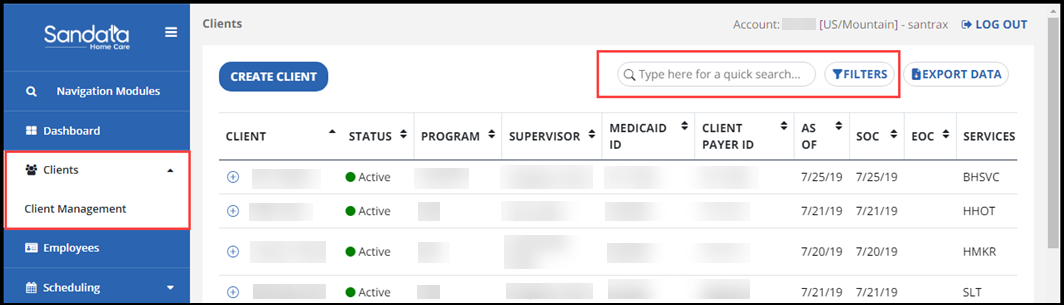
Open the Clients dropdown menu, then select Client Management.
-
Use the quick search field to search by name.
-
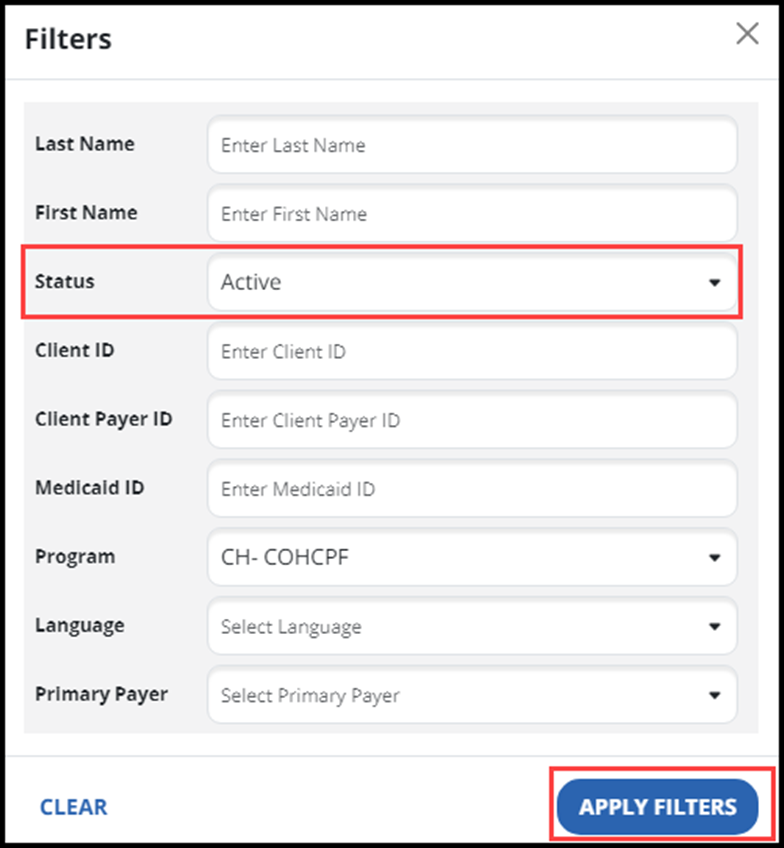
Use the FILTERS button to search and filter by other fields such as Status, Program, or Client ID.
When your client list first loads, active Clients display by default. In the Filters windows, use the status menu to choose Pending or Inactive or Select Status to display all.
-
To open a Client’s profile, select a field in the line next to the Client’s name.