Client Program Tab

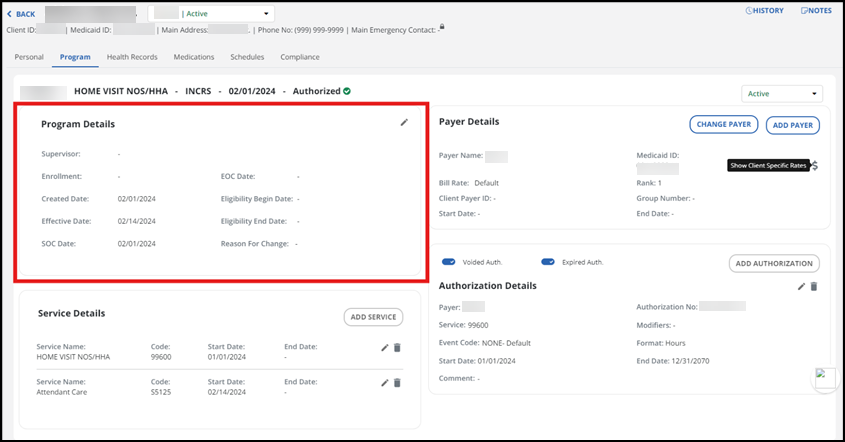
The details about a Client’s program are all on one page under the Client Program tab. The Client details for the program can be found in the Program Details section.
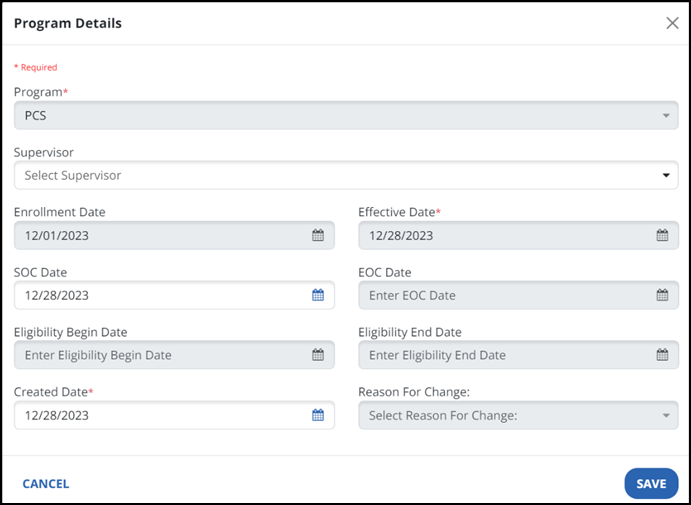
There are several fields that can be updated or edited for the Client including Program, Effective Date and SOC Date (Start of Care). Once changes are made, select the SAVE button.
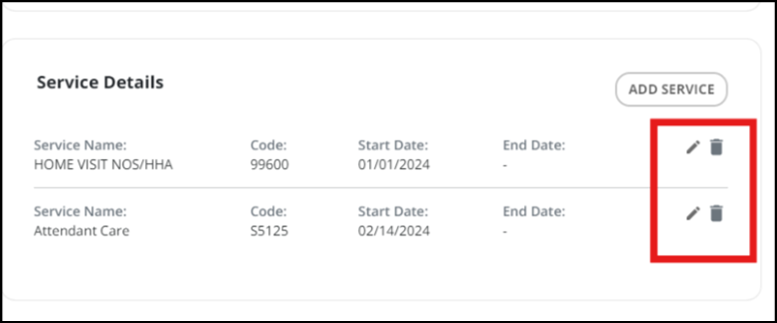
The details about a Client’s program are all on one page on the Client Program tab. The services assigned to the Client will be listed under Service Details.
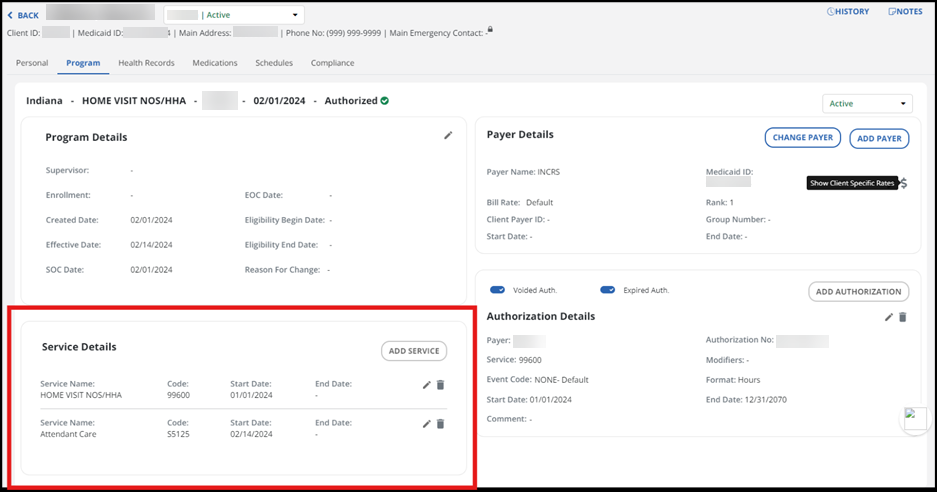
The service for the Client can be edited or removed by clicking on the pencil icon or the trash can icon.
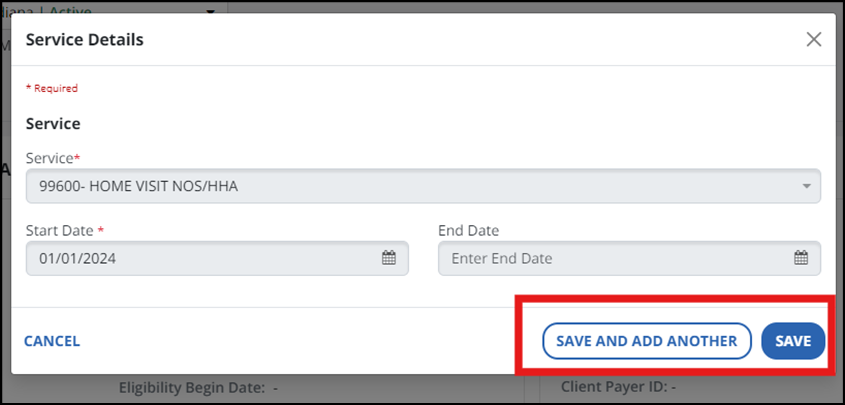
If there are any changes made, select the SAVE AND ADD ANOTHER button or the SAVE button.