Manage Authorizations in the Client Program
Details about a Client’s program, including authorizations, are all on one page in the Client Program tab. It is easy to update or create an authorization for a Client, if your set up allows. Complete the following steps to manage authorizations in the Client program:
-
Open the profile of the Client for whom the authorization will be created: Go to Clients > Client Management and search for and open the Client profile.
-
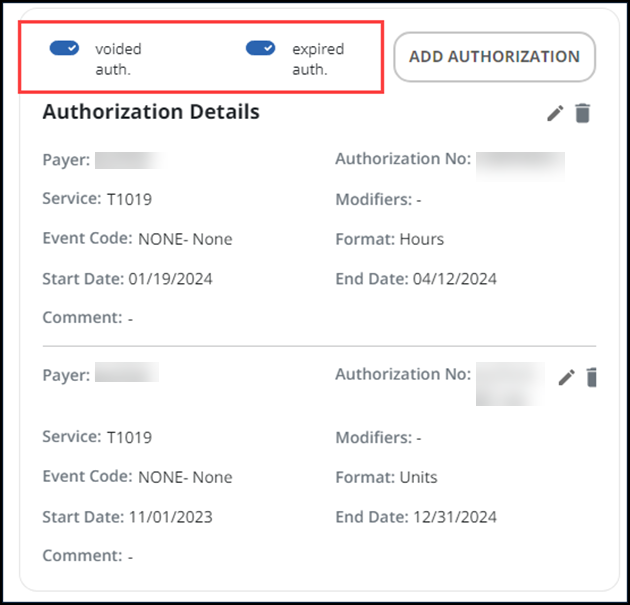
Open the Program tab. You will see authorizations for the Client in the Authorization Details card. The toggle buttons allow you to view or not view voided and expired authorizations.
-
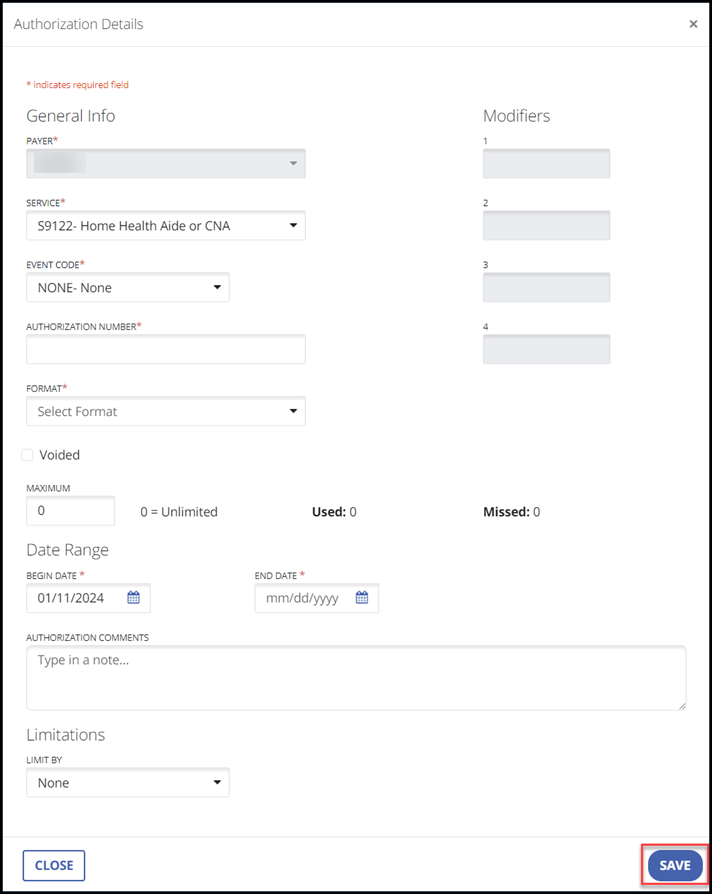
Use the edit icon to view additional details and update information such as authorization number and start and end dates. Or select the ADD AUTHORIZATION button to add a new one. Enter the authorization information for the Client, making sure to complete the required fields.
-
Select the SAVE button.