Create an Authorization
In some programs, authorizations are sent through a feed. In others, you may need to add an authorization for a Client.
-
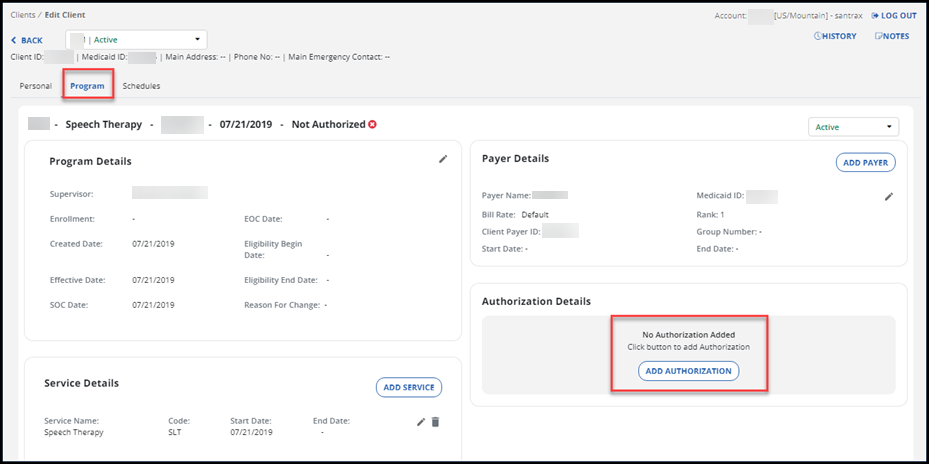
Open the Client’s profile and go to the Program tab.
-
To add a new authorization, select the ADD AUTHORIZATION button.
-
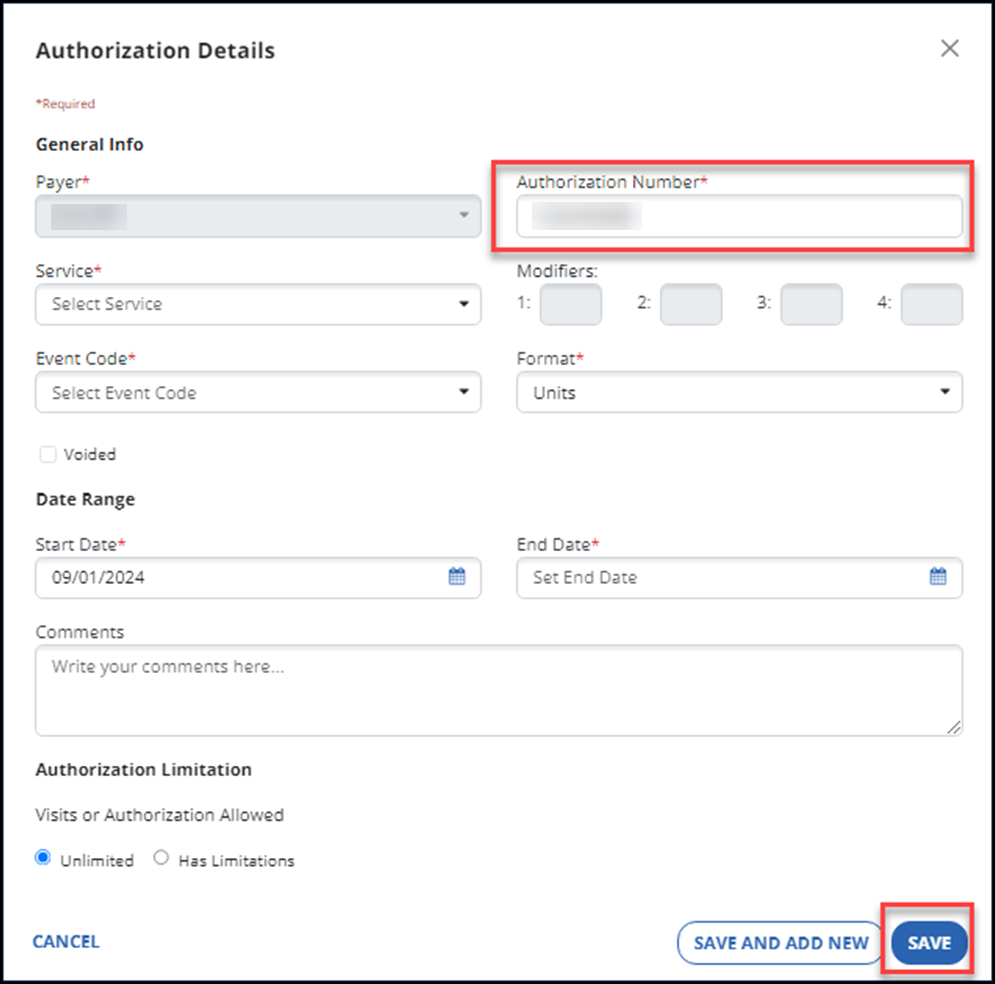
Enter the authorization information for the Client, making sure to complete the required fields.
The fields with an asterisk (*) are required, including the Authorization Number field.
-
To complete the change, select the SAVE button.
Use the edit features in the Authorization Details window to edit an existing authorization.